Software maintenance is the work of keeping software correct, secure, and usable after launch, and it is the part of the budget most owners plan for the least. A browser update breaks the checkout, a library gets a public security flaw, and nobody owns the fix.
This guide explains the four types of maintenance, the lifecycle, what it costs, which tools teams use, and how to plan it for a custom software development project.
What is maintenance in software development?
Maintenance is the process of modifying a software product after delivery to correct faults, adapt it to a changed environment, improve performance, or prevent future problems. It is the final and longest phase of the software development life cycle. Our guide to the 7 phases of the SDLC walks through all stages.
The work includes fixing bugs, patching a library with a newly disclosed flaw, tuning a database query that slowed as data grew, and reorganizing code so the next feature does not take three weeks.
Software does not wear out like physical equipment. It falls behind its environment, which is why the software development life cycle continues.
What are the four types of software maintenance?
The four types are corrective, adaptive, perfective, and preventive maintenance. Corrective fixes defects, adaptive responds to environment changes, perfective improves what already works, and preventive addresses faults before users hit them.
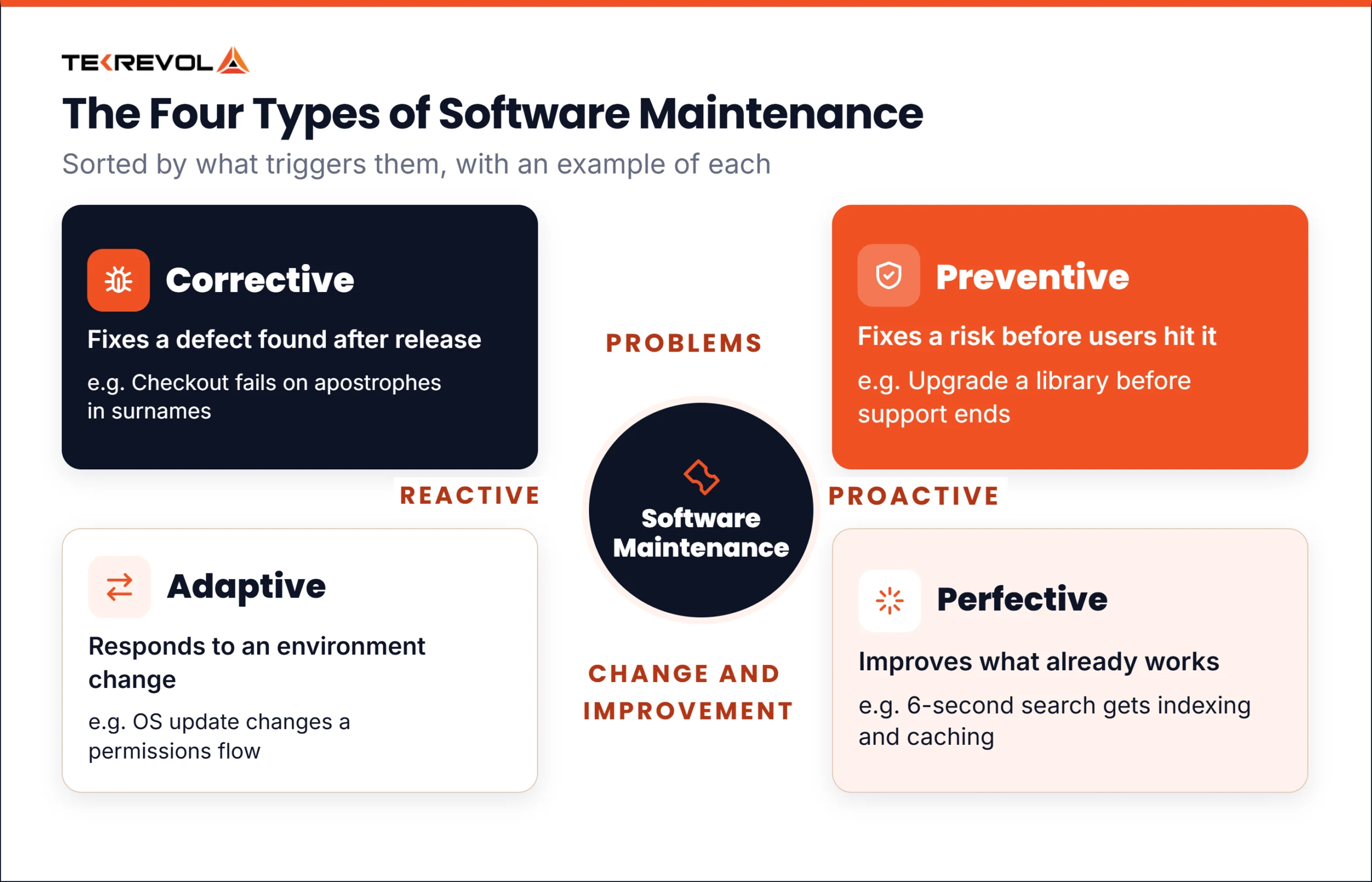
These four types are TekRevol’s summary of common practice.
| Type | What triggers it | Example |
| Corrective | A defect found after release | Checkout fails for users with apostrophes in their surname |
| Adaptive | The environment changed | A mobile OS update changes a permissions flow, so the app needs updating |
| Perfective | User feedback or performance data | Illustrative: search takes 6 seconds, so you add indexing and caching |
| Preventive | A proactive review found a risk | Upgrading a library before its security support ends |
Corrective maintenance
Corrective maintenance fixes what is broken. A user reports that invoices show the wrong tax rate, and a developer tracks it down and ships a fix.
It is the only type that is truly reactive, and it interrupts whatever was planned. A steady stream of live bugs also points upstream: your testing is missing things.
Adaptive maintenance
Adaptive maintenance responds to changes outside your control. Operating systems update, browsers retire interfaces, payment providers revise integrations, and privacy law changes what consent you must capture. In TekRevol’s judgment, this is the category owners underestimate most.
Perfective maintenance
Perfective maintenance improves software that already works. Users say a task takes too many clicks, data shows people dropping out of a form, or, in an illustrative case, a report that used to load fast now takes ten seconds.
Nothing here is a bug. In TekRevol’s judgment, perfective work often takes the largest share of a maintenance budget over time, because feature requests and speed work pile up faster than bugs.
Preventive maintenance
Preventive maintenance addresses problems before anyone experiences them, and it is where software development best practices pay off most. Examples are upgrading a framework before its support window closes, adding tests around fragile code, and replacing a library nobody maintains.
It is the easiest category to cut and the most expensive to skip. A team that defers upgrades for years can face a migration that would have been routine annually and has become a project of its own. That pattern is TekRevol’s judgment.
What does ISO/IEC/IEEE 14764 say about maintenance types?
ISO/IEC/IEEE 14764:2022, published in January 2022 as edition 3, bases its maintenance guidance on the maintenance process in ISO/IEC/IEEE 12207:2017. The standard includes the related disposal process at the end of a software product’s life. It does not cover software operation, such as backups or system administration. The split matters in practice. Bigger feature builds after launch are additive work, and they are usually scoped and priced apart from routine perfective tuning.
Why does maintenance matter?
Maintenance matters because software degrades relative to its environment even when nobody touches it. Platforms change, dependencies get vulnerabilities, data grows, and user expectations rise. Unmaintained software becomes insecure, then unusable, then unsupportable.
Skipping maintenance has four consequences:
- Security risks. Flaws become public in the libraries you rely on, and using a public flaw takes little skill. An unpatched library is a known open door.
- Compliance. Payment standards, privacy laws, and access rules change. Software that met the rules in 2023 may not meet them now.
- Platform requirements. Browsers drop old APIs. At some point, your product stops running for part of your users.
- Technical debt. Deferred maintenance accumulates as technical debt. CISQ’s 2022 report estimates accumulated software technical debt at about $1.52 trillion.
In TekRevol’s judgment, maintenance is often the largest share of a product’s lifetime cost, so an unplanned maintenance budget is the biggest unplanned spend.
What does the software maintenance lifecycle involve?
The maintenance lifecycle runs from a change request through analysis, implementation, testing, release, and documentation, and it ends with migration or retirement when the software is replaced.
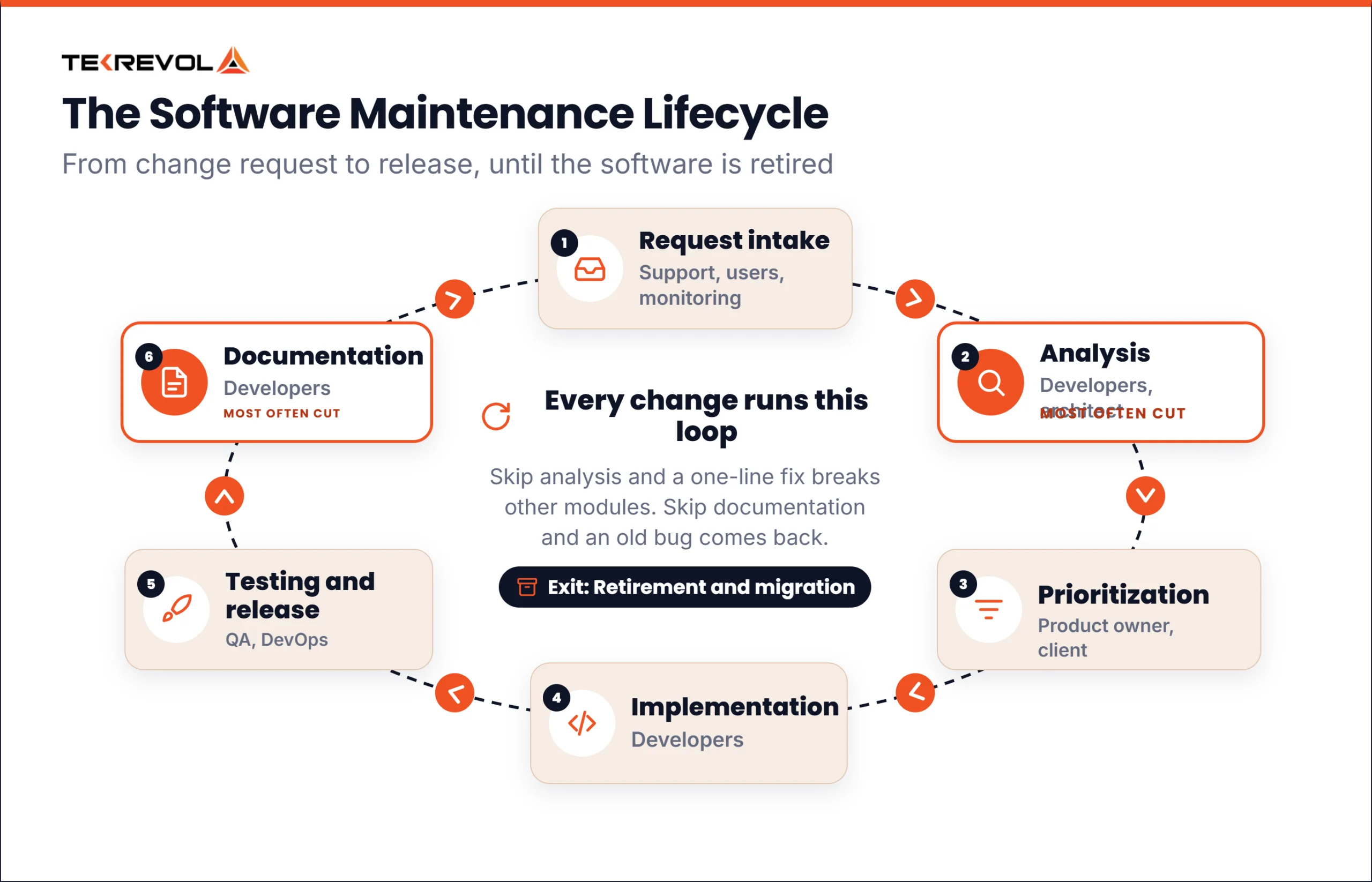
The table below is TekRevol’s simplified view of the full cycle.
| Stage | What happens | Who is involved |
| Request intake | A bug report, feature request, or scheduled upgrade enters a tracked queue | Support, users, monitoring tools |
| Problem and modification analysis | Assess what the change touches, the risk, and the effort | Developers, architect |
| Prioritization | Weigh urgency against effort and available capacity | Product owner, client |
| Implementation | Make the change, with tests covering the affected behavior | Developers |
| Testing and release | Regression testing, then a controlled deploy with rollback ready | QA, DevOps |
| Documentation | Record what changed and why, so the next person knows | Developers |
| Retirement | Plan the move to a replacement, notify users, and archive the records | Product owner, developers, DevOps |
Two stages carry most of the value, and both get cut under pressure. Analysis is where you learn that a one-line fix touches four other modules, and skipping it lets a small change break something unrelated. Documentation is where the reasoning lives, and without it someone will tidy up a fix and bring the original bug back.
What does software maintenance cost?
Maintenance costs roughly 15% to 20% of the original build cost per year, which is TekRevol’s planning baseline. Simple apps sit lower, and complex or regulated systems run higher. The table applies that range to three illustrative build costs.
| Original build cost | Annual maintenance at 15% to 20% | Rough monthly |
| $50,000 | $7,500 to $10,000 | $625 to $833 |
| $120,000 | $18,000 to $24,000 | $1,500 to $2,000 |
| $350,000 | $52,500 to $70,000 | $4,375 to $5,833 |
In TekRevol’s judgment, five factors move the number:
- Complexity and integrations. Every outside connection can change without warning.
- Regulatory load. Health and finance builds carry audit work that a marketing site never will.
- User volume. More users bring more edge cases, support tickets, and servers.
- Code quality at handover. Tested, documented code is far cheaper to maintain.
- Platform count. iOS, Android, and web each need updates on their own timing.
Budgets also miss costs that rarely appear on one invoice: hosting, licenses and API fees, monitoring tools, app store accounts, certificates, and the hours your own team spends triaging and testing. For the build side of the budget, see our custom software development cost guide.
Which tools do teams use for maintenance?
Maintenance tools cover five jobs: tracking what needs fixing, managing code, checking code quality, monitoring what is failing, and automating releases. Most teams run one tool per job. The tool names in the table are examples chosen by TekRevol.
| Job | Example tools |
| Issue tracking | Jira, Asana, Linear |
| Version control | GitHub, GitLab, Bitbucket |
| Static code analysis | SonarQube, ESLint, Coverity |
| Error and performance monitoring | Sentry, Datadog, New Relic |
| CI/CD automation | Jenkins, GitHub Actions, CircleCI |
If you have nothing yet, start with error monitoring. In TekRevol’s judgment, knowing what is actually failing beats every other tool here, because it replaces guesswork with a queue.
How do you build a maintenance plan?
Build a maintenance plan by defining what is covered, agreeing response times by severity, setting a recurring budget, naming an owner, booking preventive work, and setting a monitoring baseline. Put it in writing before launch.
- Scope. Which types are covered. Corrective and adaptive work usually are. Perfective work often sits outside a standard retainer, and that is where arguments start.
- Severity levels and response times. A payment outage and a misaligned button are not equally urgent, so set the tiers and the response for each.
- A recurring budget. Set it as a share of build cost and review it yearly, so each fix draws on an agreed amount.
- A named owner. One named person answers for the software’s health.
- Booked preventive work. Put upgrades and clean-up in the calendar as repeating work, because preventive work that is not booked does not happen.
- A monitoring baseline. Error tracking and uptime alerts, so problems reach you before they reach users.
How does TekRevol handle software maintenance?
TekRevol is a software development company that agrees what maintenance covers before launch. The team sets which maintenance types are covered, the response time for each severity level, and what falls outside the monthly retainer, so a month-three dispute is settled before it starts.
Get your software maintenance scope before the next outage! Book Free Consultation Today →