



- CRM software centralizes customer interactions, tracks sales pipelines, and automates marketing tasks across growing enterprise organizations.
- The four types of CRM software are operational, analytical, collaborative, and customer relationship management systems.
- Salesforce holds over 20% of the market, making it the most widely used enterprise platform.
- Free CRM software examples like HubSpot and Zoho give small businesses essential contact management without upfront costs.
- Customer service CRM software streamlines support ticket routing, live chat resolution, and automated customer satisfaction surveys.
- Building custom CRM software eliminates recurring SaaS subscription fees while giving you total data ownership and control.
Zendesk announced in September 2025 that it is retiring Zendesk Sell. SugarCRM now trades as SugarAI. Salesforce Essentials no longer exists. Insightly belongs to Unbounce. Oracle CX Sales is called Oracle Fusion Cloud Sales.
All of them still appear on published lists of CRM software examples, sometimes on pages updated this year. Shortlist from a roundup and there’s a fair chance one name on it can’t be bought under that name anymore.
So we checked every product against the vendor’s own pricing page in August 2026. We also state the billing basis throughout, because a CRM that costs $7 a seat annually costs $20 a seat monthly, and published CRM software examples rarely mention which figure they’re quoting.
This guide covers what CRM software is and 20 top CRM software examples. We also break down primary system categories, essential features, and key differences between free, commercial, and custom enterprise solutions.
What Is CRM Software?
CRM software, short for Customer Relationship Management software, is a digital platform that stores every interaction you have with customers and prospects in one place. It tracks contacts, deals, emails, calls, and tasks, then automates the follow-up. Sales, marketing, and support teams all work from the same record instead of separate spreadsheets.
Strip away the marketing, and every one of the CRM software examples online is a shared memory. Who did we talk to, what did we say, what did we promise, and what happens next?
Custom CRM development services obviously do considerably more. They score leads, forecast revenue, trigger email sequences, and increasingly ship AI agents that draft replies and summarize recorded calls. But the fundamental job hasn’t changed since the category was named in the 1990s: keep the customer relationship inside a documented system rather than inside somebody’s head.
Need Custom Software Built for Your System Infrastructure?
TekRevol builds scalable custom software solutions engineered to perform seamlessly across any business ecosystem.
Talk to Our Software Experts TodayWhat are the Key Features of CRM Software?
Essential features of CRM software include centralized contact management, automated sales pipelines, email marketing integration, task scheduling, real-time analytics dashboards, customer service ticketing, and automated workflow triggers designed to increase team productivity.
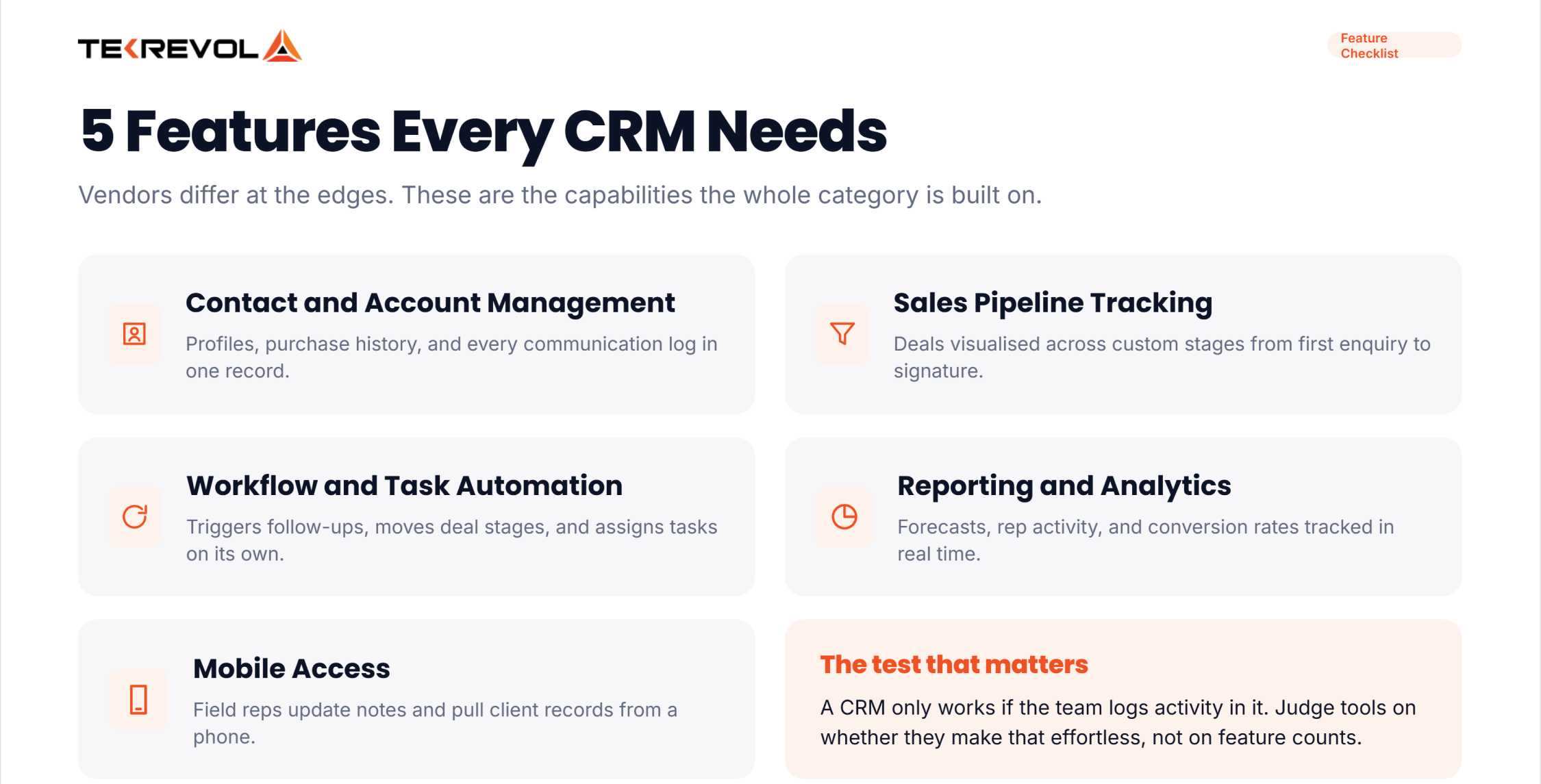
While different vendors add specialized tools, most top CRM platforms rely on these foundational capabilities:
- Contact & Account Management: Organizes client profiles, purchase histories, and communication logs in one centralized location.
- Sales Pipeline Tracking: Visualizes deals across customized stages from initial inquiry to final contract signing.
- Workflow & Task Automation: Automatically triggers follow-up emails, updates deal stages, and assigns tasks to team members.
- Reporting & Analytics Dashboards: Tracks revenue forecasts, rep activity levels, and conversion rates in real-time.
- Mobile Responsiveness: Allows field representatives to update deal notes and access client records on mobile devices.
If your enterprise relies on proprietary operational tools, our custom software development services help you integrate specialized business logic directly into your operational systems.
What are the Types of CRM Software?
The four main types of CRM software are operational CRMs for sales automation, analytical CRMs for data insights, collaborative CRMs for cross-department communication, and strategic CRMs focused on long-term customer engagement and brand loyalty.
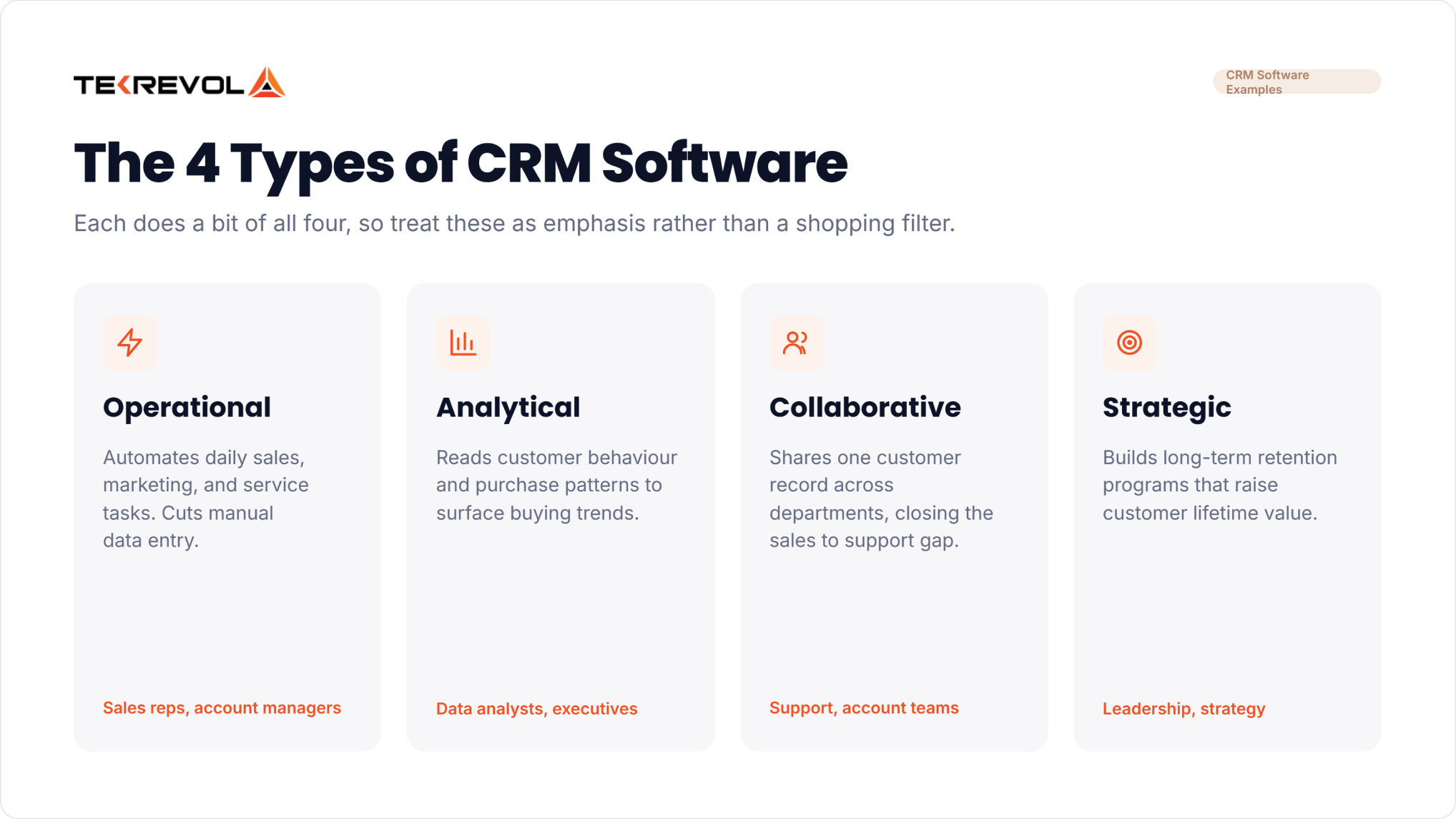
To choose the right solution for your business, it helps to understand how different CRM systems function under the hood:
| CRM Type | Primary Focus | Key Benefit | Typical User |
| Operational CRM | Automating daily sales, marketing, and service tasks | Saves time by cutting out manual data entry | Sales Reps & Account Managers |
| Analytical CRM | Analyzing customer behavior and purchase patterns | Reveals hidden buying trends and revenue opportunities | Data Analysts & Executives |
| Collaborative CRM | Sharing customer data across departments | Eliminates communication gaps between sales and support | Customer Support & Account Teams |
| Strategic CRM | Building long-term relationship retention programs | Increases customer lifetime value and brand loyalty | Executive Leadership & Strategy |
What are the Best CRM Software Examples?
The most widely used CRM software examples are Salesforce, HubSpot, Zoho CRM, Microsoft Dynamics 365 Sales, and Pipedrive. Below them sit strong niche tools like Close, Attio, Copper, Nimble, Less Annoying CRM, and the open-source option EspoCRM.
| CRM | Entry Price | Billing Basis | Best for | 2026 Update |
| Salesforce Sales Cloud | Starter Suite $25/user/mo | Monthly or annual | Scaling companies | Free Suite at $0 sits below Starter; Agentforce 1 Sales tops the range at $550 |
| HubSpot Sales Hub | Starter $7/user/mo | Annual ($20 monthly) | Teams that want marketing and sales in one place | Professional adds a one-time $1,500 onboarding fee |
| Zoho CRM | Standard $14/user/mo | Annual (USD list) | Small businesses already using other Zoho apps | Zoho’s page serves local currency by region, so confirm the rate for your market |
| Microsoft Dynamics 365 Sales | Sales Professional $65/user/mo | Paid yearly | Companies standardized on Microsoft 365 | Enterprise $105 and Premium $150 add Copilot capabilities |
| Pipedrive | Lite $14/user/mo | Annual | Sales teams that live in the pipeline view | Plan names changed to Lite, Growth, Premium, and Ultimate |
| Freshsales | Growth $9/user/mo | Annual | Budget-conscious sales teams | No free plan on the current pricing page, only a 21-day trial |
| monday CRM | Basic $12/seat/mo | Annual ($18 monthly) | Teams already running monday boards | No permanent free tier for the CRM product |
| Close | Essentials $35/user/mo | Annual ($49 monthly) | High-volume inside sales and calling | The $9 Solo plan is capped at one user, so teams start at Essentials |
| Attio | Plus $35/user/mo | Annual ($44 monthly) | Startups that want to shape their own data model | Free for up to three seats |
| Copper | Basic $23/user/mo | Annual ($29 monthly) | Businesses that run on Google Workspace | Lives inside Gmail rather than beside it |
| Nimble | $24.90/user/mo | Annual ($29.90 monthly) | Relationship-led selling and social selling | One plan, no tier ladder |
| Less Annoying CRM | $15/user/mo | Flat, per user | Very small teams who hate software | Deliberately has no tiers and no upsells |
| Capsule CRM | Starter tier, price served on request | Annual | Small teams graduating off spreadsheets | Free tier covers two users and 250 contacts |
| Bitrix24 | Basic $49/mo for 5 users | Annual ($69 monthly) | Teams wanting CRM plus chat, tasks, and telephony | Priced per plan, not per user |
| Vtiger One | One Growth $12/user/mo | Monthly rate shown | Mid-size teams wanting sales and support together | Free One PILOT tier covers 10 users and 3,000 records |
| EspoCRM | Cloud Basic $15/user/mo | Billed 6- or 12-monthly, no monthly option | Teams that want to self-host and control the data | Open source and free if you run it yourself; cloud has a three-user minimum |
To help you compare solutions across the market, here is a detailed CRM software examples list covering 20 leading platforms categorized by operational strengths:
Enterprise & All-in-One Commercial CRM Examples
- Salesforce Sales Cloud: The world’s largest enterprise CRM platform, offering unmatched customizability, Einstein AI analytics, and thousands of third-party app integrations.
- HubSpot CRM: An intuitive all-in-one platform combining inbound marketing automation, visual sales pipelines, and customer support management.
- Microsoft Dynamics 365: A robust enterprise platform that bridges CRM and ERP functionality, integrating deeply with Office 365 and Azure environments.
- Oracle NetSuite CRM: A cloud-based CRM designed for enterprise businesses, combining order management, sales forecasting, and commission tracking.
- SAP Sales Cloud: A heavy-duty enterprise sales tool built to handle complex B2B pricing structures, contract management, and global sales channels.
- SugarCRM: An adaptable sales automation system offering flexible on-premise or cloud hosting for organizations with complex security needs.
- Creatio: A process-driven CRM built on a low-code architecture, allowing enterprise teams to automate custom sales and marketing workflows without heavy coding.
Operational & SMB Sales CRM Examples
- Pipedrive: A deal-driven CRM designed around visual pipeline columns that help sales reps track deal stages efficiently.
- Monday Sales CRM: A highly flexible, board-based CRM built on monday.com’s work OS, ideal for project-heavy sales operations.
- Insightly: Combines contact management with built-in post-sale project tracking, helping teams bridge sales closures with project execution.
- Copper CRM: A native Google Workspace CRM that embeds directly inside Gmail and Google Calendar for frictionless activity logging.
- Nimble: A social-centric CRM that aggregates client social media profiles, company insights, and contact details automatically.
- Nutshell: An accessible B2B sales CRM featuring automated email drip campaigns, lead scoring, and collaborative team sales tools.
- Apptivo: A modular business suite featuring CRM, invoicing, project management, and supply chain tools in a single dashboard.
Entry-Level CRM Software Examples
- HubSpot Free CRM: Provides basic deal tracking, contact storage, live chat, and email logging for unlimited users at zero cost.
- Zoho CRM (Free Tier): Offers essential contact management, web lead forms, and sales tasks for up to three users.
- Freshsales (Free Version): Includes built-in phone capabilities, email tracking, and basic contact lifecycle management for lean teams.
- Capsule CRM: A lightweight contact management CRM offering a free plan for up to two users and 250 contacts.
Specialized CRM Examples
- Freshdesk / Freshservice: Industry-leading customer service CRM tools focused on multi-channel support ticketing, automated routing, and SLA management.
- Zendesk Sell & Service: Unifies customer support ticketing with sales pipeline visibility so service reps can cross-sell and resolve client issues in real time.
If you’re in professional services rather than product sales, the shortlist narrows quickly, and we went through it separately in our roundup of CRM platforms for consulting firms.
Shortlisting CRMs and not sure which fits?
Send us your sales process, and we'll tell you which of these it maps onto cleanly.
Schedule Your Free ConsultationWhat Are the Free CRM Software?
Genuinely free CRM software examples include HubSpot, Zoho CRM, Attio, Capsule, Bitrix24, Vtiger, and Salesforce’s Free Suite. Most cap you at two or three users. Self-hosted open-source options like EspoCRM and SuiteCRM have no user cap at all.
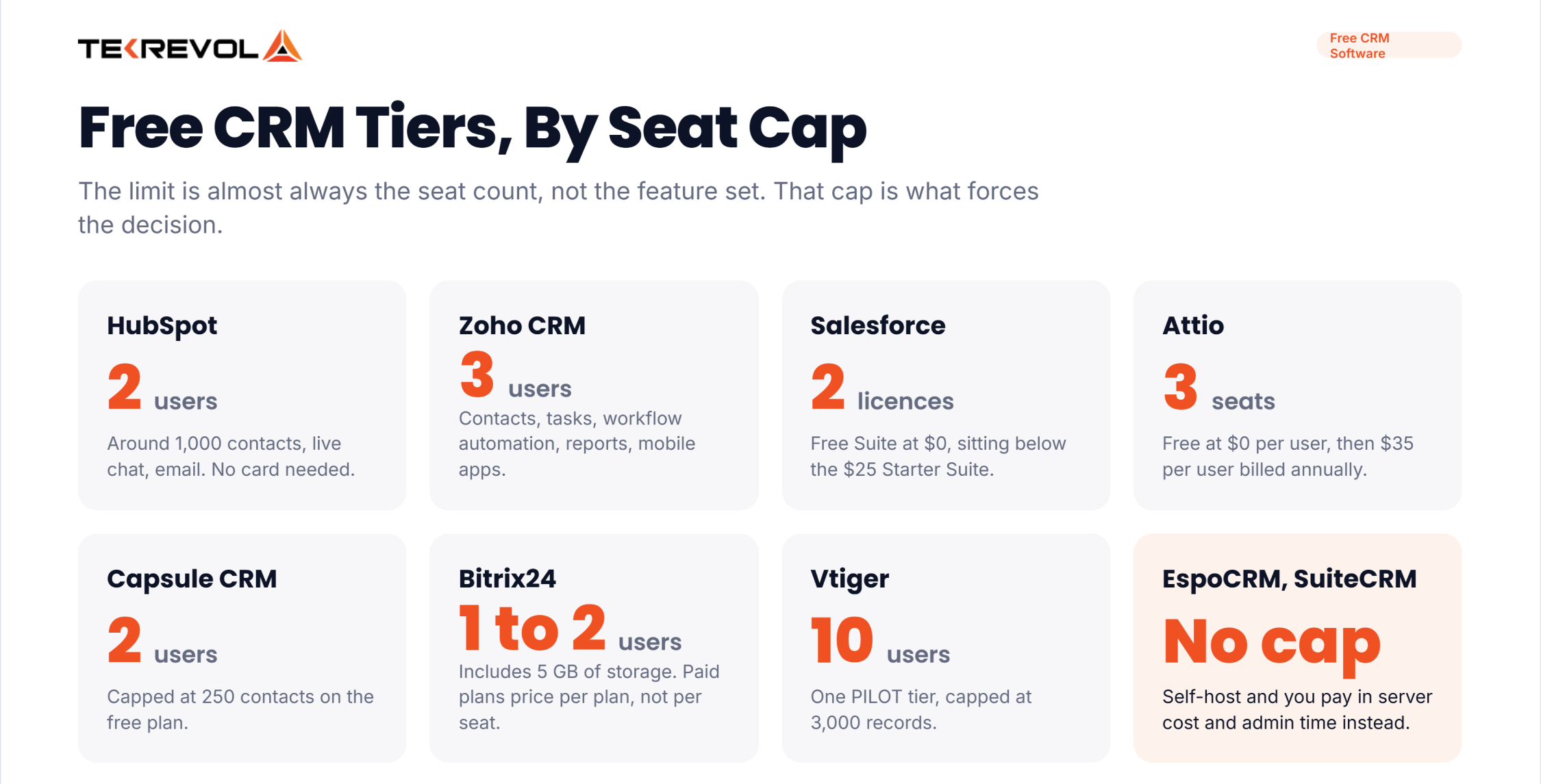
Free tiers are genuinely usable, but the limitation is almost always the seat count rather than the feature set. Here’s what each one actually includes.
| CRM | What the free tier gives you |
| HubSpot | Up to 2 users and roughly 1,000 contacts, no card required. Contact management, live chat, email integration |
| Zoho CRM | 3 users, described as free forever. Contacts, tasks, workflow automation, standard reports, mobile apps |
| Salesforce | Free Suite: 2 user licences at $0 per user per month, sitting below the $25 Starter Suite |
| Attio | Up to 3 seats at $0 per user per month |
| Capsule CRM | 2 users and 250 contacts |
| Bitrix24 | 1 to 2 users with 5 GB of storage |
| Vtiger | The One PILOT tier: 10 users and 3,000 records |
| EspoCRM / SuiteCRM | No seat limit at all if you self-host. You pay in server costs and admin time instead |
Correction worth making: Salesforce Foundations is not a free CRM. It’s a $0 add-on for existing Salesforce orgs, with usage limits and overage charges on the AI and data features. The actual free entry point is Free Suite.
And Freshsales no longer lists a free plan. Its pricing page shows a 21-day trial and three paid tiers starting at $9 per user per month billed annually. Plenty of lists still name it as a free option.
What Are CRM Software for Customer Service?
For service-led teams, the strongest CRM software examples are Zendesk Suite, Salesforce Service Cloud, Microsoft Dynamics 365 Customer Service, Freshworks, Vtiger One, and HubSpot Service Hub. These prioritize ticket queues, SLAs, and knowledge bases over deal pipelines.
Service CRMs and sales CRMs solve fundamentally different problems. A sales CRM organizes everything around a deal progressing toward a close, whereas a service CRM organizes around a ticket resolving.
- Zendesk is the clearest example of a company that picked a side. Its pricing page now shows only Support and Suite plans. Support Team starts at $19 per agent per month and Suite Team at $55, both paid yearly.
- Salesforce and Microsoft both sell service clouds alongside their sales products, so the customer record is shared. When a support agent can see the renewal date and the sales rep can see the open complaint, you stop having the conversation where two people contradict each other.
- Vtiger and Freshworks are the practical mid-market answer, because both bundle sales and support in one product. For smaller teams, that’s usually the better trade than integrating two best-of-breed tools.
Which CRM Software Are Out of Date?
Several CRM software examples still circulating have been renamed, retired, or acquired: Zendesk Sell is being retired, SugarCRM is now SugarAI, Salesforce Essentials is discontinued, Insightly belongs to Unbounce, Keap is a Thryv brand, and Oracle CX Sales is now Oracle Fusion Cloud Sales.
This is the part no roundup includes, and it’s precisely the part that wastes your time when you’re assembling a shortlist of CRM software examples and booking demos against it.
- Zendesk Sell
Zendesk announced the retirement on 9 September 2025. Existing customers keep access until 31 August 2027, after which Zendesk’s data deletion policy applies. It’s already gone from Zendesk’s main pricing page. Don’t start an evaluation here.
- SugarCRM is SugarAI
The old domain redirects and the footer says so plainly. The product line still exists; Sell Standard runs $59 per user per month billed annually with a 15-user minimum, but the name on every list is the old one.
- Salesforce Essentials
Gone from the pricing page, replaced by Starter Suite at $25 with Pro Suite at $100 above it. If a comparison quotes Essentials pricing, it predates the change.
- Insightly
Merged with Unbounce in July 2024. Still a working product, now under different ownership, which matters if you’re betting a five-year process on it.
- Keap
Formerly Infusionsoft, now a Thryv, Inc. brand. Pricing starts at $299 a month covering two users, with additional users at $39. That’s a very different shape from the per-seat tools around it, and lists that print a single per-user figure for Keap are guessing.
- Oracle CX Sales
Now Oracle Fusion Cloud Sales, which Oracle also shortens to Oracle Sales. Same platform, current name.
Commercial Off-the-Shelf vs Custom CRM Solutions
Commercial off-the-shelf CRMs offer quick setup with monthly per-user fees. Whereas custom enterprise CRM software delivers tailored workflows, data security, seamless proprietary integrations, and zero recurring seat licensing costs as your organization expands.
To evaluate which model fits your business goals, here is a direct comparison between commercial CRMs and custom enterprise platforms:
| Evaluation Metric | Commercial Off-the-Shelf CRM | Custom Enterprise CRM Solution |
| Deployment Speed | Fast setup; ready to use immediately out of the box | Requires initial architecture design, coding, and testing phases |
| Cost & Scalability Model | Monthly per-seat licensing fees that scale up with team size | Initial development investment with zero ongoing per-user monthly fees |
| Workflow Flexibility | Pre-defined processes; forces businesses to adapt to rigid system fields | 100% tailored workflows built around your sales processes |
| Data Ownership & Security | Data is hosted on external third-party cloud platforms | Complete end-to-end data ownership and proprietary security architecture |
| System Integration | Restricted to supported API connectors and standard third-party apps | Native, seamless integration with your legacy databases and internal tools |
Should You Buy a CRM or Build One?
Buy, almost always. Off-the-shelf CRMs are cheap, mature, and immediately useful. Build only when your process is genuinely non-standard, when per-seat licensing at your headcount exceeds development cost, or when data residency rules block the hosted options.
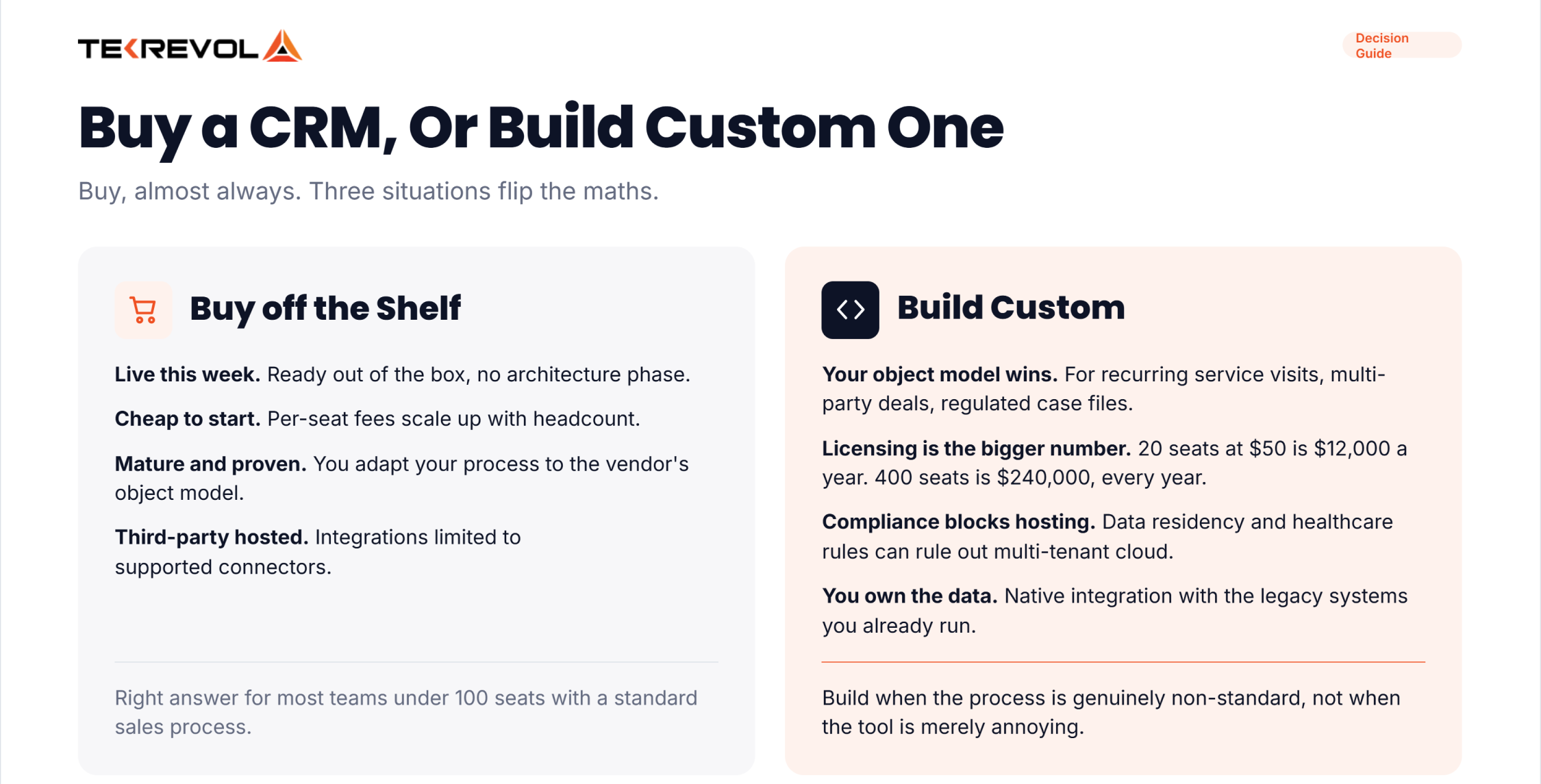
There are three situations where that math flips.
- Your process doesn’t fit the object model: Standard CRMs assume leads become opportunities become accounts. If your business runs on something else: recurring service visits, multi-party transactions, regulated case files, you’ll spend more money bending the tool than building the right one.
- Your headcount makes licensing the bigger number: At 20 seats, $50 a seat is $12,000 a year. At 400 seats, it’s $240,000 a year, every year, and a custom build starts looking rational. We broke the arithmetic down in costs to build custom CRM software.
- Compliance: Some data residency and healthcare rules rule out multi-tenant hosting outright, and the enterprise editions that satisfy them cost more than a build.
Why Choose TekRevol for CRM Software Development?
Partnering with TekRevol for custom CRM development gives you access to elite custom software engineers.
We’ve delivered more than 800 projects across web, mobile, and custom software, and CRM work has a specific failure mode we watch for: teams who specify the software they wish they had instead of the process they actually run. Sorting that out is what discovery is for. We map your actual process to design the data model around, and build the integrations to the systems you already run.
Whether you need a custom operational system, specialized database integrations, or a high-security customer portal, our team manages the whole process. We build platforms that save your team time, eliminate manual data tasks, and scale alongside your business growth.
Ready to Build a Custom CRM Tailored to Your Enterprise?
Stop paying for commercial software that doesn't fit your process. We build secure CRM platforms tailored to your business needs.
Book a Strategy Consultation with TekRevol.


