



Web development in 2026 looks nothing like it did even three or four years ago. The pace of change is absolutely wild now.
Between AI-powered website design and development tool assistants, low-code frameworks, and IDEs, you are practically refactoring your backend for you. So, now it’s less about what you can build and more about how fast and efficiently you can build.
We’ve seen it firsthand with our clients, too. From small startups racing to launch an MVP in 30 days to enterprise firms rebuilding their legacy systems with AI-driven workflows.
The difference between success and struggle almost always comes down to one thing, and that is the best website development tools they rely on.
The Web Development Tools Everyone’s Talking About
For the best web development platforms and tools, we listened to the internet so you don’t have to. We found that it’s not just us who have noticed this drastic change; developers across the web are echoing the same.
- On Reddit’s r/webdev community, website developers share which tools cut their build time in half. This Reddit thread discusses the different web development stacks developers are using in 2025, ranging from classic PHP setups to modern tools like React, Next.js, TypeScript, and Tailwind.
- YouTube educators like Traversy Media and Fireship break down why modern stacks like React, Vite, and TypeScript are dominating.
Like this yearly guide from Traversy Media on web development technologies:
- Over on Quora, you’ll find long threads debating the best backend stacks for 2025. Like What are the different ways to market your web development business?
Or
Is it better to hire a freelancer or a full-service agency for web design and digital marketing?
- And on X (formerly Twitter), @freeCodeCamp, developers drop daily tutorials and share their toolkits in real time.
Well, don’t sweat, you don’t need to go through these links and get confused by all the scattered tools. We have done the heavy lifting and carefully curated an updated list of the best website development tools you will need in 2026 onwards that real developers swear by, recommend, and build careers around.
These are tools that have proven their worth not just in theory, but in the trenches of real-world projects of our clients.
TekRevol Turns Cutting-Edge Tech into Real Business Wins
Let the experts build websites that don’t just look great, they perform.
Level Up Your Website Now!13 Essential Web Development Tools Every Developer Should Know
If you’re exploring the world of digital products, you already know how much the right tools can transform your workflow. Below is a friendly, easy-to-follow breakdown of some of the best website development tools that modern developers rely on every day.
Whether you’re just getting started and looking for beginner-friendly website design & development tools, or you’re already building high-performance platforms and full-scale web portals like the ones professional teams create at TekRevol, this list walks you through everything, from design and coding to testing, deployment, automation, and performance monitoring.
These are the actual web development tools people use in real projects, and each one plays a unique role in making development smoother, faster, and more enjoyable.
1. Figma
Website: https://www.figma.com/
Figma is one of the most popular online website development tools used for UI and UX design. Its cloud-based structure allows designers and developers to collaborate in real time, making it easier to build prototypes, wireframes, and complete design systems.
Key Features
- Real-time collaboration for teams.
- Component libraries for consistent design.
- Interactive prototypes for testing user flows.
- Browser-based, so nothing to install.
Drawbacks
- Requires stable internet.
- Large design files may lag on low-spec machines.
2. Notion + GitHub Integration
Website: https://www.notion.com/
Notion’s GitHub integration gives development teams a seamless workflow by connecting documentation, tasks, and code repositories. This helps organize sprints, track issues, and document everything in a central hub.
Key Features
- Sync GitHub issues directly into Notion.
- Ideal for team roadmaps and planning.
- Easy documentation for project onboarding.
Drawbacks
- Integrations require setup.
- Not ideal for advanced project management on its own.
3. Visual Studio Code (VS Code)
Website: https://code.visualstudio.com/
VS Code is one of the most widely used web development tools thanks to its lightweight interface, extension ecosystem, and flexibility. It supports almost every programming language and framework.
Key Features
- Rich extensions like ESLint, Prettier, Git, and Docker.
- Built-in terminal.
- IntelliSense for smart code suggestions.
- Debugger for JavaScript, TypeScript, and more.
Drawbacks
- Can feel heavy with too many extensions.
- The initial configuration may confuse beginners.
4. GitHub + GitHub Copilot X
Website: https://github.com/
GitHub remains the backbone of version control for developers. With Copilot X, it becomes an AI-enhanced coding assistant that helps write boilerplate code, generate tests, and speed up development dramatically.
Key Features
- Secure code hosting and version control.
- Copilot X for intelligent code suggestions.
- Pull requests, issues, and project tracking.
Drawbacks
- Copilot X requires a paid subscription.
- May generate incorrect suggestions without review.
5. React + TypeScript
React: https://react.dev/
TypeScript: https://www.typescriptlang.org/
React provides component-based UI development, while TypeScript adds type safety and better tooling support. Together, they form one of the most powerful front-end stacks.
Key Features
Reusable UI components
Virtual DOM for fast rendering
TypeScript improves scalability and reduces bugs
Drawbacks
Steep learning curve for beginners.
Requires additional libraries to build a full app.
6. Tailwind CSS
Website: https://tailwindcss.com/
Tailwind CSS is a utility-first CSS framework that makes styling faster and more flexible. Instead of writing long CSS files, developers apply small utility classes directly in their HTML or JSX.
Key Features
Highly customizable.
Speeds up UI building.
Removes unused CSS for smaller bundle sizes.
Drawbacks
First look feels cluttered due to many utility classes.
Requires configuration to unlock full potential.
7. Cypress
Website: https://www.cypress.io/
Cypress is a JavaScript-based testing framework used for end-to-end, component, and UI testing. It runs directly in the browser for real-time debugging.
Key Features
- In-browser execution.
- Time travel debugging.
- Automatic waiting for elements.
Drawbacks
Limited support for multi-tab testing.
Requires JavaScript knowledge.
8. Postman
Website: https://www.postman.com/
Postman is a must-have tool for API testing. Developers use it to send requests, inspect responses, automate test suites, and mock APIs during development.
Key Features
- Create collections for API endpoints.
- Automated testing.
- Environment variables for staging vs. production.
Drawbacks
- An electron-based app can feel heavy.
- Team features require paid plans.
9. Docker
Website: https://www.docker.com/
Docker helps developers create consistent environments across machines using containers. It eliminates “works on my machine” issues and is crucial for scalable development.
Key Features
- Portable containers.
- Faster deployment.
- Works well with CI/CD pipelines.
Drawbacks
- Requires time to understand concepts.
- Can consume significant system resources.
10. Vite
Website: https://vitejs.dev/
Vite is a blazing-fast build tool that improves the development process with near-instant hot module replacement and optimized bundling.
Key Features
- Lightning-fast dev server.
- Works perfectly with React, Vue, Svelte, etc.
- Modern ES modules support.
Drawbacks
- Some plugins are still less mature compared to Webpack.
11. Vercel (or Netlify)
Vercel: https://vercel.com/
Netlify: https://www.netlify.com/
Both platforms provide modern hosting and deployment for front-end frameworks. They support continuous deployment, serverless functions, and global edge networks.
Key Features
- One-click deployments with Git.
- Automatic SSL.
- Edge functions for dynamic content.
Drawbacks
- Free tier limitations
- Vendor lock-in for serverless features
12. Sentry
Website: https://sentry.io/
Sentry is used for monitoring errors and performance issues in web apps. Developers rely on it to identify bugs in production environments quickly.
Key Features
- Real-time error tracking.
- Performance analytics.
- Release monitoring.
Drawbacks
- Paid plans needed for large teams
- Can generate too many logs without filters
13. Google Lighthouse & Core Web Vitals
Website: https://developers.google.com/web/tools/lighthouse/
Lighthouse is a performance auditing tool integrated into Chrome. It helps developers optimize loading speed, accessibility, SEO, and overall performance, essential for ranking and user experience.
Key Features
- Performance scoring.
- Accessibility reports.
- Best practices & SEO recommendations.
- Core Web Vitals analysis.
Drawbacks
- Results vary depending on network conditions.
TekRevol’s Web Development Toolkit for Building Modern Websites:
We were recently hired by a growing digital business to rebuild their platform. They had a mix of legacy code, late-night bug scrambles, and inefficient handoffs between their website design and development.
We didn’t want to patch things simply; we, as a reputable web development company in the UK, wanted to build a robust toolkit of website development tools that would transform how the team worked, not just what they delivered.
Over two months, we tested dozens of tools, surveyed developer workflows, and logged the biggest friction points (e.g., “why is CSS so messy?”, “why is environment setup always broken?”, “why do we ship bugs on Friday afternoons?”).
The result was a refined tech stack that drove three times more qualified leads, a framework we now confidently use and recommend to all our clients who want similar growth.
We’ll walk through our toolkit the same way you’ll be needing them for each project:
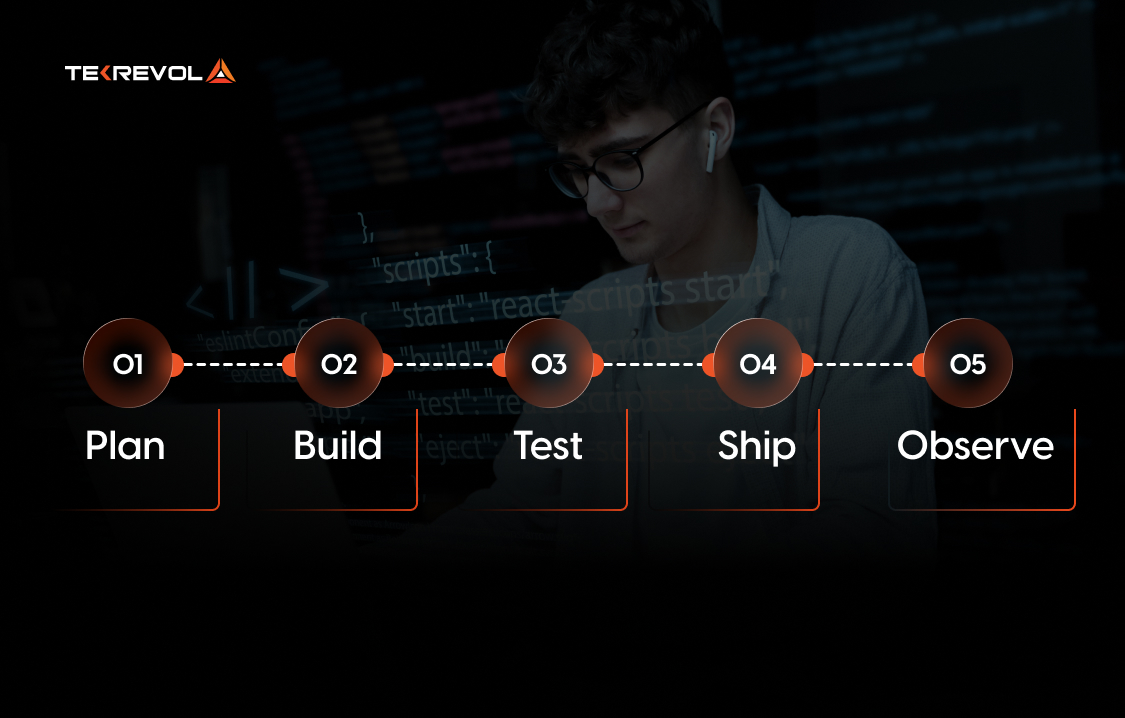
Each tool below includes what it is, why we use it, and one pro tip we’ve learned the hard way.
PLAN (Getting Everyone on the Same Page)
Figma
What is it? Figma is our go-to for turning ideas into interactive mockups. It lets designers and developers collaborate live, commenting, tweaking, and handing off their smooth website designs seamlessly.
Why did we choose it? Because design handoffs shouldn’t feel like detective work. With Figma, our team works in real time, whether we’re refining a landing page or a full SaaS dashboard.
Pro tip: Publish color and spacing tokens from Figma into your codebase. It keeps the design and dev perfectly synced.
Notion + GitHub Integration
What is it? Notion keeps all our project docs, sprint plans, and API notes organized. When connected with GitHub, it becomes a live project tracker tied directly to our commits and pull requests.
Why did we choose it? Because clarity kills chaos. Having docs and code linked in one place means fewer “where’s that update?” messages and more productive work time.
Pro tip: Before merging a PR, link it to the related Notion task. It’s a small step that prevents post-launch “who missed this?” moments.
Top 5 Tools for Planning Website Design
| Tool | Typical Price / Free Tier | Best For | Key Features |
| Figma | Free Starter; Professional ≈ ~$15/user/month | Design-dev collaboration, UI handoff | Cloud-based design, inspect CSS, export variables |
| Notion + GitHub Integration | Free tier available; paid depends on team size | Documentation, sprint planning, linking specs to code | Unified doc + tasks + code links, real-time collaboration |
| Sketch | macOS only; standard license (~$9/month/editor) | UI/UX design for Mac-based teams | Vector design, developer handoff via plugins |
| Adobe XD | Free Starter
Single App~$9.99/month |
UI/UX prototyping with the Adobe ecosystem | Design + prototyping + sharing features |
| Miro | Free basic board
Team plans~$8-10/user/month |
Collaborative planning, wireframes, workshops | Infinite whiteboard, templates, and team collaboration |
BUILD — Turning Ideas into Code
Visual Studio Code (VS Code)
What is it? The Swiss Army knife of coding. It’s lightweight, fast, and packed with extensions that make full-stack development a breeze.
Why we choose it? Because it adapts to every language, every project, and every workflow. From React to Laravel, VS Code just fits.
Pro tip: Use Live Share for remote teamwork and GitHub Copilot for boilerplate, but always review AI suggestions before committing.
TekRevol Codes with Purpose, Delivers with Power
Transforms your ideas into digital products that move fast and scale smart.
Start Building Today!
GitHub + GitHub Copilot X
What is it? Our codebase home. GitHub helps us manage repositories, track issues, and run CI/CD pipelines, while Copilot X speeds up repetitive coding.
Why we choose it? It’s the backbone of modern collaboration. Plus, Copilot X saves hours on setup, testing, and small fixes, freeing us for real problem-solving
Pro tip: Treat Copilot like an intern. It’s helpful and fast, but it always needs supervision.
React + TypeScript
What is it? React builds the interactive UI; TypeScript keeps it clean and error-free. Together,
they make complex front-ends manageable.
Why we choose it? Because it scales beautifully. TypeScript catches mistakes early, and React’s reusable components keep big projects sane.
Pro tip: Enable strict mode one file at a time; you’ll strengthen your codebase without overwhelming your devs.
Tailwind CSS
What is it? A utility-first CSS framework that helps us design fast and stay consistent across pages.
Why we choose it? Because writing CSS from scratch every time is a productivity killer. Tailwind gives us style consistency without the clutter.
Pro tip: Pair it with DaisyUI or Flowbite to use pre-built components that adapt to your brand without extra effort, especially when you’re learning how to create a website for your business.
Top 5 Tools for Building a Website
| Tool | Typical Price / Free Tier | Best For | Key Features |
| Visual Studio Code (VS Code) | Free | Code editor for all types of dev | Extensions, debugging, Git integration |
| GitHub + GitHub Copilot X | GitHub has free / paid; Copilot ~ $10-19/user/month | Source control + AI-assisted coding | Repo hosting, CI/CD, AI code suggestions |
| React + TypeScript | Free/open-source | Scalable front-end development | Component-based UI + typed JavaScript |
| Tailwind CSS | Free/open-source; paid add-ons possible | Utility-first styling for UI | Rapid styling, consistency, and design system support |
| WebStorm | ~$59/year or ~$10/month after trial | Professional JS development | Smart IDE with framework support, debugging tools |
TEST — Making Sure It Actually Works
Cypress
What is it? Cypress is a modern testing tool that simulates real user actions like clicks, scrolls, and logins. It ensures your app behaves as expected.
Why we choose it? Because it’s fast, visual, and integrates perfectly with CI. It helps us catch issues before users do.
Pro tip: Mock external API calls so your tests stay stable, even if the internet doesn’t.
Postman
What is it? The go-to platform for testing APIs, verifying endpoints, and automating backend checks.
Why we choose it? Because backend testing shouldn’t be guesswork. Postman helps us confirm every request and response before launch.
Pro tip: Run Postman collections in your CI pipeline. It’s like having a safety net that catches API bugs early.
Top 5 Tools for Testing a Website
| Tool | Typical Price / Free Tier | Best For | Key Features |
| Postman | Free tier; Basic ~$14/user/month | API development & testing | Collections, automation, collaboration |
| Cypress | Free open-source core; paid dashboard/options | End-to-end and UI testing | Real-user flows, time-travel debugging |
| Sentry | Free tier; paid based on volume | Production error tracking & monitoring | Real-time error insights, release tagging |
| SoapUI / ReadyAPI | Open-source free; enterprise licences $1,085+ | API functional and performance testing | REST/SOAP support, enterprise features |
| Katalon Studio | Free core; premium tiers (API + UI) | Automated testing for APIs + UI | Data-driven testing, cloud support |
SHIP (Getting It Live)
Docker
What is it? A container platform that ensures your app runs the same everywhere, from your laptop to production.
Why we choose it? Because “it worked on my machine” is a sentence we never want to hear again.
Pro tip: Use multi-stage builds to keep your Docker images lean and deploy-ready.
Vite
What is it? A modern bundler that’s ridiculously fast. It rebuilds your project instantly as you code.
Why we choose it? Because time matters. Vite gives us near-instant reloads and optimized production builds.
Pro tip: Add a Lighthouse test in your build pipeline to ensure your Vite bundles stay light and fast.
Vercel (or Netlify)
What is it? One-click deployment for modern front-end projects. Push to main, and your live preview is ready.
Why we choose it? Because it simplifies CI/CD. Every pull request gets its own preview URL, perfect for real-time feedback.
Pro tip: Share preview URLs with clients early. It saves endless revision loops later.
Top 5 Tools for Getting Your Website Live
| Tool | Typical Price / Free Tier | Best For | Key Features |
| Vercel | Hobby (free); Pro ~$20/user/month | Front-end / JAMstack deployment | Instant previews, edge hosting, Git integration |
| Netlify | Free tier available; paid team plans | Modern web deployment | CI/CD, serverless functions, team workflows |
| Render | Hobby $0; Professional ~$19/user/month | Full-stack deployments | Docker support, monorepo builds, Git deploys |
| Heroku | Free tier; paid dynos starting ~$7-25/month | Simpler backend/app hosting | PaaS, managed data services, scale up easily |
| Docker | Free personal; Team/Enterprise paid (~$9-15/user/month) | Containerization for dev→prod consistency | Multi-stage builds, image versioning |
OBSERVE (Keep Improving After Launch)
Sentry
What is it? Error tracking that tells us exactly when, where, and why something breaks, before users complain.
Why we choose it? Because post-launch monitoring is just as important as pre-launch testing.
Pro tip: Tag each release in Sentry to instantly trace new issues back to specific commits.
Google Lighthouse & Core Web Vitals
What is it? Performance and accessibility auditing tools from Google that directly impact SEO and user satisfaction.
Why we choose it? Because speed and UX aren’t optional anymore, but what ranks you higher and keeps visitors engaged.
Pro tip: Run Lighthouse checks automatically in CI. Fail builds that don’t meet your Core Web Vitals targets. It’ll force your site to stay fast.
Top 5 Tools for Monitoring Your Website
| Tool | Typical Price / Free Tier | Best For | Key Features |
| Google Lighthouse & Core Web Vitals | Free tool | Web performance & SEO auditing | Page speed metrics, accessibility, and best practices |
| Datadog (APM & monitoring) | Starts ~$15/host/month | Full-stack monitoring and observability | Metrics, tracing, logs, integrations |
| UptimeRobot | Plans from ~$7/month | Website uptime & synthetic monitoring | HTTP checks, alerts, and status monitoring |
| Sentry (used here too) | Free tier; scales with usage | Error tracking, performance tracing | Release tagging, user context, issue tracking |
| New Relic | Free tier; paid based on throughput | Application performance monitoring | Deep diagnostics, dashboarding, and alerts |
Whether you’re vibe coding solo or leading a team, this “Plan → Build → Test → Ship → Observe” system keeps projects moving smoothly from brainstorm to live launch.
Each tool here earned its place by making our work simpler, cleaner, and faster.
What did These Web Development Tools Give Our Client?
When we wrapped the client project, two things became clear:
- The right toolkit may not guarantee success, but the wrong toolkit will guarantee friction.
- The best website development tools are the ones you actually use, consistently, reliably, and in a connected workflow, not the ones you hype.
For our client, adopting this stack meant:
- Fewer environment inconsistencies (Docker) ⇒ fewer support tickets.
- Faster UI builds (Tailwind + Figma handoff) ⇒ fewer design iterations.
- Early detection of issues (Cypress + Sentry) ⇒ less post-launch firefighting.
- Better deploy cadence (GitHub + Vercel) ⇒ quicker time-to-market.
For you: if you pick your web development tools smartly, you’ll spend less energy fighting tooling and more energy building value.
Is Tekrevol’s Web Development Solution Right for You?
If speed, scalability, and distinctive design are your top priorities, then yes, Tekrevol’s Web Development Solutions are precisely what you’re looking for.
We once worked with a fast-scaling startup that asked us something every small team eventually wonders:
“Can web development tools really make a small team act like a big one?”
Our answer was simple: “Tools can’t replace people, but they can remove friction”.
The right website development tools automate the repetitive, standardize the complex, and let your team focus on creativity, not chaos. The best toolkit is about pairing your vision with a team that knows how to wield these tools correctly.
Not to forget, we don’t just provide website development for beginners but deliver full-stack platforms for giant players in the business too. Tools that will support you pre-launch, during launch, and well beyond launch.
From infrastructure setup to long-term scalability, Tekrevol ensures that every tool, every workflow, and every deployment is future-proof.
Refined, High-Performance Websites at Lightspeed!
If you’re ready to stop fighting your stack and start building with purpose
Explore Web Development Solutions Now!


