



Building an app? This is where the majority of people fail.
They go directly into coding (costly error) or waste months creating pixel-perfect screens that nobody will like. Neither works.
The secret? Knowing whether you need a wireframe or a prototype. This is not a hard choice to make, and with this single choice, you will save thousands of dollars and months of headaches.
The point is that the leading app teams in Houston do not simply decide between wireframes and prototypes. Their approach is tactical, which will save thousands of dollars spent on development and months of backtracking.
Imagine it like this: wireframes are your sketchy, fast, and inexpensive, and ideal to determine whether the idea you have is even feasible. Prototypes are your field trial; they become real and demonstrate how people are really going to use your app.
This blog will walk you through how app teams in Houston decide which stage of a project requires wireframes or prototypes. Understanding the purpose and function of each is crucial for building apps efficiently and effectively, as explained by expert Mobile App Developers in Houston.
What Is a Wireframe?
In case you’re wondering, what is a wireframe? Then, consider it as the skeleton of your app. Take away all their dainty colors, smooth graphics, and fancy animation, and you are left with the bare bones, revealing where all the life exists. Teams report a 24% reduction in feedback cycle delays when using interactive wireframes. Over 61% of Agile teams used prototyping tools for sprint planning.
It is a simplified graphic chart by means of simple shapes to provide three basic answers to the questions:
- How is everything organized? (Layout structure)
- What information appears where? (Content placement)
- How do users move through it? (Navigation and flow)
Wireframes are usually free of color, typographic designs, and images. They are particularly helpful for teams undertaking intricate iOS App Development or Android App development projects, especially when early user interactions are crucial. Partnering with a skilled iOS App Development Company ensures that these wireframes translate seamlessly into functional, user-friendly applications.
Common Wireframe Tools
The following are the most popular wireframe tools among the Houston UX designers:
| Tools | Key Features | Best for |
| Sketch | Simple, robust, and widely adopted | Designers who want a versatile and reliable tool |
| Balsamiq | Hand-drawn style emphasizing conceptual drafts | Quick low-fidelity wireframes and early idea exploration |
| Axure RP | Advanced functionalities, dynamic interactions | Complex wireframes with conditional logic and interactivity |
| Wireframe.cc | Minimalist interface for fast wireframing | Rapid low-fidelity designs without distractions |
| Figma | Collaborative, cloud-based, supports both low and high fidelity | Teams needing flexibility and real-time collaboration |
What Are Prototypes?
A prototype will bring your static designs to life and make them an interactive experience that you can believe in and can actually tap and test. It is a place where you no longer feel like you have a good idea, but it feels.
Prototyping makes a prototype of a product, which shows its fundamental functionality and is a minimum viable product (MVP) that can be tested.
IBM research shows that fixing issues during the prototyping phase can be up to 100x cheaper than fixing the same issues after development or launch.
Prototypes provide an interactive experience, enabling users to tap buttons, swipe screens, complete forms, and navigate the app just like they would in the final version—but much faster to create. These prototypes come in two types:
Prototypes vary by fidelity:
- Low-fidelity prototypes might be simple clickable versions of wireframes that let reviewers understand screen flow.
- High-fidelity prototypes feel much closer to the finished product, including design details and real interactions.
Common Prototyping Tools
The following are some of the most common Prototype tools that are utilized by the Houston UX designers:
| Tools | Key Feature | Best For |
| Framer | Experienced designers | Advanced animations, transitions, and code-level control |
| Proto.io | High-fidelity prototypes | Creates ultra-realistic prototypes that feel like finished apps |
| Marvel | Beginners or rapid prototyping | Lightweight, easy to use, fast setup without a learning curve |
Need help choosing between wireframes and prototypes?
TekRevol's team guides you through every stage of app development.
Book A FREE Consultation now!Wireframe vs Mockup: The Missing Middle
Confusion often arises between wireframes and mockups. A wireframe focuses on layout, organization, and functionality, whereas a mockup illustrates the visual design, colors, fonts, images, and branding. The mockup is your wireframe with clothes on it, i.e, the end user’s visual representation.
Mobile app developers in Houston often use this progression: wireframe → mockup → prototype. There is a step with every detail added, and you are nearer to the finished product. 75% of users judge a product’s credibility based on visual design, reinforcing the importance of high-quality mockups before launch.
Although the original article is about wireframes vs prototypes, the mockup term can also be found often in the context of wireframe versus mockup comparisons.
Wireframes vs Prototypes: When Should You Use Each?
Both wireframes and prototypes play a significant role in the design process of the app, yet they are used on different levels. This is where you want to apply each one of them.
The Ideal Timing for Wireframing
Wireframes are supposed to be developed right after the discovery phase and before a bit of visual design is done, as well as before a single line of code is written. Here are situations in which wireframes are most useful:
Once you have defined the requirement, you have documented user stories and business objectives, and core features, it is now time to make a picture of how these will combine. Wireframing converts abstract requirements into specific layouts. This is regardless of whether you are about to develop an iOS application or you are doing cross-platform app development.
Pre-Design System Development: Before creating a brand guide and visual design systems, many teams have the mistake of creating and developing a brand guide and visual design system without any idea what the structural demands of their app should be (wireframes can show you how many button designs you need, what type of navigation system you have, or how many levels and layers of typography you should have).
During Initial Stakeholder Alignment: Wireframing will be ideal during the first several meetings with stakeholders. Live wireframing sessions, in which you draw your ideas in real time, provide you with instant feedback loops and stop the misunderstandings from breeding.
When Experimenting with Multiple Ideas: In the event that your team is looking to decide on the various ways of tackling a user issue, wireframes enable you to see all possibilities in a short period of time. Develop wireframes of each strategy and compare them to your criteria of success.
Before Budget and Timeline Commitments: Smart Houston development firms develop wireframes before offering a detailed project estimate. Why? Since wireframes are what show just how big and complicated an app really is, they result in more precise quotes and more accurate timelines.
The Ideal Timing for Prototyping
Wireframes are to be verified and prototypes created before the start of development. This is the intermediate stage in which you create structural validation into interactive validation. Particularly, Houston teams develop prototypes:
Once You Have Received Wireframe validation: You have reviewed, tested, and had your wireframes approved by the stakeholders; it is now time to incorporate interactivity. Prototyping takes your proven structure and makes it into clickable experiences that the users can actually browse.
Before Visual Design Is Finalized: It is common in most instances to have many teams complete the visual work and then start testing the interactions. Prototypes also show the real navigation of the user through your app, and that tends to influence the visual design choices. Begin with low-fidelity prototyping before your brand designs are finished, and then move on to high-fidelity prototyping as the visual design is completed.
During User Testing Preparation: In the weeks you are preparing to actually do the formal user testing, this would be a good time to prototype. Interactive prototyping provides those involved in the tests with something more realistic to work with, exposing usability problems that would not be visible on static wireframes.
When Pitching to Stakeholders or Investors: When your project needs to be bought in by executives, board members, or investors, prototype first, then pitch. A prototype that people can click on is much more illustrative than a wireframe or a presentation. Your application can be tried out by decision-makers.
When Complex Interactions Need Proof: When your application has new gestures, micro-interactions, or complex animations, then it is worth prototyping them at an early stage. Developers can use this method to test complex interactions before completing the full app, a crucial step for ambitious iOS and Android projects.
Benefits and Challenges of Wireframes
Wireframes are effective in the design of apps and web-based applications to ensure that teams concentrate on structure, functionality, and usability before engaging in visuals. But, like any tool, they possess their benefits and limitations.
| Benefits | Challenges |
| Helps stakeholders and team members quickly understand the layout and user flow. | Static wireframes cannot simulate dynamic interactions, gestures, or animations. |
| Serves as a blueprint for designers and developers to follow. | Missing colors, branding, and imagery which may limit stakeholder feedback. |
| Easy to move elements, test ideas, and make changes early in the design process. | Cannot fully demonstrate transitions, animations, or interactive behaviors. |
| Acts as a reference point for development and functional specifications. | Stakeholders may confuse wireframes with the final product. |
| Quick and inexpensive to create compared to high-fidelity designs. | Users may struggle to visualize the final experience or interface. |
Benefits and Challenges of Prototyping
Teams need to handle its limitations carefully, even though it provides excellent usability and validation advantages.
| Benefits | Challenges |
| Helps pitch ideas effectively through interactive experiences | Not ideal for documentation, as understanding requires hands-on interaction |
| Enables a deeper understanding of user problems and behaviors | Can be time-consuming, especially at high fidelity |
| Encourages meaningful feedback from stakeholders and users | May create unrealistic expectations if mistaken for the final product |
| Validates usability and user flows early | Requires careful planning to choose the right level of fidelity |
| Reduces development risk by identifying issues early | It can be costly if over-polished too soon |
Wireframe vs Prototypes: 5 Winning Strategies for App Design
Wireframes and prototypes do not do the same things. Understanding the timing of each of them will assist in creating apps that are comfortable and easily usable. Begin small and then elaborate on it.
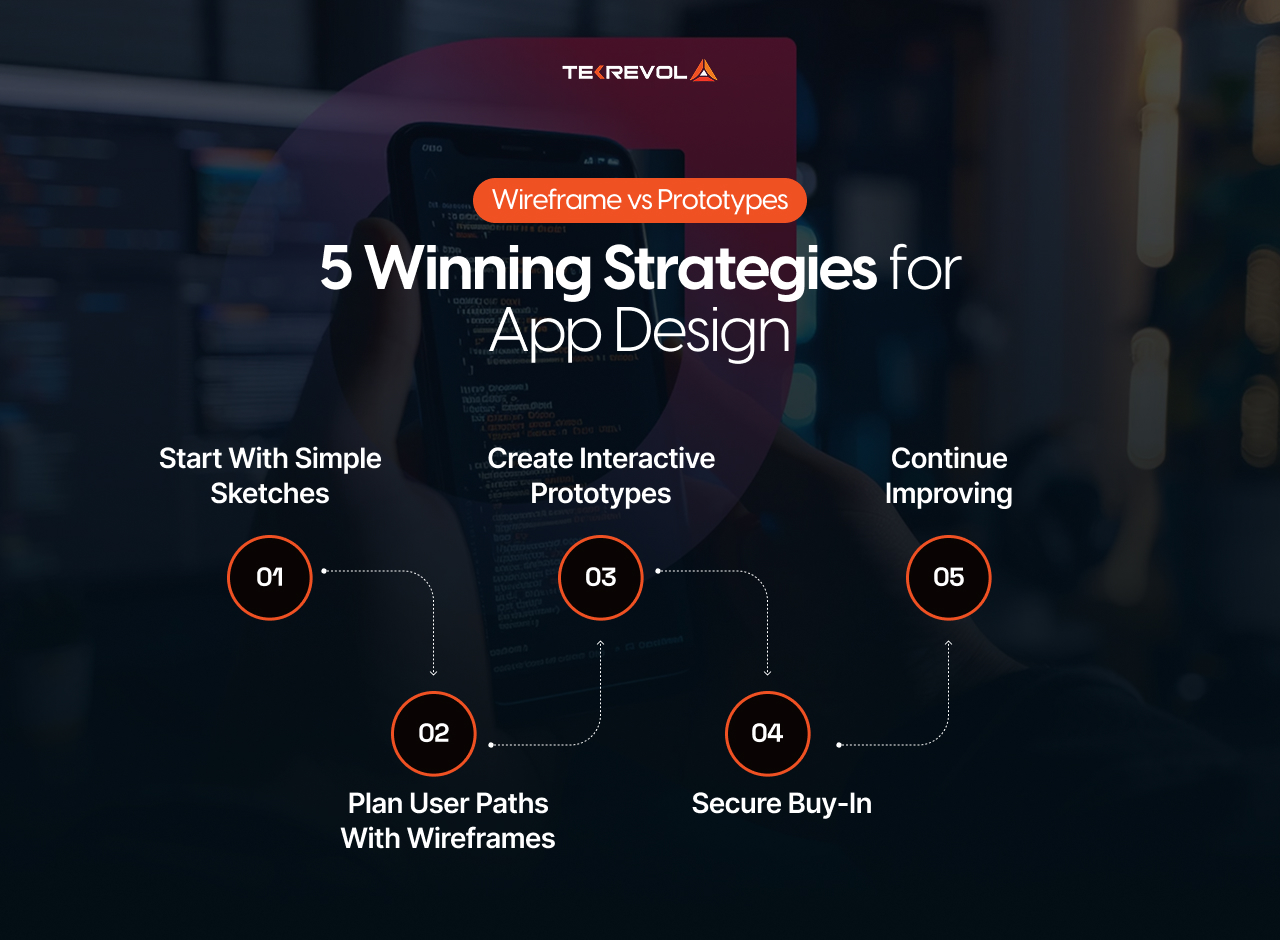
- Start with Simple Sketches: It is good to begin with simple sketches of the main screens of your app. Such rough sketches will allow you to explore various ideas fast without being concerned with finer details. Make it simple to be able to experiment.
- Plan User Paths with Wireframes: Wireframes can be used to plan the way that users navigate through your app. They assist you in determining where to place the screens, buttons, and content. Good wireframes ensure that one step is understandable.
- Create Interactive Prototypes: Once you have completed your wireframes, create interactive prototypes, like the actual one. These allow you to preview your design and display animations and transitions, and verify whether users have the slightest idea how to use your application.
- Secure Buy-In: Interactive prototypes are a powerful tool for presenting your idea to investors, clients, or team members, helping them understand your vision clearly. They are far better than wireframes and can enable you to gain approval or even funding by demonstrating what your product will actually accomplish.
- Continue Improving: Gather feedback throughout the design process to refine and improve your app at every stage. Take your wireframes and prototypes to real users and stakeholders and change accordingly based on what you find.
How TekRevol’s Houston Team Uses Wireframes and Prototypes
Our app development agency in Houston, TekRevol, has perfected a workflow that consistently delivers top-quality iOS and Android apps, adaptable to a wide range of industries, from healthcare and retail to oil and gas. Our process naturally transitions from initial ideas to well-tested prototypes ready for development.
Weeks 1–2: Wireframe Exploration
We begin with low-fidelity wireframes of 10-15 central screens. In these initial stages, it is all about doing the simplest but most important thing: “Will this solve the problem of the user in the simplest way possible? Our team is able to experiment with various layouts and user flows because we can have a review cycle at a rapid pace and then add visual details when the structure is solid.
Weeks 3–4: Mockup Refinement
After the approval of the wireframes, our designers create high-fidelity mockups using them. This phase includes brand principles, user access needs, and platform-characteristic design patterns, which provide the stakeholders with a refined visual depiction of the app, without obliging them to write any code.
Weeks 5–6: Interactive Prototyping
A clickable prototype is constructed with mockups using tools such as Figma, InVision, or Adobe XD. It is an interactive version that is tested on actual users, who are usually 5-10 people that represent the intended audience, to confirm navigation, micro-interactions, and general usability.
Week 7 and Beyond: Development Handoff
Lastly, our mobile app developers in Houston are provided with the tested and proven prototype and specifications. It helps development start on a strong foundation, cuts down errors, avoids repeated work, and speeds up time to market.
Ready to streamline your app development workflow?
TekRevol transforms ideas into polished, market-ready applications.
Discuss your project now!Key Questions to Consider When Choosing Between Wireframes and Prototypes
Selecting the right tool, wireframe or prototype, depends on several critical factors:
Understanding User Needs
Use wireframes to define structure and user flows before finalizing core functionality. Use prototypes to test known features and confirm the complete user experience.
Approval Requirements
Executives and non-technical decision-makers usually explain wireframes, which can make them hard for stakeholders to interpret. Interactive prototypes provide a better understanding of the end experience when signing a major or making a presentation.
Primary Risks
In case the key issue is the technical feasibility, wireframes may give enough information to the developers to start planning solutions. In cases where the risk is user adoption or usability, prototype testing would be important before proceeding to the web or app development.
Interaction Complexity
Applications with standard CRUD operations and familiar patterns may not require extensive prototyping. For applications with new interactions, advanced animations, or new UI elements, teams should build detailed prototypes.
Common Mistakes in Wireframing and Prototyping (And How to Avoid Them)
Even senior teams are capable of committing preventable mistakes during the process of developing wireframes and prototypes. Becoming aware of these pitfalls will make the development of iOS and Android applications easier.
Mistake #1: Making wireframes too detailed. If you’re spending hours perfecting spacing in your wireframe, you’re doing it wrong. Wireframes should be quick and disposable. Save the pixel-pushing for mockups.
Mistake #2: Prototyping too early. Teams sometimes spend weeks building elaborate prototypes before validating the basic concept with simple wireframes. Focus on nailing the fundamentals before getting attached to interactions.
Mistake #3: Skipping user testing on prototypes. The whole point of prototyping is to validate assumptions before development. If the prototype is not tested with real users, it becomes just an expensive demo.
Mistake #4: Forgetting edge cases. Wireframes and prototypes often show the “happy path”, when everything goes right. It’s important to document error states, empty states, loading states, and offline scenarios.
Mistake #5: Not involving developers early enough. Developers should see wireframes and prototypes early in the process. Technical constraints can significantly impact design decisions, and discovering them during development is too late.
Wrapping Up
Every great app starts with a simple sketch. Just like an artist begins with rough drawings before creating a finished painting, your app needs that same careful development process.
The journey from wireframes to prototypes isn’t just about design; it’s about building something people will actually want to use. At Tekrevol, we’ve helped countless businesses transform their ideas into successful apps by following this approach.
Your idea deserves the same chance.
If you’ve been thinking about an app but haven’t taken the first step, now’s the time. With the right process and support, you can move from concept to launch with confidence.
There’s nothing quite like watching users enjoy something you created.
Need clarity on your app development roadmap?
TekRevol has helped hundreds of clients launch successful apps. Share your idea with our team and get a custom development plan.
Get Your Custom Plan!


