


A school project website is not just about posting online, but it is about being creative and expressing your vision through your website. Your teacher and fellow students will be able to comprehend your project more easily if you use a website to display it in a highly interactive and structured manner.
The knowledge of how to make a website for a school project is a great advantage, as it is a great way to finish your homework efficiently, and at the same time, it helps in acquiring useful digital skills.
Sometimes the website of a student project can be the medium that changes the stale, dull content into an interesting experience. While with physical displays, one has to be there at that particular time, a website can be accessed anywhere at any time. This facilitates your work with teachers, class colleagues, and even parents.
Using tools and platforms, students can easily create school websites without extensive coding experience. For building a school project website, you must acquire other essential life skills that are useful and applicable in everyday life.
We will tell you the entire process of how to make a website for a school project. So read this guide starting from planning and designing to publishing and maintaining. You will discover the most efficient methods of organizing the content, making your site user-friendly, and impressing people. A school project website won’t just be a vehicle of information but also a great visual presentation if you use these steps.
What Are the Benefits of Creating a Website for My School Project?
A website created for your project gives it added value, turning it into an interactive, professional-looking presentation. In contrast to a report or a poster, a website allows you to logically structure your work and make it more interactive for your audience. Also, Web design influences 94% of potential customers’ first impressions of a page.
Benefits of a Digital Project
A digital project has the following advantages:
- It is accessible anytime and anywhere, allowing teachers and class colleagues to view your work at their convenience.
- Slideshows and videos make even the most complicated subjects easier to understand with interactive features.
- Updates are easy; you can simply fix your mistakes or add new information without having to start all over.
Ready to Turn Your School Idea into a Professional Website?
We design engaging project websites that impress teachers and peers.
Connect with Our Development TeamHow a Website Can Impress Teachers and Classmates
A good project website demonstrates initiative and technical ability. It reflects that one is willing to do more than what is typically expected and follow the web development trends. Teachers appreciate the effort, and colleagues get a much more valuable learning experience. In addition, your website is a portfolio, telling both about subject mastery as well as creativity.
Expanding Learning Opportunities
You can think critically about the best ways to give information is enhanced by creating a website. You gain knowledge on how to organize information, make sensible use of images, and convey concepts in an engaging and straightforward manner. A good website concept for a school assignment should prioritize interactivity and clarity over beautiful displays.
Which Kind of Website Is Ideal for My Project?
Every site serves a different purpose; therefore, selecting the appropriate kind is essential to properly presenting your idea.
Websites with Information
An informative website is the best option for research-focused initiatives. It is organized to offer precise justifications, information, and citations. Typical pages include:
- Home – A brief overview of the project
- Project Details: Step-by-step explanations or findings
- About – Your background and research approach
- References – Credible sources and citations
The type of website described is simple, professional, and ensures your content is logically organized.
Portfolio-Style Websites
For creative projects in art, photography, or design, a portfolio-style layout is ideal. Embedding galleries, slideshows, or videos lets viewers engage with your work. A portfolio-style website for a school project highlights creativity and presents your visually appealing project.
Interactive Websites
Other projects demand activity-based engagement. Understanding through science experiments, historical timelines, or interactive learning projects works very well with features like quizzes, charts, or interactive timelines. These sites spur active participation and make concepts more relatable for viewers.
Event or Promotional Websites
If your project is dealing with school events or campaigns, the promotional website comes in handy. It may include registration forms, event calendars, and contact information. This type of website communicates information well and may come in for projects that have practical applications.
How to Design a Website for Your School Project
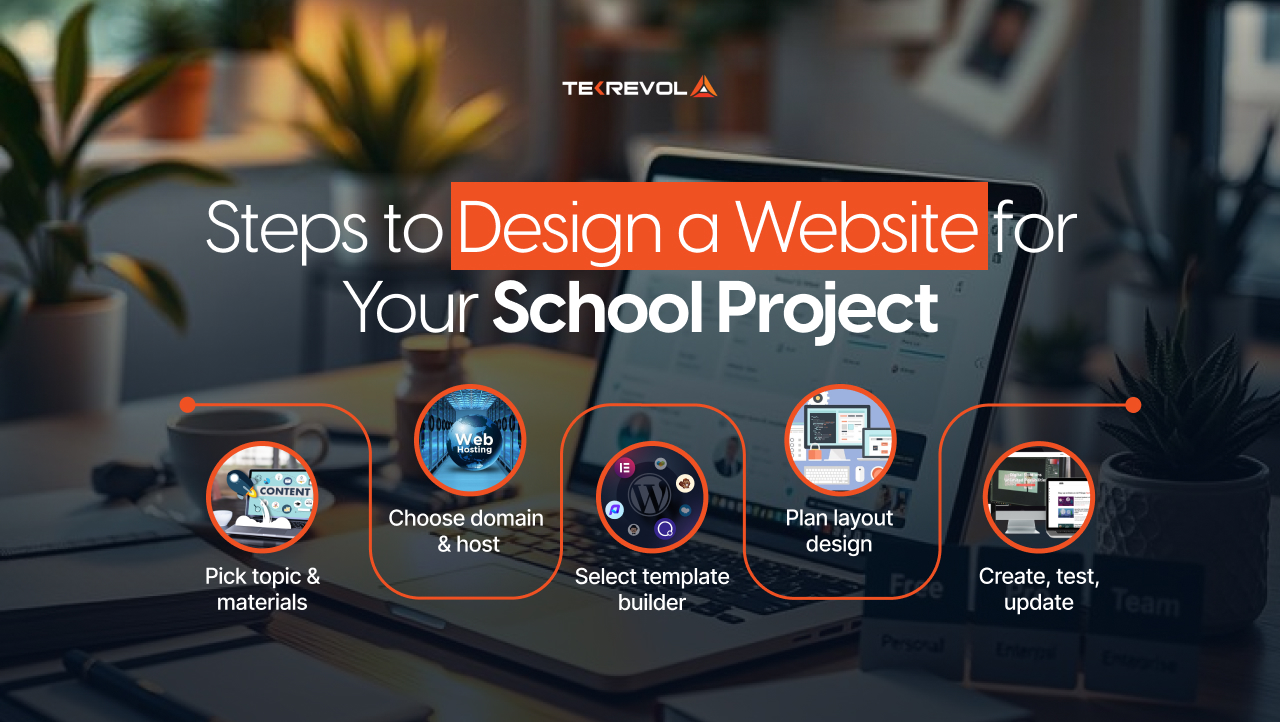
Web design essentials involves a series of steps that all come together in a nice, professionally developed, and captivating website. Here are 8 basic steps every student should follow.
Step 1 – Choose Your Project Topic and Gather Materials
Begin with a clear project topic. After selection, prepare all resources needed: research notes, images, videos, charts, or diagrams. This will ensure that the website is not disorganized and contains correct, interesting information. A well-thought-out student project website has a well-presented storyline and easy movement among sections.
Step 2: Select a Hosting Option and Domain Name
Select a domain name that is simple and straightforward. Free builders are more than adequate for the majority of school projects, but subscription hosting offers more sophisticated capabilities and personalization. Additionally, kids without any prior coding expertise can develop a free website for school assignments using platforms.
Step 3: Select a Template and Website Builder
For students, the beginner-friendly builders are ideal. Select a template based on the nature of your project and the users. Customization and mobile responsiveness are all made possible via templates. Using these tools will simplify the process and make your website for a school project polished.
Step 4 – Plan Your Website Layout
Sketch wireframes to visualize your pages: Home, About, Project Details, Gallery, and Contact. A clear layout will ensure that your flow of content is logical and navigation is smooth, while proper planning reduces errors in the design stage and improves the user experience.
Step 5 – Design a Professional and Appealing Website
Use color, font, and other visual elements that complement your project’s theme. Avoid clutter; instead, use white space effectively. Incorporate high-quality images, videos, or charts to help make it more visually appealing. Subtle animations can add to the good website ideas for school projects without diverting one’s attention from the content.
Step 6 – Engaging and Informative Content Creation
The main focus of your project website is its content. Use headers and subheadings, charts, infographics, videos, and explanations to communicate. If at all feasible, use interactive components like slideshows or tests to make learning enjoyable for others. Content that is well-structured demonstrates knowledge and has built trust.
Step 7: Website Testing and Launching
Before launching, test and use the website on different devices. Check links, navigation, and media functionality. Views from peers or teachers can be solicited to indicate areas of improvement. Once satisfactory, the website should be launched so that you can share it with the intended audience. Web design audit will ensure that your website for the school project works perfectly.
Step 8 – Maintain and Update Your Project Website
After launching, ensure you continue monitoring your website for broken links or outdated content. Regular updates enhance professionalism and reliability. A maintained website ensures that your how to make website for a school project remains impressive for anyone accessing it.
Dreaming of a Perfect Project Website but Don’t Know Where to Start?
Our experts build intuitive, student-friendly sites that stand out.
Get Your Custom Student Website Built NowHow to Organize Content for Maximum Impact
The organization of content effectively keeps visitors’ interest and clearly portrays the project. Divide your material into logical sections. Headings and subheadings should be provided. Paragraphs should follow each other naturally, supplemented by bullets when listing a number of points.
Visual hierarchy counts. Use bold text to make key concepts pop, and place your images and videos at well-considered locations to enhance your explanations. A clear structure ensures that students’ project websites are both readable and engaging.
Website for a School: What It Should Contain
A structured website for a school project should include the following key elements that make it both informative and appealing. These elements guarantee clarity, credibility, and user satisfaction.
Basic elements include:
- Home: Introduces the project, sets the tone.
- About Section: This section explains the purpose and background of your project.
- Project Details Page: A showcase of your research, process, or findings.
- Gallery or Media Section: Visuals, charts, or short clips that enhance understanding.
- Contact Page: It will let the teachers or visitors reach you for feedback or questions.
- References or Credits Page: Displays the credibility of your sources and gives credit where due.
Including these elements will ensure your project website for students looks complete, professional, and easy to navigate.
How to Ensure Your Website is User-Friendly
User experience is vital for the sake of retaining attention and communicating ideas.
- Simplifying Navigation
- Clear menus and consistent links
- Anchor links for long pages
- Minimalist design to avoid confusion.
- Mobile Optimization
This means that one should ensure their site works on all devices. Text should be readable, images properly sized, and buttons easy to click. Responsive design enhances usability for teachers and classmates who will access your free website for school projects on mobile devices.
Performance and Speed
Optimize images and other media files for quick loading. Avoid heavy animations or scripts that can delay performance. Smooth and fast websites retain engagement and leave a positive impression. 94% of online users said in a survey that easy navigation is the most important website feature.
How to Publish, Share, and Maintain Your Project Website
Publishing means that others-teachers and peers-can access your work. Use the hosting provided by your website builder. Proofread all pages for errors before publishing.
You can share your website through email, QR code, and school portals. Welcome improvements that come from suggestions and recommendations. Ongoing maintenance, including updating content and fixing broken links, keeps your website maker for a school project professional and working into the future.
How Tekrevol Can Help Students Create an Exceptional Project Website
Tekrevol supports students in the web development of high-quality, professional project websites. Equipped with templates, multimedia tools, and responsive designs, students can focus on content development while Tekrevol takes care of technical excellence and provide the best custom web development services.
Benefits of Using Tekrevol
- Professional-grade templates and animations
- Technical support and guidance
- Tools for embedding videos, slideshows, and interactive features
Improving Your Project Website
Students can create an engaging experience with multimedia, interactive elements, and professional designs. Tekrevol makes sure that your how to make a website for a school project is polished and visually impressive.
Achieving Professional Results
For Tekrevol, your project is not only an assignment or just a school project, but it has been transformed into a high-quality project that shows creativity and digital innovation to both students and teachers.
Want to Present Your School Project Like a Pro?
Our developers create polished websites that make learning projects shine.
Get in Touch with Our Web Specialists Today


