



- Building a tattoo design app MVP starts at $30,000–$60,000, with a full-featured AI and AR platform ranging from $100,000 to $200,000+.
- The AR body placement preview is your single biggest differentiator; it turns a passive browser into an active, committed buyer.
- AI tattoo generator tools, powered by fine-tuned models or the OpenAI API, are no longer optional extras; they are the core product in 2026.
- A marketplace model connecting clients with artists is the fastest path to recurring revenue and long-term platform stickiness.
- Budget 15%–20% of your initial build cost annually for maintenance, OS updates, and AR framework compatibility.
- Plan for a 10–14-week timeline for MVP and 20–28 weeks for a full-featured platform launch
It’s 2 AM, the vibes are immaculate, and you are convinced that getting a hyper-realistic portrait of your cat in a space suit tattooed across your chest is a flawless idea.
Fast forward to the next morning. You wake up sweating, desperately wishing you could have previewed that masterpiece before making it permanent.
Welcome to 2026, where the Tattoo Design App is officially saving the world from catastrophic impulse decisions. Thanks to mind-blowing AI generators and “blink-and-you ‘ll-miss-it” AR placement, users can now test-drive their ink without the lifelong commitment. It’s like dating the tattoo before marrying it.
For developers and entrepreneurs, the body art industry is buzzing, and the demand for smart, ink-centric tech is skyrocketing. If you’re ready to build the next viral platform, grab a coffee.
At TekRevol, we have built AI-powered apps and creative marketplace platforms across multiple verticals. Saying that, here we’re breaking down the killer features, the best AI tools, and the exact cost to build a tattoo app that people will actually obsess over.
What Is a Tattoo Design App and Why Build One?
A tattoo design app is a mobile platform that connects design exploration, artist discovery, and appointment booking inside a single product.
Depending on your business model, it can look very different. The four core models in this space today are:
- Design Marketplace: A library of curated or AI-generated tattoo art that users can browse, save, and bring to any artist. The simplest way to enter this niche is to create a marketplace app that functions like a Pinterest built specifically for tattoo culture.
- AR Try-On App: The technology-first approach. Users place a design on their arm, shoulder, or back using their phone camera to see a realistic preview before committing to the needle.
- Studio Booking App: A service-layer product for tattoo studios and independent artists to manage appointments, portfolios, and client communication digitally.
- Hybrid Platform: The full-stack play. Combines all three models into one ecosystem, which is where the strongest monetization and retention live.
Now is a particularly strong time to build in this category. AR frameworks like ARKit and ARCore have matured to the point where realistic skin-surface overlays are achievable without a massive R&D budget.
AI image generation tools have democratized custom design creation. And the tattoo-curious demographic, people considering their first or second piece, is large, digitally native, and actively looking for tools that reduce the anxiety of commitment.
The business case is straightforward: the studio owner who offers an app-based preview converts more walk-in interest into confirmed appointments.
The startup that builds the marketplace layer first owns the discovery channel that every studio eventually needs. It is part of a broader shift in how AR and VR technology is supporting businesses across industries. Spatial computing is no longer a novelty; it is an expectation.
Stop guessing your market fit.
Get a $450-value strategy session at zero cost, and we'll map out your app idea and a realistic revenue model.
Claim Your Free ConsultationMust-Have Features for a Tattoo Design App
The features below are not a checklist to copy wholesale. They are the architecture of a product that earns daily opens rather than a single-use install. Each one solves a specific friction point in the tattoo discovery and booking journey.
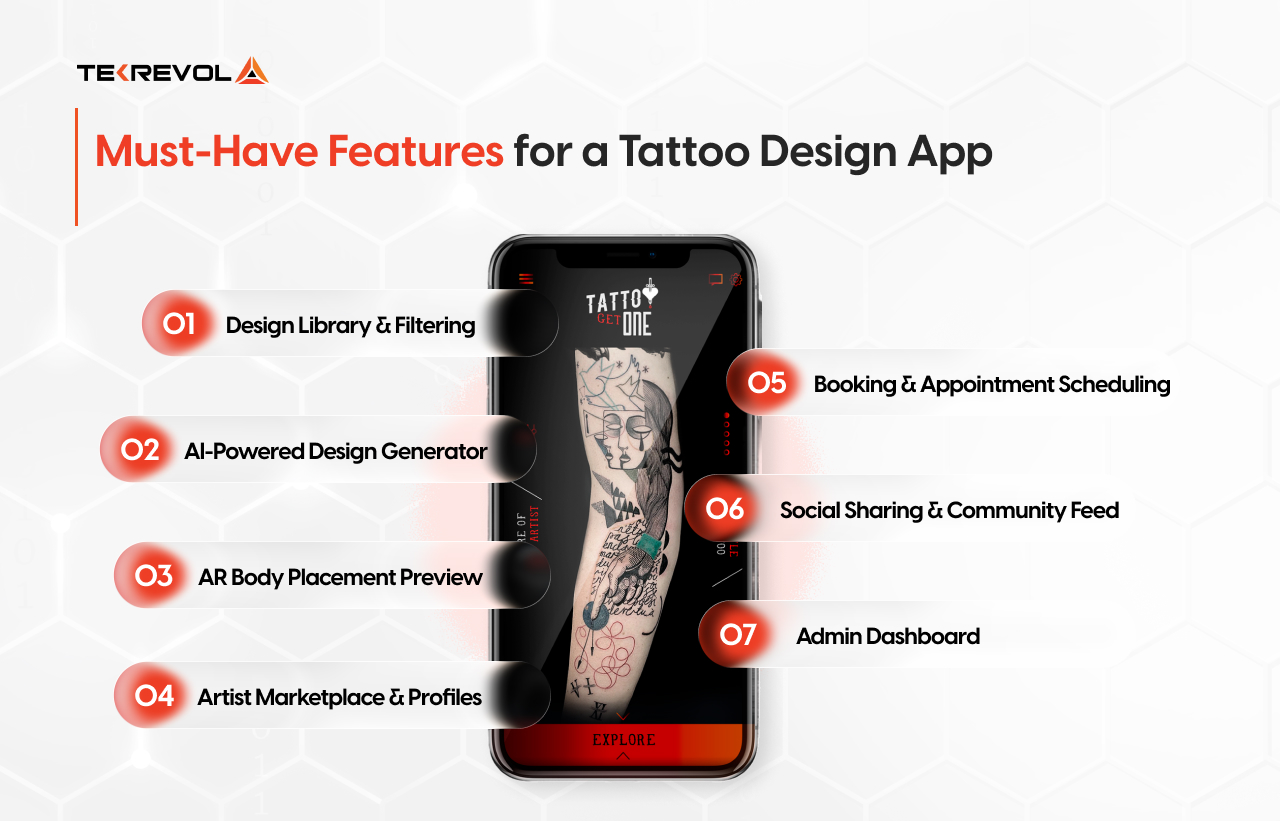
1. Design Library & Filtering
The design library is the front door of your app. Users arrive looking for inspiration, and if they cannot find something that resonates within 30 seconds, they leave. A well-built library includes:
- Style-based filtering: Traditional, Blackwork, Watercolor, Geometric, Japanese, Neo-Traditional, and more.
- Body placement filtering: Designs categorized by where they work best, sleeve, forearm, ribcage, ankle, and chest.
- Size and color palette filters: Critical for users who already have a constraint in mind.
- Save and collection folders: Let users build mood boards they can share with an artist directly from the app.
The backend logic here is not complex, but the curation strategy is. A library with 50 well-tagged, high-quality designs outperforms one with 5,000 poorly categorized images every time.
2. AI-Powered Design Generator
This is the feature that has moved from competitive advantage to table stakes in 2026. Users expect to type a prompt, “geometric wolf, fine line, forearm size”, and receive a custom design in seconds. The underlying technology uses fine-tuned generative models trained specifically on tattoo art.
The critical implementation detail is fine-tuning. A base generative model will produce images. A model trained on actual tattoo art, with attention to line weight, skin compatibility, and style consistency, will produce designs a real artist could execute.
This is one of the clearest examples of how AI is revolutionizing mobile app development: the gap between generic output and craft-specific output is closing fast, but fine-tuning is still what separates a useful tool from a novelty.
- Prompt-to-design generation with style modifiers
- Variation generator: produce four to six iterations of the same concept
- Artist-style matching: generate a design in the style of a specific artist on the platform
- Refinement controls: let users adjust line weight, color fill, and size before saving
If you are exploring adjacent opportunities beyond tattoos, reviewing the wider landscape of machine learning AI app ideas shows that creative-vertical AI generators are among the fastest-growing categories for funded startups in 2026.
3. AR Body Placement Preview
This is your wow feature. It is the one thing that makes a potential client pull out their phone at a studio, show their friend, and share the app without being asked.
The technology maps a chosen design onto the user’s skin in real time using ARKit on iOS or ARCore on Android, adjusting for skin tone, curvature, and lighting conditions.
The implementation has two layers:
- Flat-surface placement: Places the design on a flat area like the forearm or upper back. Good for MVP, achievable within a standard development sprint.
- Contour-aware placement: The design wraps around the natural curvature of the body part. This requires depth mapping and is the version that genuinely shocks users the first time they see it.
Real-world app Inkhunter built its early user base almost entirely on this feature alone. If you want to understand the full technical scope before budgeting, our detailed guide on how to build an augmented reality app walks through every framework decision from ARKit surface tracking to Unity-based contour rendering.
4. Artist Marketplace & Profiles
The marketplace layer is where the platform becomes a business. Artists create verified profiles showcasing their portfolio, style specializations, location, and availability. Clients browse and filter, then initiate contact or booking directly in the app.
- Portfolio galleries with style tagging
- Verified artist badges and review system
- Geographic proximity search
- Direct messaging with design attachment support
- Commission inquiry forms with custom design briefs
Platforms like Tattoodo have demonstrated that artists are willing to pay for platform visibility when it delivers actual client leads. That is your revenue lever here.
5. Booking & Appointment Scheduling
Once a user has found a design and chosen an artist, the booking step should take under two minutes. A clunky handoff to email or phone at this stage kills conversion. Build the scheduling layer directly into the app:
- Real-time calendar availability syncs with the artist’s own system
- Deposit payment integration to secure the booking
- Automated reminders at 48 hours and 24 hours before the appointment
- Pre-appointment intake form: design references, size preferences, body placement, allergies
6. Social Sharing & Community Feed
The community layer serves a dual purpose: it keeps users coming back when they are not actively booking, and it generates user-created content that functions as organic marketing.
Build a feed where users can share completed work, save designs from others, follow specific artists, and comment on styles. This is how the app earns passive daily opens rather than just transactional ones.
7. Admin Dashboard
The admin layer is invisible to users but critical for your operations team. It should cover artist verification and onboarding, content moderation for the community feed, analytics on booking conversion and feature usage, dispute resolution tools, and revenue reporting by artist and by region.
A marketplace without a strong admin layer becomes unmanageable at scale, and the chaos damages user trust.
We Have Helped a Social Startup Hit the $100M Valuation Mark.
Get the exact technical roadmap used by industry disruptors, for free.
Consult With Our Expert For FreeAdvanced Features to Give You a Competitive Edge
Once the core product is stable, these features pull users away from competitors and keep them locked in your ecosystem. Each one also doubles as a marketing hook that drives organic acquisition; they are the features users demo to friends unprompted.
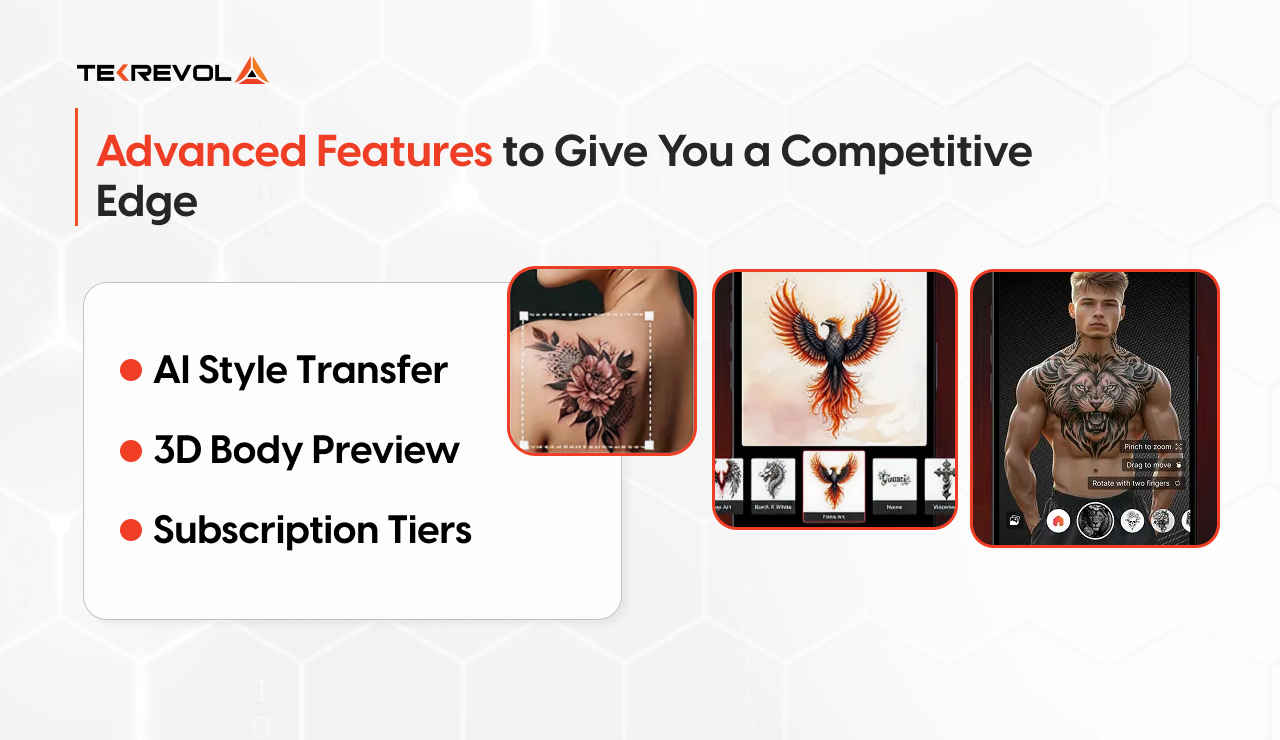
AI Style Transfer
A user uploads a photo of a design they love, a sketch they drew themselves or an image they found, and the AI converts it into a clean, tattoo-ready rendering in a chosen style.
This solves one of the most common client problems: having a vague idea but no design vocabulary to communicate it. It is exactly the kind of pipeline our AI development services team builds across creative verticals, domain-specific models trained on curated datasets, not off-the-shelf generators.
3D Body Preview
Going beyond the flat AR overlay, a full 3D body model lets users rotate a digital avatar, place designs anywhere on the body, combine multiple tattoos to check how they interact visually, and share the 3D preview with their artist as a precise brief.
This removes one of the biggest points of miscommunication between client and artist. In terms of budget, the augmented reality app development cost for this level of spatial rendering ranges from $30,000–$70,000 depending on the depth of the 3D engine integration.
Subscription Tiers
A freemium model with a paid tier is the most reliable monetization structure for this category. Free users get access to the design library, basic AR try-on, and public artist profiles.
Premium subscribers unlock unlimited AI design generation, advanced AR with contour mapping, early access to new artist listings, and discounts on booking deposits.
The conversion from free to paid is driven by the quality of the premium experience, which is exactly why investing in the AI and AR features matters.
Tech Stack Recommendation
The stack choices below are not arbitrary. Each one was selected for a specific reason tied to the performance demands of AR rendering, AI inference, and marketplace-scale data management.
One factor worth knowing upfront: the cost to develop an iOS app is typically 10%–15% higher than Android due to stricter Apple guidelines and Swift specialist rates, a variable worth accounting for if you are going native on both platforms from day one.
Here is the merged table, combining all your frontend, backend, AI, and storage layers into a single, cohesive architecture blueprint:
| Layer | Technology | Why This Choice |
| Frontend (iOS) | Swift + ARKit | Full camera API access, LiDAR depth sensing for contour AR, best-in-class rendering on Apple hardware. |
| Frontend (Android) | Kotlin + ARCore | Deep hardware integration across diverse Android camera sensors via CameraX. |
| Cross-Platform Option | React Native + Expo | Reduces cost at MVP stage for teams targeting both platforms; AR performance is acceptable for flat overlay. |
| AR Layer | ARKit / ARCore + Unity 3D | Unity handles complex 3D rendering and wrapping logic that native AR SDKs alone cannot manage efficiently. |
| AI Design Generation | Stable Diffusion (fine-tuned) or OpenAI API | Stable Diffusion gives a self-hosted, customizable model; OpenAI API reduces infrastructure complexity at per-call cost. |
| Backend | Node.js or Django | Node for real-time features (messaging, live availability); Django for data-heavy admin and marketplace logic. |
| Database | PostgreSQL + Redis | PostgreSQL for structured marketplace data; Redis for session caching and real-time availability updates. |
| Cloud Storage | AWS S3 | Handles high-volume media (portfolios, generated designs, AR assets) with reliable CDN delivery. |
| Push Notifications | Firebase (FCM) / APNs | Essential for appointment reminders and new design alerts that drive re-engagement. |
One architectural decision worth calling out: if you are building a marketplace from day one, use a microservices structure from the start.
Separating the AI generation service, the AR asset server, the booking engine, and the marketplace API into independent components means each can scale without touching the others.
This is the same architecture our AR & VR app development team uses for production-grade spatial computing builds, from ARKit surface tracking through Unity contour wrapping.
How Much Does It Cost to Build a Tattoo Design App?
Determining the cost of a tattoo design app development is not as simple as picking a number off a list. The variables that move the price are the complexity of the AR layer, whether you are fine-tuning your own AI model or using an API, the number of platforms you are launching on, and the hourly rate of your development partner.
For a full benchmark across all app categories, our app development cost guide breaks down every variable from feature complexity to team geography. What follows are honest ranges, not minimums, designed to get you on a call.
MVP Cost Estimate
An MVP includes the core design library, basic AR try-on (flat surface placement), AI generation via API, artist profiles, and appointment request functionality. This is the product you use to validate market interest before committing to the full build.
| Phase | Estimated Hours | Estimated Cost |
| Discovery & Architecture | 40–60 hrs | $4,000–$8,000 |
| UI/UX Design | 80–120 hrs | $6,000–$14,000 |
| Core App Development | 200–300 hrs | $14,000–$30,000 |
| Basic AR Integration | 80–120 hrs | $6,000–$14,000 |
| AI API Integration | 40–60 hrs | $3,000–$6,000 |
| QA & Launch Preparation | 40–60 hrs | $3,000–$6,000 |
| Total MVP | — | $36,000–$78,000 |
Full-Featured App Cost
A full-featured tattoo design app with contour-aware AR, fine-tuned AI, a complete marketplace with reviews and payments, subscription tiers, 3D body preview, and social feed is a significantly larger build.
The payment infrastructure layer alone, multi-vendor commission tracking, payout automation, dispute management, is the same architecture we use in ecommerce app development projects where the platform sits between buyers and multiple sellers.
| Feature Set | Estimated Hours | Estimated Cost |
| Contour-Aware AR & 3D Preview | 300–500 hrs | $30,000–$70,000 |
| Fine-Tuned AI Generator | 200–350 hrs | $20,000–$45,000 |
| Full Marketplace (payments, reviews, messaging) | 250–400 hrs | $20,000–$50,000 |
| Subscription & Monetization Layer | 100–150 hrs | $8,000–$15,000 |
| Admin Dashboard | 100–150 hrs | $8,000–$15,000 |
| Social Feed & Community | 120–180 hrs | $10,000–$18,000 |
| Total Full Build | — | $96,000–$213,000 |
Ongoing Maintenance Costs
Post-launch, budget 15% to 20% of your initial build cost annually.
This covers iOS and Android OS compatibility updates, Apple and Google both release major SDK changes annually that directly affect AR frameworks, AI model retraining as design trends evolve, server scaling as user volume grows, and ongoing bug fixes.
A $100,000 build costs roughly $15,000 to $20,000 per year to maintain professionally. Factor this into your funding model before launch, not after.
Regional Hourly Rates
| Region | Hourly Rate |
| North America | $120–$200/hr |
| Western Europe | $90–$150/hr |
| Eastern Europe | $35–$65/hr |
| Southeast Asia | $25–$50/hr |
Development Timeline
These timelines assume a dedicated development team and a client who provides feedback within 48 hours of each review milestone. Delays in feedback are the single most common cause of timeline slippage.
| Phase | MVP Timeline | Full Product Timeline |
| Discovery & Architecture | Weeks 1–2 | Weeks 1–3 |
| UI/UX Design & Prototyping | Weeks 2–4 | Weeks 3–6 |
| Core Development | Weeks 4–8 | Weeks 6–14 |
| AR & AI Integration | Weeks 7–9 | Weeks 10–20 |
| QA & Testing | Weeks 9–11 | Weeks 18–24 |
| App Store Submission & Launch | Weeks 11–14 | Weeks 24–28 |
| Total | 10–14 Weeks | 20–28 Weeks |
Monetization Models for Tattoo Design Apps
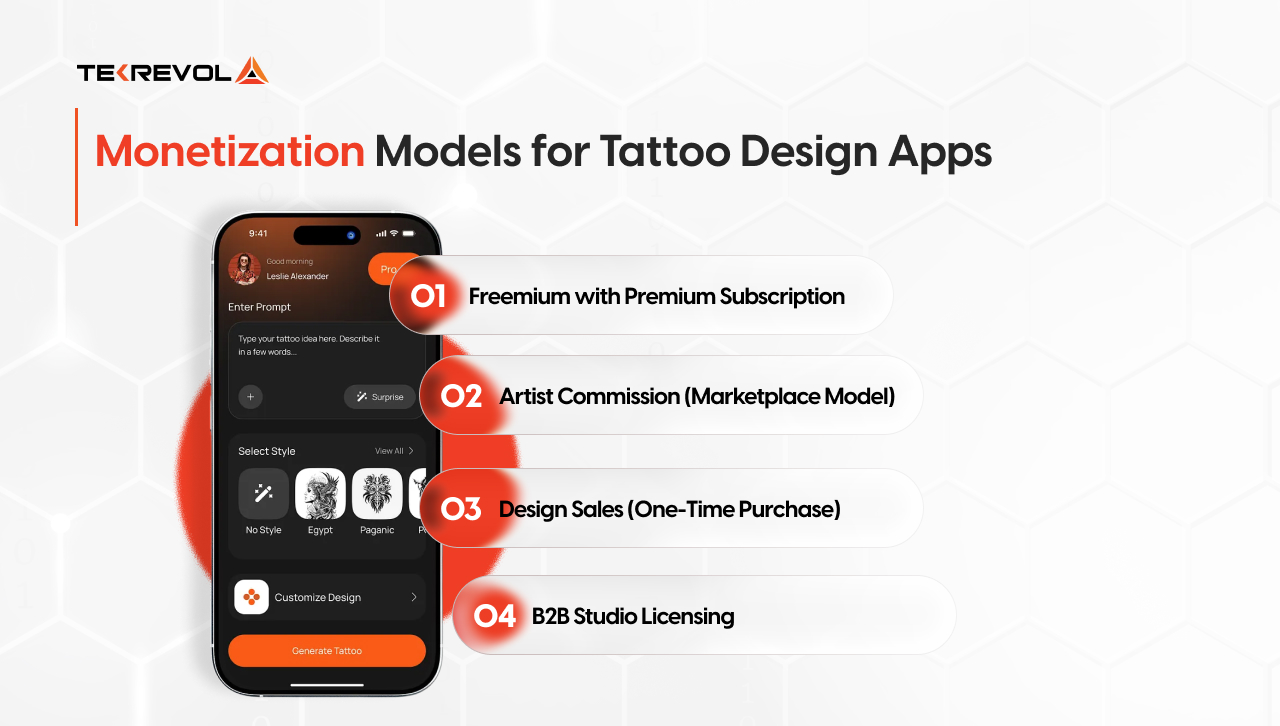
The business model you choose at the start shapes every product decision that follows, from which features you prioritize to how you structure your artist relationships. These are the four models that work in this space, each matched to the product type that suits it best.
-
Freemium with Premium Subscription:
Best for apps leading with AI generation and AR. Free tier drives volume; premium tier ($7.99–$14.99/month) unlocks unlimited generation, advanced AR, and exclusive design libraries. This is the model with the strongest long-term LTV.
-
Artist Commission (Marketplace Model):
The platform takes a 15%–25% cut of every booking completed through the app. The commission architecture for a marketplace app, payout schedules, escrow logic, and dispute handling needs to be planned at the architecture stage, not bolted on later.
-
Design Sales (One-Time Purchase):
Artists upload original designs for individual sale at $1.99–$9.99 each. The platform takes a 30% revenue share. Works well alongside a freemium model.
-
B2B Studio Licensing:
Sell AR try-on and booking tools directly to studios as white-label SaaS at $49–$199/month per studio. This go-to-market shift shifts the mobile app development approach toward a multi-tenant architecture rather than a consumer app, a meaningful technical difference from day one.
The most sustainable businesses in this space layer two or three of these models. Start with one to validate, then expand as user behavior gives you data on what your audience will pay for.
Why Choose TekRevol to Build Your Tattoo Design App?
At TekRevol, we have shipped AI-powered applications and creative marketplace platforms across multiple verticals, and we understand that a tattoo app is not just a design tool, it is a commerce engine with a community layer on top.
Our product-first approach means we do not start writing code until the architecture, the monetization model, and the user journey are validated on paper.
Whether you are an independent studio owner ready to go digital or a startup founder targeting the broader market, we provide the technical roadmap to get you to launch and scale past it.
Planning to build a tattoo design app?
TekRevol's team has built marketplace and AI-powered apps across creative verticals. Get a free consultation and project estimate today.
Get Your Free Project Estimate


