


Have you ever fixed one bug, only to accidentally break two more? It’s frustrating for every team. This normally occurs due to unclear test cases. When test cases are properly designed and executed, teams can significantly reduce bugs and deliver reliable, high-quality software.
In the world of software testing, a test case is that recipe. And a bad recipe leads to a buggy, half-baked product.
A test case is a specification of the precise circumstances, input, and anticipated outputs required to ensure that software functions well under normal, abnormal, and failure conditions. It fills the gap between the general requirements and the action testing steps.
Striking the right balance and coming up with QA test cases that are crystal clear and flexible is the best art.
This guide will show you how to write effective test cases with practical examples, templates, and proven tips to improve your software quality from the start, especially when working with a trusted custom software development company.
What is Test Cases? (And Why It Matters)
A test case, in simple terms, is a collection of instructions that is prepared to give an answer to a single question: Does this specific part of our software work like it is supposed to work?
View it as a roadmap to quality assurance. It provides a sequence of terms, actions, and information to prove one feature or functionality. With a clear-cut end in mind, testers may compare an application’s real behavior to this and determine whether it passes or fails.
IBM research shows that fixing a product during production can cost 100 times more than during development, highlighting the importance of writing good test cases early.
A comprehensive test case includes essential components like:
- A unique Test Case ID for tracking.
- Clear Preconditions and Test Steps.
- Specific Test Data.
- A definitive Expected Result.
This organized process will reduce testing to a chaotic one and make it a repeatable and reliable process, and ensure that each team member confirms functionality consistently and effectively.
Every Bug That Reaches Production Costs You Money and Trust
Partner with TekRevol for comprehensive testing services that catch issues before your users do.
Get Professional Testing Support!Common Types of Test Cases Every QA Should Know
In software development & testing, not every test case is given the same value. By identifying and categorizing test cases, QA experts can concentrate their efforts on the right parts of the application. Below is a short overview of the main categories of test cases that are widely used in today’s QA practices:
| Type of Test Case | Purpose / Description |
| Functionality Test Cases | Test all the features or functionalities of the application to ensure that it performs as expected. |
| Performance Test Cases | Make sure that the system can meet its performance objectives in matters such as speed, scalability, and stability. |
| Unit Test Cases | Test single units ( modules, functions, procedures ) to ensure that they are operational. |
| User Interface (UI) Test Cases | Ensure that the UI components are correct and appealing to the user. |
| Security Test Cases | Security of the test system, privacy, and data protection, such as integrity against unauthorized access or attacks. |
| Integration Test Cases | Make sure that various parts or modules of the system are very compatible with each other. |
| Database Test Cases | Prove that databases fulfill functional and non-functional requirements, which serve all business requirements. |
| Usability Test Cases | Make sure that the system is easy to navigate and interact with. |
| User Acceptance Test Cases (UAT) | Ensure that the application meets business requirements and delivers as per the expectations of the user before release. |
| Regression Test Cases | Make sure that the functionality is not compromised by any new changes or updates. |
The Real Impact of Well-Written Test Cases
Stable software comes as a result of clear test cases. Research calculated that software bugs cost the US economy $59.5 billion every year, and better testing practices could save about a third of that.
Instead of spending time and stress on the chaotic process of debugging, they make it a simple checklist that saves the time and stress of your team. Eventually, this will enable you to deliver a high-quality, more trustworthy product to your users.
| Benefit | Why It Matters |
| Easy Maintenance | Well-documented test cases save time and confusion for new testers, making them easy to maintain as your program changes. |
| High Adaptability | The strong test cases do not require rework once there is a change in UI or feature, and ensure your test suite is still valid. |
| Smarter Testing | Having reusable test cases, then QA teams can perform additional exploring and user-experience testing rather than doing repetitive tasks. |
| Reliable Performance | Regular and properly designed test cases aid in assuring that all new releases are of quality and perform well. |
Key Traits That Define a Strong QA Test Case
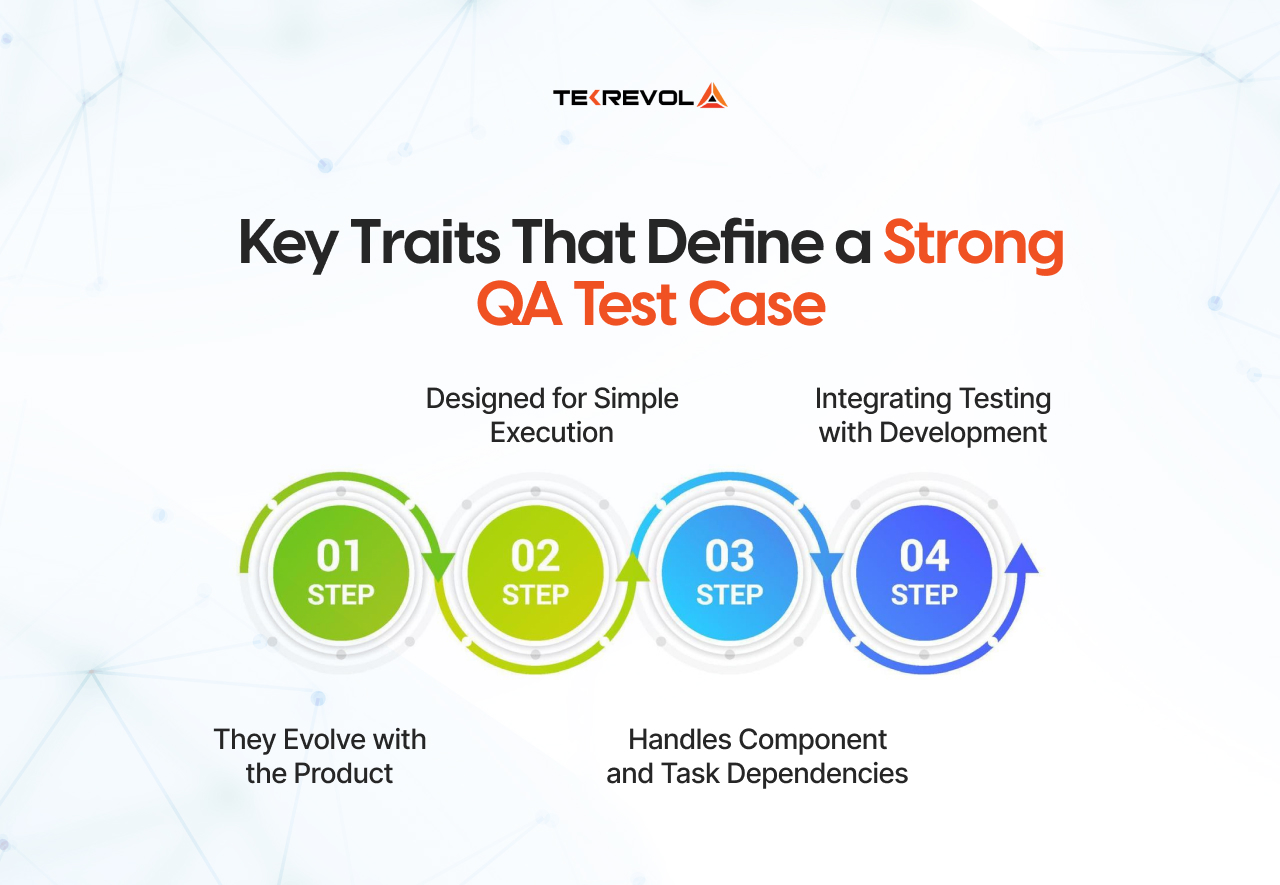
In the background of any successful testing process are good test cases that lead teams to a reliable, repeatable result. Although every case of a test can have a different purpose, the most valuable ones have several significant features that make them convenient and efficient in practice.
The following is what distinguishes good test cases:
They Evolve with the Product
Test cases are never fixed; they also expand and evolve along with your software. They should be modified when new features are introduced or existing features are enhanced to represent the changes. Keeping them up to date with the latest product version will guarantee that each test being run corresponds with the newest version of the product and prevents false results.
Designed for Simple Execution
A good test case is not just a checklist, but it is an articulate workflow. Arranging similar tests in a single scenario or running them sequentially is a way of staying in the flow and is very economical in time. Additionally, if multiple testers are working on the same areas of the system, this helps prevent confusion.
Handles Component and Task Dependencies
There are some test cases in complex systems that require other test cases to be properly run. Indicatively, you cannot test “updating a profile without first testing user login. The knowledge of these connections will allow the process to be executed more easily, and there will be no unnecessary test failures.
Integrating Testing with Development
Powerful test cases offer a shared set of words to testers and developers. They assist the developers in repeating the defects, test the corrective measures, and ensure that the new features have not been ruined during the process. Such cross-team work in agile settings keeps the team on focus and enhances the quality of releases.
Test Case Format: The Right Way to Structure Your Tests
A test case should be in a standard format, thus it is easy to understand, trace, and execute. The majority of QA teams are organized as follows:
| Field | Description |
| Test Case ID | A unique identifier for each test case (e.g., TC_01_Login). |
| Test Scenario | The specific functionality or feature being tested. |
| Test Steps | Step-by-step actions required to perform the test. |
| Prerequisites | Conditions that must be met before executing the test (e.g., user logged in, server running). |
| Test Data | Input values required to perform the test (e.g., username, password). |
| Expected Results | The desired outcome if the software behaves correctly. |
| Actual Results | What actually happens during testing. |
| Test Status (Pass/Fail) | Indicates whether the test met the expected results. |
Test Case Examples and Templates for Effective QA Documentation
An excellent Test case emphasizes simplicity, rather than complexity. It is supposed to deliver feature validation fast to the testers and provide testing with easy repeatability and maintainability across multiple systems.
The following are some of the simplest and viable examples that can demonstrate what well-written test cases are like.
Example 1: Place a Food Order
Objective: Check that end users are able to successfully place an order.
Prerequisite: The user should be logged in and have at least one item in the cart.
Steps:
- Navigate to the cart page.
- Check out with the review products and click Checkout.
- Add the valid delivery information.
- Choose a method of payment and make an order.
Expected Result: The order is successfully placed, and a confirmation message with the order ID is shown.
Example 2: Update Delivery Address
Objective: Check whether the users are able to refresh their saved delivery address.
Precondition: The Account has one or more addresses saved in it.
Steps:
- It is located in the profile or address book.
- Choose one of the already existing addresses and press the Edit button.
- Change address information (e.g., street name or postal code).
- Click “Save.”
Expected Result: The update of the address is achieved, and the updated information is recorded in the address list.
Example 3: Cancel an Order
Objective: Verify that users can cancel an active order before delivery.
Precondition: User has a pending order.
Steps:
- Open the “My Orders” section.
- Select an order with “In Progress” status.
- Click “Cancel Order.”
- Confirm the cancellation.
Expected Result: The order status changes to “Cancelled,” and the user receives a cancellation confirmation message.
Example 4: Verify Invoice Download
Objective: Ensure that users can download a valid invoice after successful delivery.
Precondition: Order has been marked as delivered.
Steps:
- Navigate to “Order History.”
- Select a delivered order.
- Click “Download Invoice.”
- Open the downloaded file.
Expected Result:
- Invoice downloads successfully.
- File format is PDF.
- Details (order ID, items, total amount) match the in-app record.
Note: Don’t complicate your testing scenarios too much. Clear goals and adaptable descriptions will make them easier to maintain and change, especially when your product UI or logic changes with time.
Ready to Improve Your App’s Quality?
Get TekRevol’s expert QA team to audit your test cases today.
Book a QA Review!Manual vs Automated Test Cases: Which Should You Choose?
Test cases do not necessarily all have to be automated. However, Automation testing is stealing the show, with forecasts pointing to a remarkable value of $68 billion by 2025, marking a significant milestone in its growth trajectory.
This is a practical guide that will direct you in making the right choice between the two approaches based on the different test scenarios:
| Test Scenario | Best Approach | Why This Matters |
| Repetitive tasks (login, checkout, forms) | Automated | Saves time on tasks run frequently, letting your team focus on complex issues. |
| Regression testing | Automated | Automatically checks existing functionality after every release to catch breaking changes. |
| Performance & load testing | Automated | Simulates high user traffic and stress conditions that are impossible to test manually. |
| Data-driven tests | Automated | Quickly tests multiple input combinations without manual repetition. |
| Exploratory testing | Manual | Requires creativity and intuition to find unexpected issues. |
| Usability & UI testing | Manual | Ensures interface is intuitive, accessible, and visually correct. |
| Visual design verification | Manual | Humans spot layout, font, and rendering issues that automation can miss. |
| Complex edge cases | Manual | Rare scenarios are often more efficient to test manually than to automate. |
| Ad-hoc testing | Manual | Offers flexibility for quick validation without rigid scripts. |
5 Best Practices for Writing Effective Manual Test Cases
It may sound easy to write test cases because you can list a couple of steps, guess an outcome, and that is it. Not exactly. Great test cases are understandable, flexible, and help to ease the cooperation between QA engineers and developers..
The following are five best practices that could assist you in writing a test case that will add value:
1. Keep It Clear, Simple, and Consistent
Test cases that one can comprehend without any deep insight are the best. Overly complex steps or inconsistent formats often lead to misinterpretation.
To maintain clarity across your QA team, it’s a good idea to create a test case writing style guide. This document should include:
- Standard naming conventions (for test IDs, scenarios, etc.)
- Writing dos and don’ts
- Rules for describing test steps and expected results
- A glossary of common terms and abbreviations
Not only does consistency contribute to proper documentation, but it also saves time, lowers the difficulty of onboarding, and simplifies the review of test results across different builds and versions.
2. Define Clear and Focused Test Scenarios
The quality of a test case depends on the scenario it is built upon. A lack of clarity in the test scenario can result in unnecessary repetition of work or the omission of essential parts from the testing process.
For example:
Vague scenario: Test user authentication.
Better scenarios:
- Verify login functionality
- Verify registration functionality
- Verify password reset functionality.
Limiting your scope allows you to remove overlap, to organize tests better, and to ensure that several testers can be working simultaneously without stepping on each other.
3. Balance Detail with Flexibility
Accuracy is good, but too many details will render your test cases weak. When you code all the UI labels, button names, and page structure, you are hardcoding your UI, making even a minor change in the design to break your test documentation.
Instead, focus on intent-driven test steps. For instance:
Too rigid:
- Click on “Settings” from the main navigation bar
- Open “My Profile”
- Scroll to “Username”
- Enter new value
- Click “Save.”
Better:
- Navigate to the profile settings
- Update the username field
- Save changes.
The second version is clear, adaptable, and still validates the same functionality, without needing updates every time the UI shifts.
4. Know When to Be Extra Precise
Flexibility has limits. Some points demand additional consideration, particularly concerning security, payments, or sensitive user information. Precision in these situations makes sure that testers recreate the situations as intended, and there is no room for interpretation.
For example, when testing login functionality involving credentials:
Test Case: Verify login with an empty password.
Steps:
- Launch application.
- Enter a valid username and leave the password blank.
- Click login.
Expected Result: Access should be denied with a relevant error message.
Specificity will ensure that bugs are not repeated, user data is secure, and compliance is met, as well as enhancing the reliability of the software in general.
5. Leave Room for Exploration
Even the best developed test cases are not able to cover all. The patterns are hardly predictable by real-world users, and that is where exploratory testing will be useful.
Encourage testers to go beyond the written steps. Allow them to:
- Try alternate navigation paths.
- Experiment with different input combinations.
- Explore edge cases that might not be listed in documentation.
For example, rather than instructing “Go to the Profile page through Settings,” simply say “Access the Profile page.” This gives testers the freedom to explore multiple paths and helps uncover issues traditional tests might miss.
Wrapping Up
The art of writing efficient test cases is associated with the identification of the proper balance between accuracy and adaptability. Well-defined and appropriately designed test cases assist testers to work effectively and ensuring that the software will act as intended in various situations. Integration of manual testing and automation, and exploratory testing enhances the QA process even more.
Modern test management and automation testing tools are needed to simplify the testing process and organize work successfully. For teams looking to enhance their testing process, TekRevol’s App Maintenance and Support Services provide expert support, real-device testing, and automation solutions to ensure your software performs flawlessly and delivers a seamless user experience.
Improve Your App’s Testing Process with TekRevol
Our QA experts help you catch issues early and deliver a flawless user experience.
Request a QA Consultation!




![How Much Would It Truly Cost to Develop a Food Ordering Website? [2026 Analysis]](https://d3r5yd0374231.cloudfront.net/images-tek/uploads/2026/03/Tek-Feature-7-1.jpg)