



- Building an image recognition app costs between $15,000 and $200,000+, depending on pre-trained APIs or custom ML models.
- About 80% of real-world image recognition tasks are covered by pre-trained APIs, and custom CNNs are used only when specialized accuracy is required.
- AI apps are typically built with Python + PyTorch/TensorFlow, Flutter or React Native for mobile, and FastAPI for backend services.
- Top APIs include Google Cloud Vision for image labeling, AWS Rekognition for facial/video tasks, and Azure AI Vision for Microsoft enterprise systems.
- CoreML and TensorFlow Lite enable on-device AI, reducing costs, allowing offline functionality, and improving data privacy.
- Annual maintenance is usually 15–20% of build cost, covering model updates, drift monitoring, and OS compatibility.
- TekRevol is a full-service AI development company that handles everything from model selection to app store launch, across retail, healthcare, logistics, and security.
Building an image recognition app in 2026 comes down to three components: a trained visual AI model, a scalable backend, and a frontend that captures and returns results fast. Get those right, and you have a product that works in production.
The real challenge isn’t the technology, it’s the decisions. Which model fits your use case? Do you build custom or call an API? Do you process on-device or in the cloud? Get those calls right, and you’re shipping in weeks. Get them wrong, and you’re rebuilding from scratch three months later.
In this guide, Our mobile app development company, shares what actually works in image recognition, from production builds across retail, healthcare, and logistics. AI features, tech stack, real costs, and mistakes to avoid. All of it, right here.
What Is an Image Recognition App?
An image recognition app is software that uses artificial intelligence to identify and classify visual content in photos or videos. Instead of requiring users to type descriptions, the app analyses shapes, colors, textures, and context to understand what it sees, and returns structured, actionable output.
Today’s image recognition apps are powered by deep neural networks trained on billions of images. That’s what makes them accurate enough to distinguish plant species, read text from blurry photos, or catch defects on a manufacturing line.
Got an Image Recognition App Idea?
TekRevol builds AI-powered vision apps from concept to app store launch—helping you validate your idea, define features, and get a clear cost estimate within 48 hours.
Start the Conversation!Image Recognition vs. Object Detection vs. Computer Vision: What’s the Difference?
These terms are frequently treated as the same, but they’re not.
| Term | What it Does |
| Image Recognition | Classifies the entire image into a category |
| Object Detection | Locates and labels multiple objects within one image |
| Computer Vision | A broader field that includes recognition, detection, tracking, segmentation, and depth estimation |
How Does Image Recognition Actually Work?
Here’s how image recognition works behind the scenes, step by step:
- Image Input: User uploads or captures a photo
- Preprocessing: The image is resized, normalized, and cleaned up (OpenCV handles this layer)
- CNN Model Processing: The convolutional neural network analyzes the image layer by layer, detecting edges, textures, patterns, and complex shapes
- Classification Output: The model outputs a label (or multiple labels) with confidence scores.
The model doing all this work is a CNN, a Convolutional Neural Network. The reason CNNs dominate image recognition is simple: they learn what matters directly from the data. You don’t manually say “look for ears” or “look for wheels.” It figures that out on its own, across millions of examples, and gets better every time.
The two main learning approaches:
- Supervised Learning: The model is trained on labeled datasets (“this image is a cat”). More accurate, but requires high-quality annotated data.
- Unsupervised Learning: The model finds patterns and clusters on its own. Useful for anomaly detection and discovery tasks.
Three output types every product owner should understand: image classification tells you what an image contains. Object detection tells you what is in the image and exactly where. Image segmentation draws pixel-precise outlines around every object, which matters for medical imaging and autonomous navigation, but is overkill for most commercial builds.
Image Recognition Market: Size, Growth & What’s Driving It
The image recognition market in 2026 is being shaped by real-world deployments, not speculation. Growth is driven by measurable business impact across every major industry.
Three numbers that define the opportunity:
- The global image recognition market sits at $68.46 billion in 2026, projected to reach $212.77 billion by 2034 at a 15.20% CAGR.
- Cloud deployment commands 71.6% of revenue, the default infrastructure for most new builds.
- Edge deployment is the fastest-growing segment, driven by real-time, low-latency, and privacy-first use cases
- The security and surveillance segment leads with a 23.52% market share in 2026.
- Facial recognition accounts for 24.69% of the market.
Best Use Cases for Image Recognition Apps by Industry
ROI in image recognition apps depends heavily on the sector. Select the right use case, and you’re solving a market problem with existing demand.
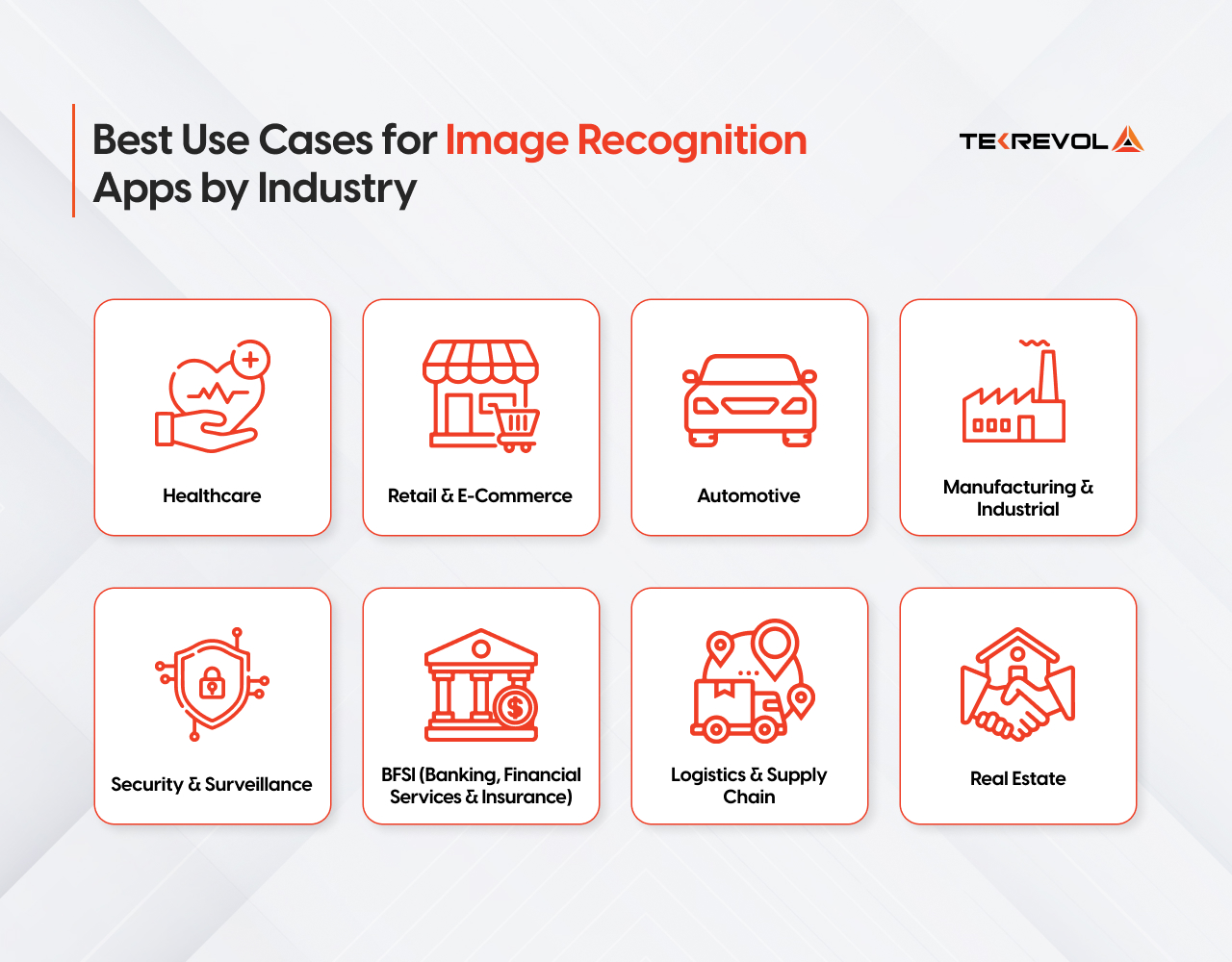
Healthcare
Radiology departments are drowning in backlogs. Manual image review can’t keep up, AI can. The sector is growing at 15.05% CAGR as providers chase faster diagnostics without expanding headcount. Every serious healthcare app development company now builds image recognition into core diagnostic and clinical workflows — not as an add-on, but as the foundation.
- AI analyzes X-rays, MRIs, and CT scans to flag anomalies faster than manual review.
- Automates patient identification and intake without manual processing
- Supports treatment planning through precise medical image analysis
View Case Study→
Retail & E-Commerce
Retail and e-commerce led the market in 2025 with a 28.74% revenue share, driven by large-scale deployments in loss prevention and frictionless checkout. Visual AI is no longer an add-on, it’s the infrastructure. Retailers building today are putting image recognition at the foundation, not bolting it on post-launch
Businesses investing in a retail software solution today are increasingly building image recognition into the foundation, not bolting it on after launch.
- Powers visual search so shoppers find products by image, not keyword
- Automates shelf auditing and real-time inventory tracking
- Enables virtual try-on experiences in fashion and cosmetics
Automotive
The automotive segment is the fastest growing in the market, forecast to expand at a CAGR of 22.1% from 2026 to 2034, driven by global ADAS deployment and Level 2 and Level 3 autonomous driving rollouts.
- Detects road hazards, pedestrians, and lane departures in real time
- Powers in-cabin driver monitoring systems
- Supports predictive maintenance through visual inspection of vehicle components
Manufacturing & Industrial
Industrial inspection is the fastest-growing segment at 16.22% CAGR. Automotive, electronics, and packaging plants are replacing human spot-checks with vision-guided systems that deliver 100% line coverage.
- Flags defective products on assembly lines without manual checks
- Compresses warranty costs by catching errors at the source
- Integrates with robotics for fully automated quality control
Security & Surveillance
The security and surveillance segment is expected to dominate with a 23.52% market share in 2026, fueled by biometric access control, public safety deployments, and enterprise security systems.
- Verifies employee identity for access control and attendance
- Detects unauthorized access and potential threats in real time
- Law enforcement and border agencies use it for rapid identity verification at scale
BFSI (Banking, Financial Services & Insurance)
The BFSI vertical holds the largest market share, using image recognition for identity verification, fraud detection, and customer service optimization through advanced facial recognition algorithms.
- Verifies customer identity remotely, reducing in-person visits
- Detects fraudulent transactions through behavioral and visual pattern analysis
- Streamlines document verification and onboarding workflows
Logistics & Supply Chain
Computer vision has driven a 32% jump in AI-enabled inventory management adoption. Now companies are stacking generative AI solutions on top, auto-generating demand forecasts, flagging anomalies, and rerouting supply chains in real time
- Verifies deliveries through automated package and label recognition
- Tracks inventory movement across warehouses using object detection
- Reduces manual errors in sorting, labeling, and dispatch operations
View Case Study →
Real Estate
Real estate teams now use image recognition to streamline listings, speed up property assessments, and deliver virtual experiences that cut manual effort and accelerate buyer decisions.
- Classifies and tags property photos automatically (interior, exterior, kitchen, bedroom) for faster listing uploads
- Powers virtual staging by detecting room dimensions and furniture placement opportunities
- Automates property damage assessment through visual inspection, cutting surveyor callouts
Pre-Trained API vs. Custom Model: How to Decide
This is the single most important architectural decision, and it should happen before any other planning. Most teams pick wrong, either overbuilding a custom model when an API would work, or underbuilding with a generic API when their use case demands precision.
Decision Matrix
| Your Situation | Recommended Approach | Why |
| Budget under $30K, need to launch in under 10 weeks | Pre-built API (Google Vision, AWS Rekognition) | Fastest to market, validated accuracy, no training cost |
| Budget $30K–$75K, some custom categories needed | API + fine-tuned model (hybrid) | Domain adaptation without full training cost |
| Budget $75K+, specialised domain, large proprietary dataset | Custom CNN from scratch | Full accuracy control, proprietary IP |
| Mobile-first, privacy-sensitive, offline required | On-device (CoreML / TensorFlow Lite) | No API costs, no network dependency, data stays on device |
| Narrow vertical (wine labels, product defects, specific ID types) | Fine-tuned domain model | General APIs underperform on narrow categories — always |
Pre-trained models handle 80% of commercial use cases. Custom models are worth the investment when you need proprietary accuracy, edge deployment, or domain-specific precision that general APIs can’t match.
Not Sure Where to Start With Image Recognition?
Our AI specialists will guide you on the right model, APIs, and tech stack for your use case—helping you make informed decisions in a single free session.
Book Your Free Session NowTypes of Image Recognition Features You Can Build
Not all image recognition is the same. The type you build determines your model architecture, training data, latency, and cost, so choosing wrong early is expensive.
Object Detection
Identifies multiple objects in a single image with bounding boxes and confidence scores. YOLO is the industry standard for real-time detection.
Facial Recognition
Three distinct problems: face detection, face identification, and face verification, each with different accuracy requirements and compliance implications.
GDPR, CCPA, and BIPA (Illinois Biometric Information Privacy Act, governing biometric data consent, storage, and deletion for any app serving U.S. users) impose strict rules around biometric data. Legal review is architecture, not an afterthought.
OCR (Optical Character Recognition)
Converts printed or handwritten text into machine-readable data. Google Cloud Vision hits 97%+ accuracy on clean text. AWS Textract goes further; it understands document structure, not just raw text strings.
Visual Search
The user submits an image and gets visually similar results back. The architecture converts the image into a vector, a numerical representation of its visual features, then searches a database for the closest matches. Pinecone and Weaviate are the go-to databases built specifically for this type of search at scale.
Barcode and QR Recognition
The fastest, cheapest, and most reliable category to build. Runs entirely on-device, no ML training required, near-100% accuracy in adequate lighting. Google ML Kit and Apple Vision handle this out of the box.
Medical Image Analysis
Accuracy requirements, regulatory environment, and data sensitivity make this a category of its own. A 95% accurate consumer model is not acceptable when output influences a clinical decision. Models need clinician-labeled domain data, clinical validation, and in many jurisdictions, regulatory review before deployment.
Multimodal AI Vision
Combines image recognition with text extraction and voice output in a single API call. A field technician app can photograph a broken machine, read its label via OCR, and generate a maintenance report automatically.
This is mainstream in 2026 with GPT-4o Vision, Gemini Vision, and Claude Vision APIs. Advanced feature for enterprise, field operations, and document intelligence builds where reasoning depth matters more than raw detection speed.
Admin & Backend Features
Don’t underestimate these — they’re what keep your product maintainable and scalable long-term:
- Analytics dashboard: Usage stats, recognition accuracy rates, and popular query tracking
- Model retraining pipeline: Ability to improve accuracy based on real-world data and concept drift
- User data management & privacy controls: GDPR alignment, essential for GCC and global deployments
- API rate limiting & result caching: Non-negotiable for cost control at scale
What Are the Best Image Recognition Apps to Learn From?
The best way to build a great image recognition app is to study what already works, and why. Each one teaches a different lesson that applies directly to your build.
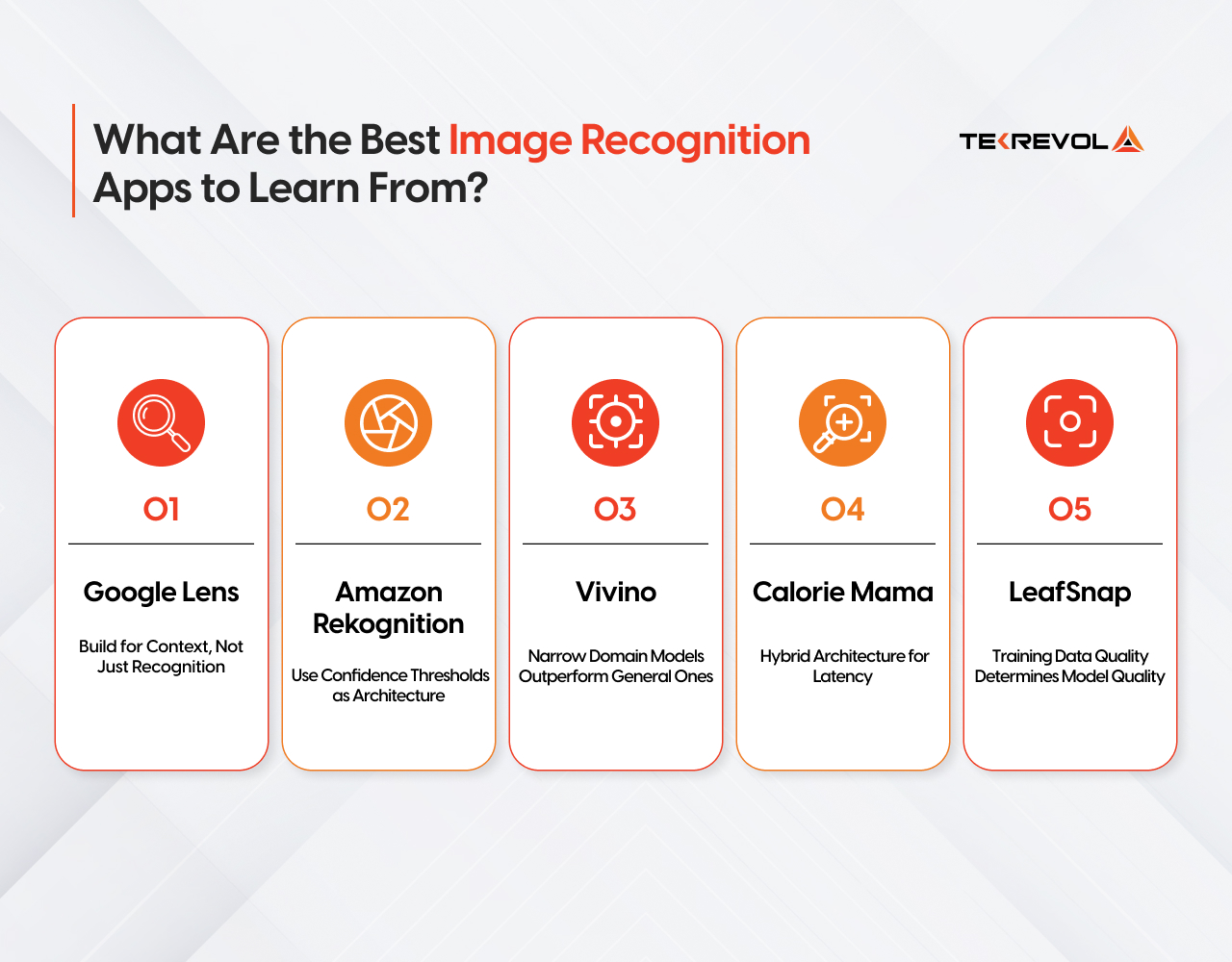
1. Google Lens — Build for Context, Not Just Recognition
Google Lens doesn’t just name what it sees; it triggers an action. Spot a product, get a buy link. Scan a menu, get a translation. Identify a plant, and get care instructions.
That’s the build lesson. Your model returning a label is not a feature. What your app does with that label is. Before you finalize your model output, map every possible classification to a user action. Recognition is the engine. The action handler is the product.
2. Amazon Rekognition — Use Confidence Thresholds as Architecture
Every label AWS Rekognition returns comes with a confidence score, a percentage telling you how certain the model is. 97% means it’s almost sure. 61% means it’s guessing.
Build a decision layer around the score from day one. High confidence, take the action automatically. Medium confidence, flag it for human review. Low confidence, reject it and ask the user to retry.
In healthcare, logistics, or any context where a wrong result has consequences, this logic isn’t optional. It’s the difference between a reliable product and a liability.
3. Vivino — Narrow Domain Models Outperform General Ones
Vivino built an app that identifies wine labels. Just wine labels. Nothing else. And because they trained their model on one specific domain, it’s exceptionally accurate at that one thing.
The lesson is simple: general APIs like Google Vision are trained on millions of categories, so they trade depth for breadth. That means they often underperform in specific use cases like product packaging, medical labels, or industrial parts.
Narrow your model to your domain. If you only need to identify 200 product SKUs, train on those 200 SKUs. You’ll get better accuracy than any general API at a fraction of the complexity.
4. Calorie Mama — Hybrid Architecture for Latency
Calorie Mama identifies food from a photo and returns nutritional data. The recognition happens on-device, fast, and no network is needed. The nutritional lookup happens in the cloud after.
That split is intentional. On-device handles the speed-sensitive part. Cloud handles the data-heavy part.
The lesson: don’t send everything to the cloud. Run your first-pass recognition on-device where latency matters, then make the cloud call only for what the device can’t handle. Users feel the speed difference immediately.
5. LeafSnap — Training Data Quality Determines Model Quality
LeafSnap identifies plant species from photos. It works well because it was trained on expert-labeled data from three research institutions, clean, accurate, diverse images labeled by people who actually knew what they were looking at.
The lesson: a good model architecture trained on bad data produces bad results. Before you pick a framework or an API, figure out where your labeled training data is coming from. That decision determines your model’s accuracy ceiling more than anything else you’ll choose.
Core Technical Components of an Image Recognition App
Every image recognition app is built on four layers: the model, the training pipeline, the inference API, and the mobile integration. Getting anyone wrong affects the entire product.
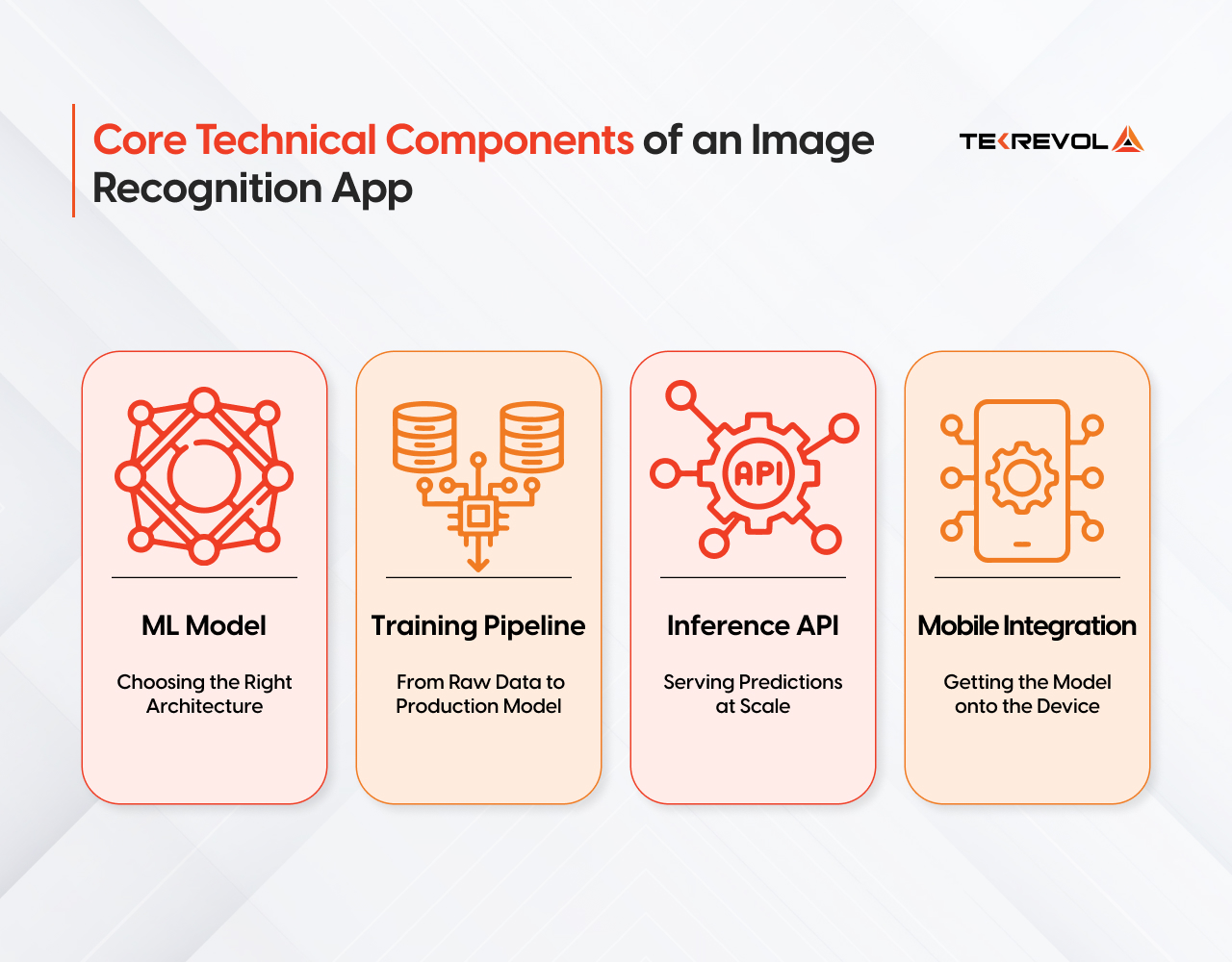
ML Model: Choosing the Right Architecture
Your model choice sets your accuracy ceiling, latency floor, and infrastructure cost before you write a single line of application code.
| Model | Best For | Speed | Accuracy | Mobile ready |
| YOLOv8 | Real-time object detection | Very Fast | High | Yes |
| MobileNetV3 | On-device mobile apps | Fast | Medium–High | Yes (optimized) |
| EfficientNetV2 | Balanced cloud deployment | Medium | Very High | Partial |
| ResNet-50 | Stable production baseline | Medium | High | Partial |
| ViT / Swin Transformer | High-accuracy cloud tasks | Slow | Very High | No |
| ConvNeXt | Scalable production pipelines | Medium | Very High | Partial |
2. Training Pipeline: From Raw Data to Production Model
| Stage | What Happens | Tools |
| Data Collection | Images sourced, labeled, and cleaned | Roboflow, Scale AI, LabelImg |
| Preprocessing | Resizing, augmentation, normalization | Albumentations, TensorFlow Data |
| Training | Model trained on a labeled dataset with GPU compute | PyTorch, TensorFlow, AWS SageMaker |
| Hyperparameter Tuning | Accuracy optimized across learning rate, batch size | Optuna, Ray Tune |
| Validation | Performance tested against held-out data | MLflow, Weights & Biases |
| Registry | Versioned model stored and tracked | SageMaker Model Registry, MLflow |
3. Inference API: Serving Predictions at Scale
The inference layer is where your model becomes a product. It takes an image input, runs it through the model, and returns a structured result.
| Option | Best for | latency | Cost | Scalability |
| Google Cloud Vision API | General recognition, OCR, labels | Low | Pay-per-call | Very High |
| AWS Rekognition | Enterprise, facial recognition, moderation | Low | Pay-per-call | Very High |
| Azure Computer Vision | Document intelligence, multimodal | Low | Pay-per-call | Very High |
| GPT-4o Vision / Gemini Vision | Contextual understanding, complex scenes, multimodal queries | Medium | Pay-per-token | High |
| Custom FastAPI endpoint | Domain-specific models, full control | Medium | Infrastructure cost | Manual scaling |
| TensorFlow Serving | High-throughput production serving | Low | Infrastructure cost | High |
| ONNX Runtime | Cross-platform optimized inference | Very Low | Open source | High |
API Accuracy Benchmarks
| API | OCR Accuracy | Object Detection | Facial Recognition | Best For |
| Google Cloud Vision | 97%+ (clean text) | High | Moderate | General labeling, OCR |
| AWS Rekognition | 95%+ | High | Very High | Face analysis, video analysis |
| Azure AI Vision | 96%+ | High | High | Document intelligence, enterprise |
| GPT-4o Vision | 93%+ | Medium | Low | Complex scene understanding, multimodal queries, document Q&A |
| Gemini Vision (Google) | 94%+ | Medium–High | Low | Multimodal reasoning, image + text combined tasks |
4. Mobile Integration — Getting the Model onto the Device
On-device AI runs instantly with no network request, works offline, keeps sensitive data on the device, and eliminates per-API call server costs, but it requires careful model optimization before it ships.
| Approach | Platform | Framework | When to Use |
| On-device inference | iOS | Core ML + Vision | Privacy-sensitive, offline-first apps |
| On-device inference | Android | ML Kit / TFLite | Low-latency, offline-capable apps |
| Cloud inference | iOS + Android | REST API call | Heavy models, real-time data needed |
| Hybrid | iOS + Android | On-device + API | Speed-critical with data enrichment |
| Quantization (FP16/INT8) | Both | coremltools / TFLite | Reduces model size by 50% with negligible accuracy loss |
Modern NPU chips in Apple A18 and Qualcomm Snapdragon 8 Elite now run capable vision models locally at speeds previously requiring cloud infrastructure, making on-device AI the performance-first choice in 2026.
Recommended Tech Stack for an Image Recognition App (2026)
Below is a recommended production-ready tech stack for building a scalable image recognition application:
| Layer | Recommended Tech | Why |
| AI/ML | Python + PyTorch or TensorFlow | Industry standard, broadest ecosystem, best community support |
| Mobile | Flutter or React Native | Cross-platform, saves ~40% vs. native builds |
| Backend | FastAPI | Lightweight, async, ideal for ML inference APIs |
| Cloud Inference | AWS SageMaker or Google Vertex AI | Managed, auto-scaling, production-grade |
| On-Device | CoreML (iOS) / TFLite (Android) | Latency + privacy, no per-call cost |
| Data Labeling | Roboflow / Labelbox | Best tooling for computer vision datasets |
| Model Monitoring | MLflow / Weights & Biases | Version control, performance tracking, and drift detection |
| Vector Search | Pinecone or Weaviate | Required for visual search / embedding-based retrieval |
| CDN | CloudFront or Cloudflare | Global image delivery at low latency |
How to Build an Image Recognition App: Step-by-Step
This is the blueprint. Follow these seven steps, and you’ll avoid the mistakes that kill most AI projects before they launch.

Step 1: Define Your Use Case & Requirements
Before touching a line of code, answer these questions precisely:
- What will the app recognize? (objects, faces, text, barcodes, or custom categories)
- Real-time or batch processing? (live camera vs uploaded images changes architecture)
- Platform scope? (mobile, web, or both impact tech stack and cost)
- Accuracy needs? (Consumer apps may accept ~85%, but critical domains require much higher precision)
- Data privacy & compliance? Plan early for global regulations. (e.g., CCPA/CPRA) to avoid costly redesigns later.
Step 2: Prepare & Label Your Training Data
Focus entirely on data quality. Bad data = bad model. It’s the one rule that never changes. Lock in your AI approach first, pre-built API, hybrid, custom CNN, or on-device, then build around it.
If you’re building a custom model, you need labeled training data, images annotated with the correct classification or bounding boxes. Tools to know:
- Roboflow: Best for object detection labeling; includes augmentation and version management
- CVAT: Open-source, powerful, good for team annotation workflows
- Labelbox: Enterprise-grade annotation platform with quality review workflows
Teams that skip proper labeling at the start rebuild 40% of their feature set post-launch.
Step 3: Select and Train (or Integrate) Your Model
For API integration: Connect to your chosen API, handle authentication, parse responses, and build your result-display logic. With well-documented SDKs from Google, AWS, and Azure, a basic integration can be live in under a week.
For a broader breakdown of AI app architecture, see our guide on how to build an AI app.
For custom model training:
- Start with a pre-trained backbone (EfficientNet, ResNet, or YOLO) from TensorFlow Hub or Hugging Face
- Fine-tune on your labeled dataset (transfer learning, far cheaper than training from scratch)
- Evaluate with precision, recall, and F1 score metrics
- Iterate: more data, hyperparameter tuning, data augmentation
Step 4: Build the App Interface
The best model in the world fails if the UX is confusing. Camera integration and result display need to feel instant and intuitive.
Key UX principles for image recognition apps:
- Show a live preview with bounding boxes overlaid on the camera feed (not just a static result after capture)
- Display confidence scores: “98% confident this is a Pepsi can,” but explain what that means to non-technical users
- Provide clear fallback UX when confidence is low: “We’re not sure about this one, try a different angle.”
- For barcode/QR scanning: vibration + audio feedback on successful scan is expected, not optional
Step 5: Test, Optimize & Deploy
Testing an image recognition app is different from standard software testing. You’re not just checking if buttons work, you’re validating model behavior across conditions:
- Lighting variation: Does accuracy hold in low light? Bright outdoor light?
- Angle and distance: What’s the minimum/maximum distance for reliable detection?
- Occlusion: What happens when the object is partially blocked?
- Mobile performance: Latency, battery drain, memory footprint (especially for on-device models)
Optimization levers:
- Model quantisation: reduces model size by up to 4x with minimal accuracy loss
- Caching frequent API results: reduces cost and latency significantly at scale
- Asynchronous API calls: keep the UI responsive during processing
Deployment checklist:
- Cloud model hosting: AWS SageMaker, Google Vertex AI, or Azure ML
- Auto-scaling for traffic spikes
- CDN configuration for global image delivery
Need Help Testing and Deploying Your Image Recognition Model?
TekRevol handles end-to-end QA and production deployment across iOS, Android, and cloud infrastructure—ensuring your AI solution is reliable, scalable, and ready for real-world use.
Book a Free SessionStep 6: Monitor, Maintain & Retrain
This is the step most teams skip, and it’s the one that determines whether your app stays good or slowly degrades.
Models suffer from concept drift: the real-world distribution of images your users submit gradually shifts away from your training data. A model trained on product images from 2024 may underperform on new product designs or packaging in 2026.
What to monitor:
- Accuracy over time (set up automated evaluation pipelines)
- Low-confidence predictions (these are your retraining signals)
- API error rates and latency trends
- User behavior: Are users retrying scans? That’s an accuracy problem in disguise.
How Much Does It Cost to Build an Image Recognition App?
Building an image recognition app costs between $15,000 and $200,000+in 2026, depending on whether you use pre-trained APIs, fine-tuned models, or fully custom ML pipelines.
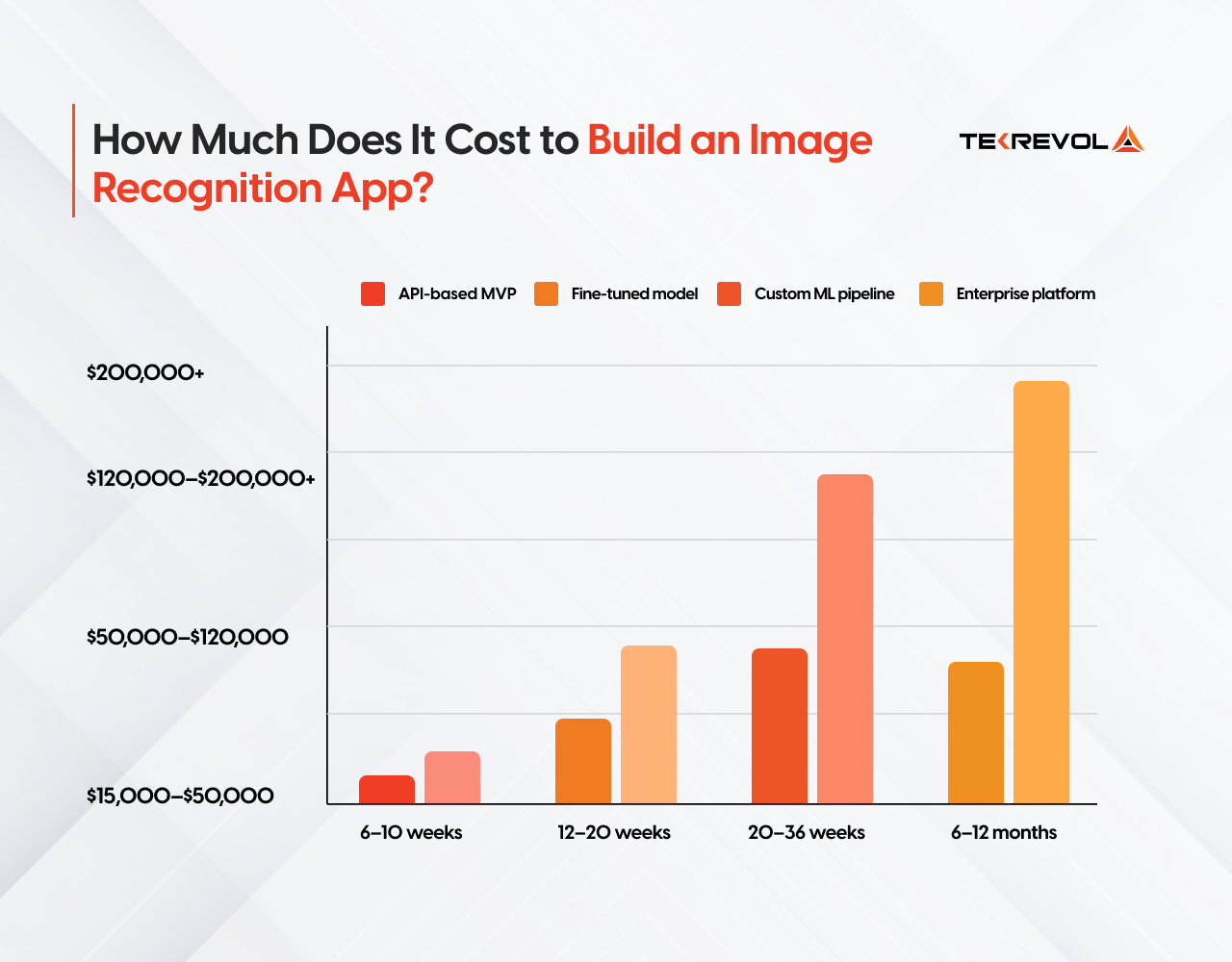
| Build Type | What You Get | Cost Range | Timeline |
| API-based MVP | Pre-trained model (Google Vision, AWS Rekognition), basic mobile frontend | $15,000–$50,000 | 6–10 weeks |
| Fine-tuned model | Domain-adapted model on your own data, custom backend | $50,000–$120,000 | 12–20 weeks |
| Custom ML pipeline | Fully proprietary model, training infrastructure, edge deployment | $120,000–$200,000+ | 20–36 weeks |
| Enterprise platform | Multi-model system, compliance, integrations, and ongoing MLOps | $200,000+ | 6–12 months |
For a full breakdown of AI development pricing across model types, see our AI development cost guide.
What actually drives cost up:
- Custom training data collection and labeling ($5,000–$40,000 standalone)
- On-device model optimization for iOS and Android
- HIPAA, CCPA, or BIPA compliance architecture
- Real-time video inference vs. static image processing
- Multilingual OCR or multi-region deployment
Annual maintenance runs 15–20% of the original build cost, model retraining, API version updates, OS compatibility, and performance monitoring.
Hidden Ongoing Costs
Don’t budget only for the build. These recurring costs catch founders off guard:
- API usage at scale: 100,000 image analyses/month on AWS Rekognition runs approximately $100–$400/month depending on features. Cache aggressively.
- Cloud infrastructure: Model hosting, storage, CDN — expect $200–$2,000/month depending on scale
- Annual model maintenance: Retraining, monitoring, and updates run 15–25% of the initial development cost per year
- App Store fees: Apple Developer Program ($99/year), Google Play one-time ($25)
What Are the Most Common Mistakes When Building Image Recognition Apps?
Mistake 1: Treating all training data as equal.
A model trained on clean studio images will fail on blurry, low-light real-world photos. Your training data must reflect your actual use conditions, not ideal conditions.
Mistake 2: Ignoring confidence thresholds
A model that is 73% confident is not a reliable output. Build explicit thresholds into your logic layer — decide what happens at 90%+, what triggers human review at 60–89%, and what gets rejected below 60%.
Mistake 3: Skipping model optimization for mobile
A cloud model shipped directly to a mobile device without quantization or compression will be slow, battery-draining, and rejected by users. FP16/INT8 quantization reduces model size by 50% with negligible accuracy loss.
Mistake 4: Underestimating QA for vision apps
Standard functional QA is not enough. Image recognition requires edge case testing — poor lighting, occlusion, rotation, low resolution, and adversarial inputs. Budget 20–30% of total development time for QA.
Mistake 5: Treating compliance as a post-launch task
CCPA, BIPA, GDPR, and HIPAA requirements affect your data storage architecture, consent flows, and model logging from day one. A compliance retrofit after launch costs 3–5x more than building it in from the start.
Why Choose TekRevol for Image Recognition App Development?
TekRevol is a full-service AI development company, delivering cutting-edge image recognition solutions specific to your business needs. With a team of seasoned developers and AI specialists, we transform complex visual AI data into intelligent, actionable insights that drive real results.
We have delivered image recognition builds from $15,000 API-based MVPs to enterprise-grade custom pipelines with full HIPAA and CCPA compliance built in from day one. Here’s how we do it:
- Deep Learning & Model Training: We train and fine-tune powerful AI models to recognize images accurately, quickly, and efficiently across any use case or industry.
- Data Preparation & Annotation: We collect, label, and clean image datasets to ensure your recognition model is built on a strong, reliable data foundation.
- API & On-Device Integration: We integrate top AI vision APIs and deploy lightweight models directly on mobile devices for fast, seamless performance.
- Ongoing Model Improvement: We continuously monitor, retrain, and update your model to keep it accurate, relevant, and performing at its best over time.
When you work with TekRevol, you get a working prototype in weeks, not months, and a production-ready product your team can maintain and scale without rebuilding from scratch six months later.
Get a Working Prototype in 6 Weeks
Discuss your project details with TekRevol, and we’ll scope, build, and ship a fast, functional prototype to validate your idea quickly and effectively.
Book Your Free Session Now!


![Web3 Development Cost For Games Like Axie Infinity [Detailed Guide]](https://d3r5yd0374231.cloudfront.net/images-tek/uploads/2025/10/web3-2-400x204.webp)


