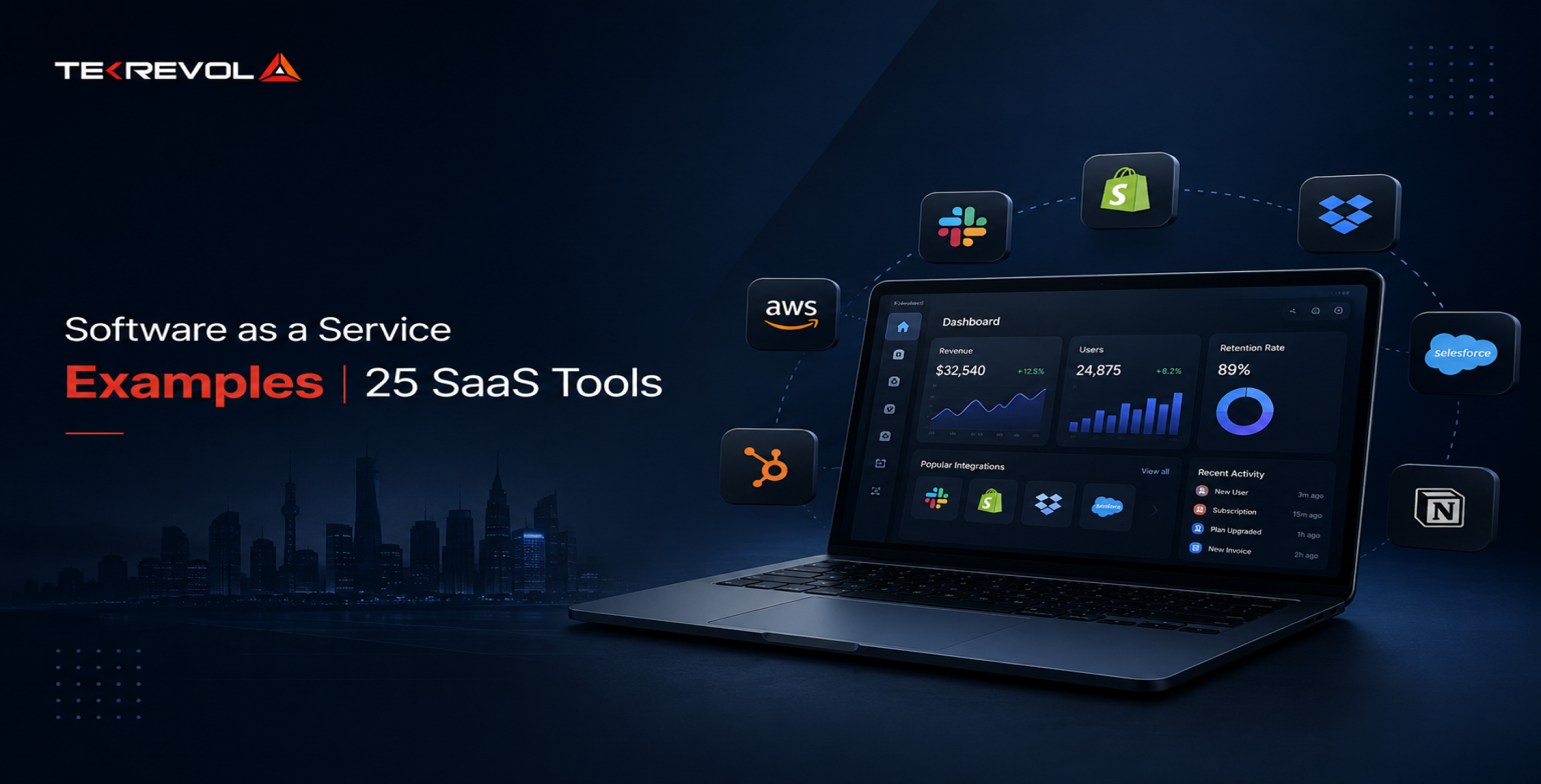
- Software as a service means you rent access to an app that someone else hosts and maintains.
- Salesforce, Slack, Canva, and QuickBooks are software as a service examples that most teams already use daily.
- If you can cancel, log in anywhere, and never patch anything, you are using SaaS.
- AWS and Azure are not SaaS themselves, though both sell separate SaaS products alongside their infrastructure.
- Free tiers exist for most categories, so you can test a full workflow before paying anything.
- Vendor lock-in, price rises, and messy data exports are the three drawbacks buyers underestimate most often.
Count the tabs open on your work laptop right now. Gmail, a Slack window, maybe a Notion doc and a half-finished Canva design. You didn’t install any of them. You don’t patch them, back them up, or own a server that runs them. You pay every month, and they just work.
That’s software as a service. SaaS is any application a vendor hosts, and you reach it through a browser or an app, billed on a subscription. The definition is the easy part. The confusing part is the edge cases, and nobody seems to answer those. Is Netflix SaaS? Is AWS? We’ll settle both.
Below you’ll find 25 software as a service examples with entry prices, grouped by the job they do. We also list the genuinely free options and explain where SaaS sits next to PaaS and IaaS.
What Is Software as a Service (SaaS)?
Software as a service (SaaS) is an application the vendor hosts, runs, and updates, which you access over the internet for a recurring fee. You never install it on a server, and you stop paying when you stop using it.
How SaaS Works Behind the Scenes
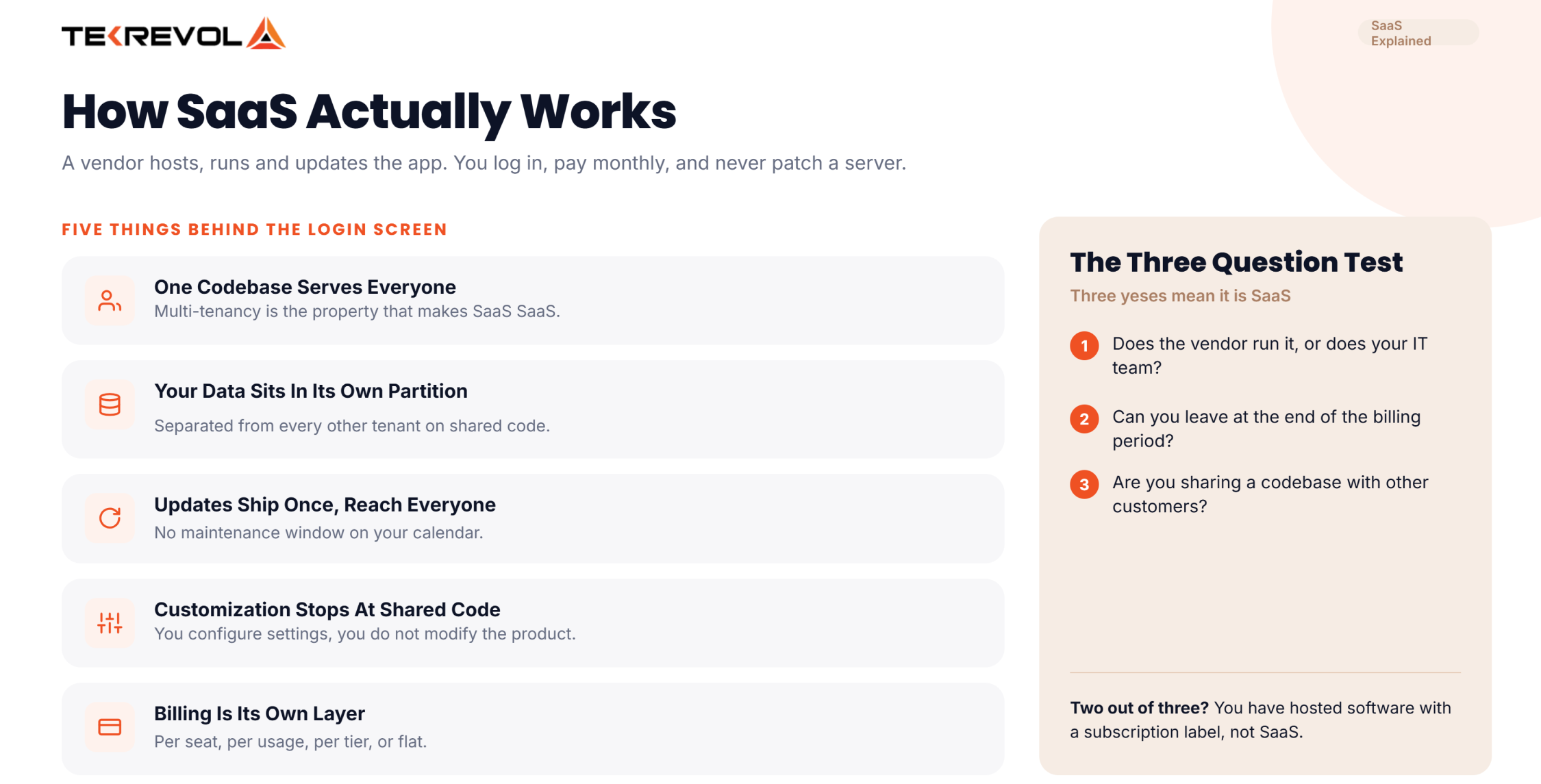
Five things happen behind the login screen that explain almost everything SaaS does.
- One codebase serves every customer at once: This is multi-tenancy, and it’s the technical property that actually makes SaaS SaaS rather than hosted software with a subscription attached.
- Your data sits in its own logical partition: It’s separated from every other tenant, even though the application code running on top of it is shared.
- Updates ship once and reach everyone: The vendor deploys on a Tuesday and every customer has the new version by Wednesday, with no maintenance window on your calendar.
- Customization stops where the shared code stops: You configure settings; you don’t modify the product. That one custom field the vendor doesn’t support isn’t coming.
- Billing runs as its own layer on top: Per seat, per usage, per tier, or flat, and it’s usually the first thing that breaks when a product starts scaling.
Those five properties are why the SaaS application development guide we published spends most of its time on architecture rather than features.
The Three-Question Test for Whether Something Is SaaS
Half the arguments about SaaS come from people using the word loosely. Here’s a test that settles most of them. Ask three questions.
- Does the vendor run it, or do you? If your IT team maintains a server for it, even a cloud server, it isn’t SaaS. It’s hosted software.
- Can you leave at the end of the billing period? Subscription and cancellation are structural to SaaS. Perpetual licences with an annual support contract are not the same thing.
- Are you sharing a codebase with other customers? True SaaS is multi-tenant. Single-tenant hosted deployments with a subscription label attached are something else, and they usually cost more.
Three yeses mean SaaS. Two out of three means you should read the contract more carefully.
Not Sure Whether to Buy a SaaS Tool or Build Your Own?
Tell us what you're trying to run, and we'll tell you whether an off-the-shelf tool already covers it and where a custom build makes more financial sense.
Book a Free Strategy Session25 Top Software as a Service Examples
The main software as a service examples include Salesforce, Slack, Zoom, Google Workspace, Microsoft 365, Canva, Figma, QuickBooks, Shopify, Zendesk, Dropbox, and Zapier. Each one is hosted by its vendor, sold by subscription, and used through a browser.
| SaaS example | Category | What it does | Entry price | Free plan |
| Salesforce Sales Cloud | CRM | Pipeline, accounts and forecasting for sales teams | $25/user/mo | Yes |
| HubSpot Sales Hub | CRM | CRM plus marketing and sales tooling in one account | From $7/user/mo annual | Yes (2 users) |
| Zendesk | Support | Ticketing, help centre and live chat | $19/agent/mo annual (Support Team) | No |
| Slack | Messaging | Channel-based team chat with app integrations | $7.25/user/mo annual | Yes |
| Zoom Workplace | Meetings | Video meetings, webinars and phone | Priced on site, see zoom.us | Yes (Basic) |
| Google Workspace | Productivity | Gmail, Docs, Drive and Meet on your domain | $7/user/mo annual | No |
| Microsoft 365 Business | Productivity | Web Office apps, Exchange and Teams | $7/user/mo annual (Basic) | No |
| Asana | Work management | Tasks, projects and workload across teams | $10.99/user/mo annual | Yes (2 users) |
| monday.com | Work management | Configurable boards for projects and processes | $9/seat/mo annual, 3-seat minimum | Yes (2 seats) |
| ClickUp | Work management | Docs, tasks, goals and chat in one workspace | $7/user/mo annual | Yes |
| Notion | Docs and wiki | Connected documents, databases and team wiki | $10/member/mo | Yes |
| Airtable | Database | Spreadsheet-database hybrid with app building | $20/seat/mo annual | Yes |
| Canva | Design | Template-based design for non-designers | Priced on site, see canva.com | Yes |
| Figma | Product design | Collaborative interface design and prototyping | $12/editor/mo annual | Yes (Basic, 2 members) |
| Adobe Creative Cloud | Creative suite | Photoshop, Illustrator, Premiere and the rest | $54.99/mo (Standard) | No |
| QuickBooks Online | Accounting | Bookkeeping, invoicing and tax prep | $38/mo (Simple Start) | No |
| Xero | Accounting | Bookkeeping and bank reconciliation | $25/mo (Early) | No |
| Gusto | Payroll | Payroll, benefits and compliance filing | $49/mo + $6/person | No |
| BambooHR | HR | Employee records, onboarding and time off | $10/employee/mo, $250/mo floor | No |
| Workday | Enterprise HR | HR and finance for large organizations | Quote only, no list price | No |
| Mailchimp | Email marketing | Campaigns, automations and audience lists | $13/mo at 500 contacts | Yes (250 contacts) |
| Dropbox | File storage | Cloud file sync and sharing | $9.99/mo (Plus) | Yes (2 GB) |
| DocuSign | E-signature | Legally binding electronic signatures | $11/mo (Personal) | No |
| Zapier | Automation | Connects apps and moves data between them | From $19.99/mo | Yes (100 tasks) |
| Shopify | Ecommerce | Storefront, checkout and payments | $29/mo annual (Basic) | No |
CRM and Customer Support
CRM and support software both hold your relationship with a customer, just at different points in it. A CRM covers the stretch before and during a sale: contacts, deals, forecasts, and who spoke to whom. Support software takes over afterwards, turning inbound questions into tickets somebody owns. Most growing companies end up buying both, then spending a year arguing about where one ends.
1. Salesforce Sales Cloud
The CRM most mid-market and enterprise sales teams run their pipeline on, holding leads, opportunities, forecasting, and reporting against one record per account. Its app ecosystem is the largest in the category, which is a fair part of why it tends to stay once it’s in.
- Best for: sales teams big enough that deals go missing without a shared system of record.
2. HubSpot
Began as marketing software and grew outward into sales and service hubs sharing one contact database, so a lead’s full history sits on a single timeline. The free tier is unusually generous, which is why so many startups begin here and only pay once they’ve outgrown it.
- Best for: small teams that want marketing and sales in one place instead of two tools that need syncing.
3. Zendesk
Turns support email, chat, phone, and social messages into a single ticket queue with a public help centre sitting alongside it. Standalone Support starts at $19 per agent and the full Suite at $55, and there’s no free plan either way.
- Best for: support teams past the point where a shared inbox quietly starts losing things.
If you’re comparing options in this category specifically, we’ve broken down 16 tools side by side in our CRM software examples guide.
Communication and Productivity
This is the layer everyone in the company touches, which makes it the hardest to change once it’s in place. Communication tools carry the conversation. Productivity suites carry the email, the documents, and the identity that everything else logs in with. Switching either one means retraining every person on staff, so treat these as five-year decisions rather than annual ones.
4. Slack
Persistent team chat organized into channels, with a large app directory that turns it into the notification hub for everything else you run. Teams end up using it as an informal system of record, which is useful right up until someone needs to find a decision from 2023.
- Best for: teams that live in real-time conversation and want fewer internal emails.
5. Zoom Workplace
Facilitate video meetings, webinars, and cloud phone under one account, with recording and transcription attached. The free tier’s 40-minute cap is the most famous constraint in SaaS, and since 2022 it applies to every meeting, not just group calls.
- Best for: anyone running external meetings where the other side shouldn’t have to install anything.
6. Google Workspace
Accommodates Gmail, Docs, Sheets, Drive, and Meet on your own domain, with central admin control over all of it. Everything is browser-first, which is precisely what made it feel different from installed office software.
- Best for: companies that want collaborative editing as the default rather than a feature.
7. Microsoft 365 Business
Exchange email, SharePoint, Teams, and the Office apps under one licence. The $7 Basic tier gives you web and mobile versions only. Desktop Office starts a tier up, and Copilot now comes baked into the mid and upper business plans.
- Best for: organizations already standardized on Excel, Outlook, and Windows administration.
Project and Work Management
These are the software-as-a-service examples people most often buy twice, because the category splits in a way the marketing doesn’t. Some of these tools structure delivery: tasks, dependencies, deadlines, who’s overloaded. Others structure knowledge: documents, databases, the reasoning behind a decision. Buying one and expecting it to do the other is the most common mistake in this category.
8. Asana
Tasks, projects, timelines, and workload views for teams that need to see who’s doing what by when. It leans toward structured project delivery rather than freeform collaboration, and it’s opinionated about that in a way some teams find restrictive.
- Best for: teams running repeatable projects with real deadlines and clear owners.
9. monday.com
Highly configurable boards that teams bend into CRMs, hiring pipelines, content calendars and production trackers. Watch the three-seat minimum on paid plans, which makes the real starting price $27 a month rather than $9.
- Best for: teams with an unusual process that no purpose-built tool quite covers.
10. ClickUp
Bundles docs, tasks, goals, whiteboards, and chat into a single workspace at a low per-seat price, deliberately positioned as the replacement for four separate subscriptions. Its AI features are now sold as separate plan lines rather than folded into the base tiers.
- Best for: cost-conscious teams willing to trade polish for consolidation.
11. Notion
It’s a connected workspace of documents and databases that teams use as a wiki, a project tracker, or both at once, with everything linkable to everything else. Its free tier is capable enough that plenty of small companies genuinely never pay.
- Best for: teams whose real problem is scattered knowledge rather than missed deadlines.
12. Airtable
It’s a spreadsheet that behaves like a relational database, with interfaces, forms, and automations layered on top of the data. Useful at the exact point where a process has outgrown Google Sheets but doesn’t justify building a real application.
- Best for: operations teams running a structured process out of a spreadsheet that’s started to strain.
Design and Creative
Design software was the last category to move to the cloud, because file sizes and rendering made browser-based editing genuinely hard. That’s now solved, and the shift changed who does design work. The three software as a service examples below sit at very different points: one lets non-designers produce acceptable work, one lets design teams work simultaneously, and one is the professional toolchain that everything else is measured against.
13. Canva
Template-driven design that lets people who aren’t designers produce presentations, social posts, documents, and video without opening a professional tool. Its brand kit and team features are the reason it spread into marketing departments rather than staying a consumer product.
- Best for: marketing and sales teams producing volume without a designer on staff.
14. Figma
Browser-based interface design where several people edit the same file simultaneously, with prototyping and developer handoff built in. It’s the default for product design teams, and the free tier is genuinely usable at two members and three projects.
- Best for: product teams where designers and engineers need to work off one live file.
15. Adobe Creative Cloud
Photoshop, Illustrator, Premiere Pro, After Effects, and the rest of the professional suite, sold as Standard at $54.99 a month or Pro at $69.99 with the AI features included. Adobe retired the “All Apps” name, so the SKU you may remember no longer exists under that label.
- Best for: professional creative work where output quality is the whole point.
Accounting, Payroll and HR
Back-office software as a service examples are where switching costs bite hardest, because these systems hold records you’re legally required to keep and integrations you can’t easily rebuild. Accounting tools run the books. Payroll runs the money going out and the filings that follow it. HR holds employee records, onboarding, and time off. Pick badly here, and you live with it for years.
16. QuickBooks Online
Bookkeeping, invoicing, expense tracking, and tax preparation for small businesses, with an accountant-facing view alongside the owner’s. It’s the default in the US market, and most bookkeepers already know it cold.
- Best for: US small businesses whose accountant will be looking at the same file.
17. Xero
Cloud accounting with unusually strong bank reconciliation and a large app marketplace built around it. Flat monthly pricing at the entry tier keeps it popular with very small businesses and with accountants managing many clients at once.
- Best for: small businesses outside the US, or anyone who finds QuickBooks heavier than they need.
18. Gusto
Runs payroll, files the associated taxes, and handles benefits enrolment and onboarding paperwork in the same place. The base-plus-per-person pricing means your cost tracks headcount rather than seats, which is the right shape for payroll.
- Best for: US companies under a few hundred people who want payroll to stop being a monthly event.
19. BambooHR
Employee records, onboarding workflows, time-off approvals, and performance reviews in one system with a self-service portal. The $250 monthly floor for small teams means it effectively prices itself out below roughly 25 employees.
- Best for: companies between about 25 and 500 people who’ve outgrown spreadsheets for HR.
20. Workday
Enterprise HR and financial management for large, complex organizations with international payroll, multi-entity finance, and serious compliance requirements. It publishes no list price anywhere, which tells you plainly who it’s built for.
- Best for: enterprises where HR and finance need to run on one data model across countries.
Marketing and Ecommerce
Both of these categories charge you for growth rather than for seats, which changes how you should evaluate them. Marketing tools usually price on audience size. Ecommerce platforms price on a plan plus a cut of what you sell. That means the bill rises as the business grows, so model the cost at the volume you’re aiming for, not the volume you have.
21. Mailchimp
Email campaigns, automation sequences, and audience segmentation, priced by contact count rather than by seat. That pricing model is the thing to watch, because the bill grows with your list whether or not you actually email the people on it.
- Best for: small businesses sending regular campaigns to a list they’re actively pruning.
22. Shopify
Hosted storefront, checkout, payments, and inventory with an app ecosystem covering nearly everything else a merchant needs. You never touch a server, which is exactly why merchants pick it over self-hosted alternatives even when the monthly cost looks higher.
- Best for: merchants who want to sell rather than to run infrastructure.
Storage, Signature and Automation
These three software as a service examples do the unglamorous connective work: holding files, closing agreements, and moving data between everything else on the list. Nobody gets excited about them, and they’re often the tools a company would notice fastest if they disappeared on a Monday morning.
23. Dropbox
File sync and sharing across devices with version history, shared team folders and granular permissions. Its individual and business ladder now runs Basic, Plus, Standard, Advanced, and Enterprise, so check which rung you’re actually being quoted.
- Best for: teams sharing large files with people outside the company.
24. DocuSign
Electronic signatures that hold up legally, with audit trails and templated agreement workflows behind them. The entry Personal plan caps you at five envelopes a month, which is fine for a founder and useless for a sales team.
- Best for: any business whose deals currently stall waiting for a signature.
25. Zapier
Connects thousands of applications and moves data between them without anybody writing code, using triggers and multi-step workflows. It’s the glue most small companies rely on before they invest in real custom software development.
- Best for: teams whose tools don’t talk to each other and who don’t have a developer to fix it.
Free SaaS Software Examples
Free SaaS software you can start using today includes Slack, Notion, Canva, Airtable, ClickUp, Figma, Zapier, HubSpot, and Mailchimp. Every one of these runs a genuine free tier, not a trial, with limits on seats, storage, or monthly volume.
The distinction matters because free SaaS tools get recommended constantly without anyone saying which kind they are. A free trial ends and locks you out. A free tier runs indefinitely and only stops you when you cross a specific limit, which means you can build a real workflow on it and find out whether the tool actually fits.
| Free SaaS example | What the free plan gives you | Where it stops |
| Slack | Unlimited users, channel messaging | Limited message history and integrations |
| Notion | Full editor, unlimited pages for personal use | Collaboration and version history limits |
| Canva | Templates, editor, basic stock library | Brand kit and premium assets are paid |
| Airtable | Bases, views, basic automations | Record and attachment caps per base |
| ClickUp | Unlimited members and tasks | Storage and advanced features capped |
| Figma | Three projects, two members, full editor | Project and member count |
| Zapier | 100 automation tasks per month | Task volume and multi-step workflows |
| HubSpot | CRM for up to two users | Reporting depth and automation |
| Mailchimp | 250 contacts, 500 sends per month | Contact count and daily send limits |
Our advice from watching this play out across dozens of software as a service examples: pick the free tier that limits you on volume rather than on features. Volume limits tell you honestly when you’ve outgrown the tool. Feature limits just make you evaluate a crippled version and guess about the rest.
Top Software as a Service Examples in Cloud Computing
Software as a service examples in cloud computing sit at the top of a three-layer stack. Below SaaS is platform as a service, like Google App Engine, and below that is infrastructure as a service, like Amazon EC2. You manage less at every layer up.
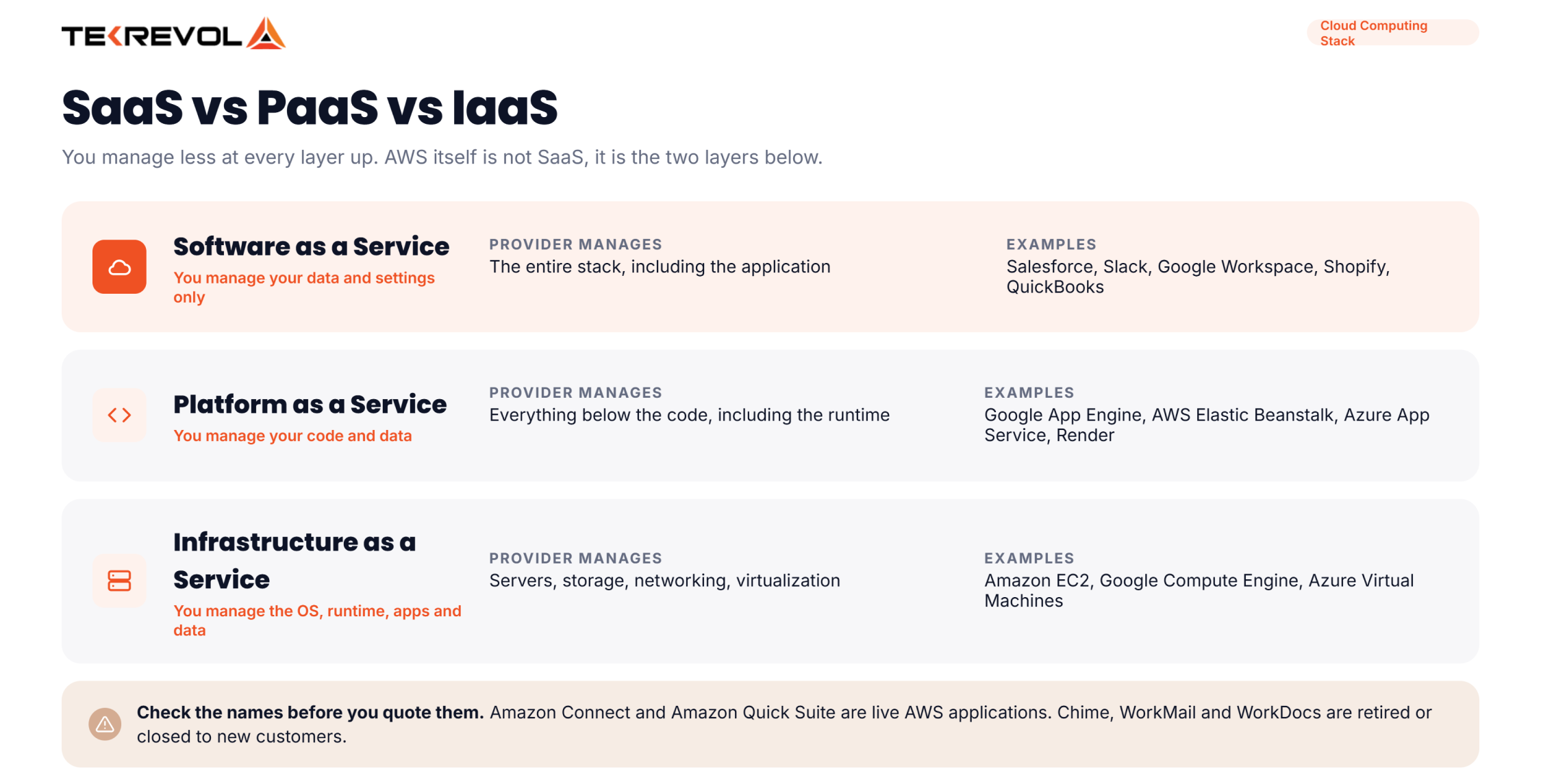
This is where most confusion lives, so here’s the split in one table. The definitions are NIST’s, paraphrased.
| Layer | You manage | Provider manages | Examples |
| Infrastructure as a service (IaaS) | Operating system, runtime, your apps and data | Servers, storage, networking, virtualization | Amazon EC2, Google Compute Engine, Azure Virtual Machines, DigitalOcean Droplets, Linode |
| Platform as a service (PaaS) | Your application code and data | Everything below the code, including the runtime | Google App Engine, AWS Elastic Beanstalk, Azure App Service, Render, Heroku |
| Software as a service (SaaS) | Your data and your settings | The entire stack, including the application | Salesforce, Slack, Google Workspace, Shopify, QuickBooks |
Infrastructure as a Service (IaaS)
Infrastructure as a service gives you raw compute, storage, and networking that you configure yourself. NIST describes the consumer as able to “provision processing, storage, networks, and other fundamental computing resources” and to “deploy and run arbitrary software, which can include operating systems and applications.”
Amazon EC2, Google Compute Engine, and Azure Virtual Machines are the obvious three. You pick the machine size, you install the operating system, you patch it, you scale it. Nobody hands you an application.
If you’re weighing this layer against a managed alternative, our cloud application development team deals with that trade-off constantly.
Platform as a Service (PaaS)
Platform as a service sits in the middle: you write code and push it, and the provider handles the servers, the runtime, and the scaling. NIST frames it as deploying “consumer-created or acquired applications created using programming languages, libraries, services, and tools supported by the provider.”
Google App Engine, AWS Elastic Beanstalk, Azure App Service, and Render are the ones to build on today. Heroku is still the name everyone learns first, but Salesforce moved it to sustaining engineering in February 2026 and stopped selling new enterprise contracts, so treat it as a teaching example rather than a default choice. The trade you’re making at this layer is control for speed.
Software as a Service in AWS
Here’s the thing people get wrong. AWS itself is not SaaS. It’s the infrastructure and platform layers.
Amazon does sell finished applications, though it files them under “business applications” rather than calling them SaaS. The software-as-a-service examples in AWS worth naming today are few in number.
Amazon Connect, its cloud contact centre, is the strongest one and is actively developed. The other is Amazon Quick Suite, which absorbed the tool formerly sold as QuickSight; the business intelligence piece is now called QuickSight inside it.
Be careful with the older names, because several are dead or dying. Amazon Chime reached end of support on 20 February 2026. Amazon WorkMail closed to new customers on 30 April 2026 and ends support on 31 March 2027. Amazon WorkDocs is closed to new sign-ups. Plenty of articles still list all three as live AWS SaaS products; they aren’t, and our cloud consultants spend real time untangling migrations off them.
Running the Wrong Layer for What You Actually Need?
We'll map what you're running across IaaS, PaaS, and SaaS and give you a written recommendation on what to move, what to buy, and what to leave alone.
Schedule a Free Cloud ConsultationBenefits and Drawbacks of SaaS
The real benefits of SaaS are low upfront cost, instant setup, automatic updates, and access from anywhere. The drawbacks are vendor lock-in, prices that climb at renewal, limited customization, and the awkward question of what happens to your data if you leave.
Benefits of SaaS
- You start in minutes, not quarters. No procurement cycle for servers, no installation, no environment to provision. Sign up, invite your team, start working.
- Cost is operational, not capital. You pay monthly out of an operating budget rather than making a capital purchase you have to depreciate. For a small business, that difference decides whether the tool happens at all.
- Updates are somebody else’s problem. Security patches, new features, and infrastructure scaling all happen without a maintenance window on your calendar.
- It works wherever your people are. Browser access means a laptop at home and a phone in an airport reach the same data, with the same permissions.
- You can scale down. This gets forgotten. Adding seats is easy everywhere; SaaS is one of the few models where removing them is also easy.
Drawbacks of SaaS
- Lock-in is real, and it compounds. Once your data, your integrations, and your team’s habits live inside a tool, the switching cost is far higher than the subscription price suggests.
- Renewal pricing rarely goes down. Entry prices are marketed; renewal prices are negotiated. Budget for increases, especially once you’re past the point where leaving is easy.
- Customization has a hard ceiling. Shared code means the vendor’s roadmap is your roadmap. If your process genuinely doesn’t fit, no amount of configuration will fix it, and that’s usually the point where a custom build starts to pencil out.
- Data export is often worse than promised. Ask specifically what format an export comes in and whether it includes attachments, history, and relationships. “You can export your data” and “you can export usable data” are different claims.
- Costs stack quietly. Ten tools at $30 a month each is $3,600 a year before anyone notices. SaaS sprawl is a budget problem that arrives one small purchase at a time.
How Do You Choose the Right SaaS Software for Your Business?
Choosing the right SaaS software for your business comes down to four checks: does it solve one job well, does the free tier let you test the real workflow, what does year two cost, and can you export your data?
- Start with the job, not the category. Every one of the software as a service examples above solves a specific problem, and picking by category skips that step. “We need a CRM” is a category. “We lose deals because nobody follows up after the first call” is a job, and it points at a much smaller set of tools.
- Then run the actual workflow through the free tier or the trial, with real data and at least two real people. Demos are designed to succeed. Your own messy data is the only honest test, and it usually surfaces the dealbreaker in the first week.
- Price year two, not year one. Multiply by the seats you’ll have in twelve months, add the tier you’ll be forced onto when you hit a limit, and include any onboarding or migration fee. That’s the real number.
- Finally, check the exit before you check the features. Ask what an export contains, whether the API is available on your tier, and how much notice the vendor needs to cancel. If nobody at the vendor can answer that quickly, treat it as an answer.
And if the honest conclusion is that nothing on the market fits, that’s worth knowing early. We’ve written up what a ground-up build actually costs in our guide to SaaS application pricing.
Biggest Software as a Service Companies in 2026
The biggest software as a service companies are Microsoft, Salesforce, Oracle, SAP, Adobe, ServiceNow, Intuit, Workday, and Shopify. Salesforce reported $41.5 billion for the fiscal year ending January 2026, and Oracle’s cloud application arm reached $15.9 billion.
Comparing the companies is harder than it looks, because they don’t report on the same calendar and several don’t break out SaaS at all.
Microsoft is the largest software company on earth by revenue, and its quarterly earnings releases give Microsoft 365 growth percentages rather than a dollar figure, so most of the M365 numbers you see quoted are estimates. So treat the table below as directional, and note what each figure actually covers.
| Company | Recent reported figure | What it covers | Period ending |
| Microsoft | $331.8 billion total revenue | Whole company, not SaaS alone | 30 June 2026 |
| Oracle | $15.9 billion cloud applications | SaaS only, reported separately | 31 May 2026 |
| Salesforce | $41.5 billion total revenue | $39.4 billion of it is subscription and support | 31 January 2026 |
| SAP | €21.02 billion cloud revenue | Cloud, including SaaS | 31 December 2025 |
| Adobe | $23.77 billion total revenue | Subscription-dominant | 28 November 2025 |
| ServiceNow | $12.88 billion subscription revenue | Subscription only | 31 December 2025 |
| Intuit | $18.83 billion total revenue | QuickBooks, TurboTax, Mailchimp, Credit Karma | 31 July 2025 |
| Workday | $8.83 billion subscription revenue | Subscription only | 31 January 2026 |
| Shopify | $11.6 billion total revenue | Subscriptions plus merchant services | 31 December 2025 |
The pattern worth taking away is that pure-play SaaS companies now report revenue at a scale that used to belong only to licensed software vendors. That shift is why nearly every category of business software has a subscription option, and why our B2B SaaS guide spends more time on retention economics than on features.
Why Choose TekRevol for SaaS Software Development?
TekRevol is a SaaS application development company that builds multi-tenant subscription platforms from scratch. Our services cover architecture, billing, onboarding, and the admin tooling behind them.
We’ve been building software, and SaaS is the work we take on most often now, because it’s where the hard parts live. Multi-tenancy done wrong shows up eighteen months later as a rewrite. Billing built as an afterthought breaks the first time someone upgrades mid-cycle. We design both up front.
Schology, a multi-tenant education platform we built for the UK market, connects students, teachers, parents, and administrators across separate schools on shared infrastructure. It has onboarded more than 100 schools and 50,000 students, and the client reports a 150% boost in student retention.
That’s the pattern we work in. One codebase, many tenants, clean separation, and an admin layer the client can actually operate without calling us.
Have a SaaS Product in Mind?
Bring us the workflow you want to sell as a subscription, and we'll share a multi-tenant architecture sketch and a realistic build plan.
Book a Free Product Consultation