



- Offline-first architecture stores data locally by default and treats the network as a sync channel, not a dependency.
- SQLite, WatermelonDB, and Realm are the three production-proven local storage solutions for offline mobile app architecture.
- A persistent sync queue is the safest architecture pattern, it writes every user action locally before touching the server.
- Delta sync is the most efficient strategy, it sends only changed records since the last sync, not the entire dataset.
- Conflict resolution is the hardest sync challenge, last-write-wins works for simple apps, CRDTs for collaborative or data-critical ones.
- The best practice most teams skip: test offline mode on real devices with throttled networks, not just simulators in clean environments.
- TekRevol has delivered offline-first systems across healthcare, field service, and logistics, where connectivity failure is never an option.
60% of mobile users have experienced app failures due to connectivity issues. That’s not an edge case — that’s your retention problem.
Most teams treat offline mode as a feature to add after launch. They patch it in, hope for the best, and spend months fixing data loss, failed syncs, and conflicts they never saw coming.
The right approach is different. Offline mode needs to be a foundation, not an afterthought.
So how do you build it correctly? It comes down to three things: a local-first architecture that stores data on the device before touching the server, a sync strategy that reliably brings everything together when connectivity returns, and conflict resolution logic that handles the messy in-between.
This guide breaks down all three, with clear explanations, real-world patterns, and practical best practices that work whether you’re building from scratch or fixing what’s already broken.
What Is Offline-First App Development? (And Why It’s Different)
Offline-first app development is an approach where the app reads and writes to local storage by default and syncs with the server when a connection is available. The network is treated as an enhancement, not a dependency.
Most developers build “online apps with offline fallback.” That’s backwards. When your app’s first instinct is to call the API, you’ve already lost the plot for users on flaky connections, a challenge that a seasoned mobile app development company knows how to solve.
Here’s how the three approaches stack up:
| Approach | How it works | Offline experience |
| Online-only | All reads/writes go to the server | The app breaks completely |
| Offline-capable | Has a fallback when the network fails | Partial functionality |
| Offline-first | Local DB is the source of truth, network syncs it | Full functionality always |
Why Offline Mode Matters More Than You Think
Offline mode matters because connectivity is unreliable for the majority of real-world mobile users, and when your app fails without internet, users don’t blame their network. They blame your app.
Let’s put some numbers on this. GSMA data shows that network quality varies significantly across regions, with average download speeds in many developing markets still below 30 Mbps, highlighting the reality that mobile connectivity is far from perfect.
For users, that means dropped connections, failed requests, and interrupted sessions are everyday occurrences. Even in high-connectivity markets like the US and UK, users regularly lose signal in elevators, parking structures, stadiums, and transit tunnels.
The business impact is direct:
- User churn: Apps that freeze or crash without internet see significantly higher uninstall rates.
- Data loss: If your app doesn’t queue writes locally, any action taken during a dropped connection is gone.
- Trust: Healthcare apps, field service tools, and fintech apps live or die on reliability. One dropped connection at the wrong moment destroys user trust permanently.
Use Cases Where Offline Mode Is Critical
These aren’t niche scenarios. These are mainstream app categories:
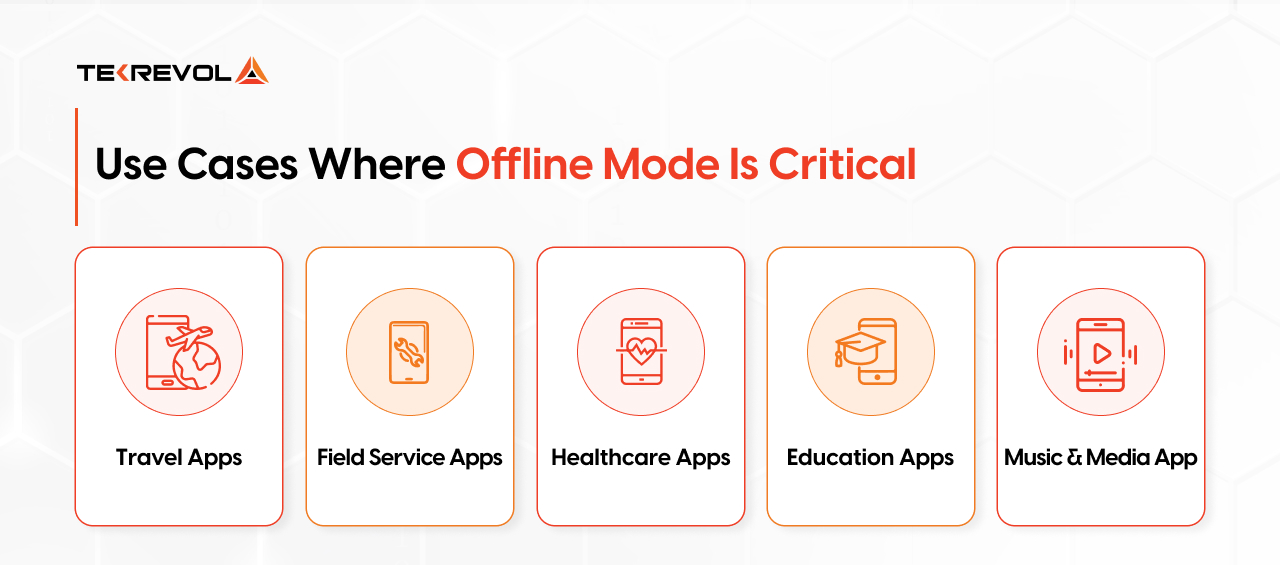
- Travel apps: Users in airports and foreign countries with expensive roaming need offline itineraries, maps, and booking references
- Field service apps: Technicians logging work orders in warehouses, basements, and industrial sites where WiFi doesn’t exist
- Healthcare apps: Nurses and doctors charting patient data in hospitals with notoriously patchy internal networks
- Education apps: Students in rural areas or on limited data plans download course content for offline study
- Music and media: Spotify, YouTube, and Netflix have trained users to expect offline playback as a baseline feature
If your app touches any of these verticals, offline mode isn’t a roadmap item. It’s a launch requirement.
Need to architect offline mode for your mobile app?
TekRevol's engineers have built offline-first systems for healthcare, field service, and media apps.
Schedule a technical consultation today.Offline-First vs. Offline-Capable: Understanding the Difference
Offline-first means the app is architected from day one to work without internet, local storage is the primary data source, and the network is a sync channel. Offline-capable means the app degrades gracefully when connectivity drops; it still fundamentally depends on the network and manages failures as exceptions.
This distinction sounds subtle. The architectural difference is enormous.
Here’s the clearest way to think about it:
| Offline First | Offline Capable | |
| Primary data source | Local database | Remote API |
| Network role | Sync channel | Main data channel |
| Designed from | Day one | Added later |
| App behavior offline | Fully functional | Partial/degraded |
| Data writes offline | Queued locally, synced later | Blocked or lost |
| Architecture complexity | Higher upfront | Lower upfront, higher later |
| Retrofit cost | Not applicable | Very high |
An offline-first app never asks that question. It reads from local storage regardless. If the network is available, it syncs quietly in the background. If it’s not, nothing changes for the user.
Why Adding Offline Mode Later Usually Fails
Many teams assume offline support can be added after launch. In reality, it rarely works that way. Once an app is built around API calls, every screen depends on live network requests, every action expects a server response, and there’s no local layer to keep things running when connectivity drops.
At that stage, adding offline functionality becomes a structural rewrite rather than a feature update. It forces teams to rebuild storage, state management, and sync logic from the ground up.
This is where experience matters. TekRevol’s API integration services approach ensures that backend connectivity is designed with scalability and real-world usage in mind, helping teams avoid costly rework when offline requirements emerge later.
Best Local Data Storage Solutions for Mobile Apps
Your first major technical decision in offline mode development is choosing where and how to store data on the device. This choice directly impacts how much complexity you’ll deal with later in sync, caching, and state management.
Here’s a comparison of your main options:
| Storage option | Type | Best For | React native support | Complexity |
| SQLite | Relational DB | Complex, structured data | Strong | Medium |
| Realm | Object DB | Real-time apps, mobile-native | Excellent | Medium |
| WatermelonDB | Reactive DB | Large datasets, performance | Strong | High |
| AsyncStorage / MMKV | Key-value | Simple state, tokens, settings | Native | Low |
| IndexedDB | Browser DB | PWAs only | N/A | Medium |
SQLite
SQLite is the most proven option in mobile storage. It’s a full relational database that runs directly on the device, no server needed, and it supports everything you’d expect: complex queries, joins, indexes, and transactions. It’s been running inside billions of apps for decades.
If your data has structure, orders, appointments, records, and user profiles, SQLite gives you the full power of SQL without any server dependency. Libraries like react-native-sqlite-storage and expo-sqlite make integration manageable on both iOS and Android.
Realm
Realm is a mobile-first database that lets developers work with live objects instead of traditional tables and rows. Live queries automatically update the UI when data changes, reducing development effort and improving performance.
It’s particularly popular in react native app development and offers optional cloud sync through MongoDB Atlas. Realm is a strong choice when you need real-time updates and a streamlined development experience.
Best for: React Native apps, real-time data, and built-in cloud sync.
Watch out for: Teams familiar with SQL may face a learning curve due to Realm’s object-oriented data model.
WatermelonDB
WatermelonDB is designed for high-performance apps that manage large amounts of local data. Its lazy-loading architecture only loads data when needed, keeping the UI responsive even with thousands of records.
Built on top of SQLite, it combines reliable storage with a reactive data layer that works well with React and React Native.
Best for: Data-heavy apps like inventory management, field service, and healthcare solutions.
Watch out: WatermelonDB only provides sync scaffolding like push/pull helpers; it’s not a plug-and-play sync engine. You’ll need to handle your own backend development for sync logic, including endpoints and triggers. It also requires more setup than standard SQLite, making it less ideal for smaller apps.
AsyncStorage / MMKV
AsyncStorage and MMKV are key-value storage solutions, ideal for storing simple data such as user preferences, authentication tokens, and app settings. While AsyncStorage is React Native’s built-in option, MMKV offers significantly faster performance and better handling of larger data sets.
Best for: Auth tokens, feature flags, app settings, and lightweight persistent data.
Watch out for: These tools are not designed for complex data structures or querying. If you’re managing large collections of objects, a database solution is a better choice.
IndexedDB
IndexedDB is the primary offline storage solution for Progressive Web Apps (PWAs). Built into modern browsers, it supports large amounts of structured data and enables reliable offline functionality. Most developers use Dexie.js to simplify its otherwise complex API. In practice, teams at TekRevol prefer IndexedDB-based setups for PWA projects where reliable offline data storage and sync readiness are required.
Best for: PWAs that need robust offline data storage.
Watch out for: Storage limits vary by browser, and IndexedDB only works in web environments—not native iOS or Android apps.
Not sure if your offline strategy can handle real-world usage?
TekRevol's engineers will review your offline architecture and tell you exactly where the risks are — free.
Get Your Free Technical Review TodayData Synchronization Strategies for Offline Apps
Local storage is the easy part. Sync is where things get genuinely hard. When a user comes back online after working offline, you need to reconcile what happened on the device with what happened on the server, reliably, without data loss, and without the user ever noticing the complexity underneath.
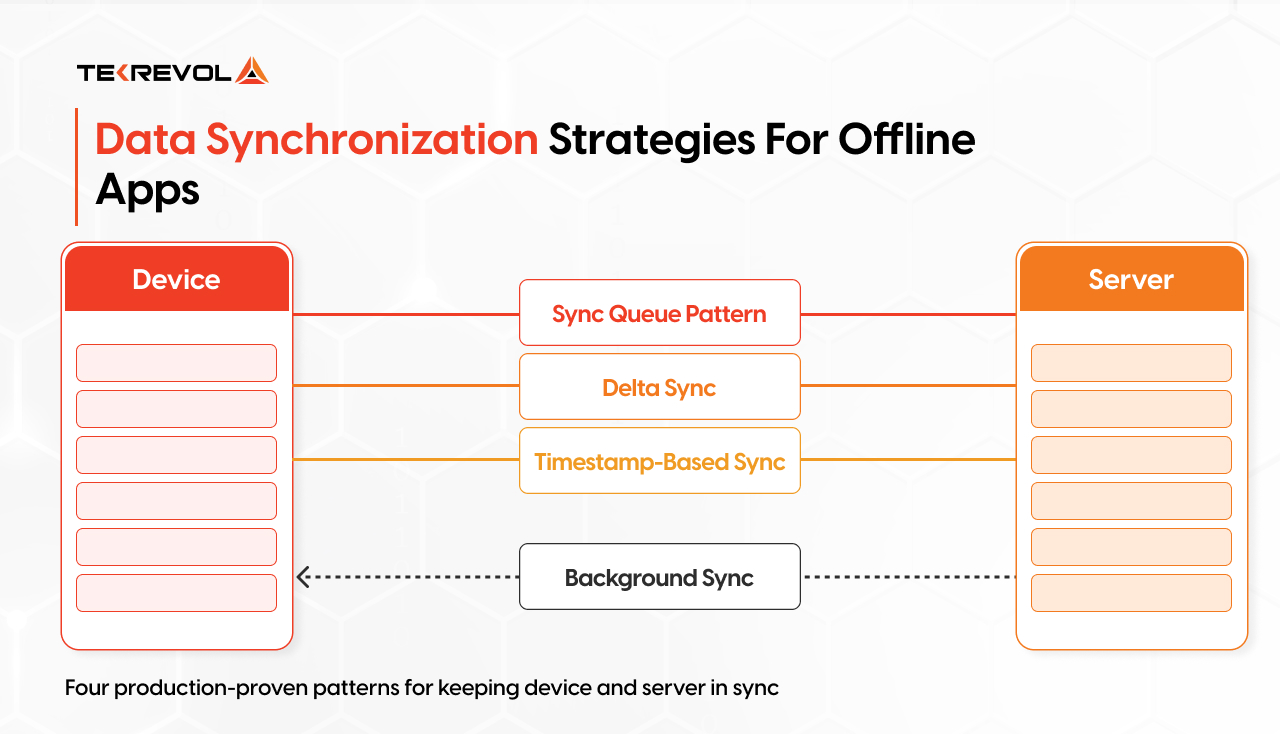
Here are the four sync patterns that actually work in production.
Sync Queue Pattern
The sync queue is the backbone of most offline sync systems, and for good reason. The idea is simple: every action the user takes while offline gets added to a queue. When connectivity returns, the app works through that queue in order, sending each operation to the server one by one.
Think of it like a to-do list for your app: create, update, or delete actions are all queued before being sent. Nothing gets lost because everything is written down first.
The key is making sure operations are safe to repeat, meaning running the same action twice won’t create duplicates or errors.
// Example sync queue entry
{
id: “op_001”,
type: “CREATE”,
entity: “task”,
payload: { title: “Submit report”, dueDate: “2024-12-01” },
timestamp: 1700000000,
retries: 0
}
Best for: Apps where the order of operations matters, forms, transactions, task management.
Watch out for: Long queues can create a backlog that takes time to flush. Always show the user their sync status so they’re not left wondering.
Delta Sync
Delta sync is about efficiency; instead of syncing everything every time, you only send what changed.
Every record gets a last_modified timestamp. When the app reconnects, it asks the server: “Give me everything that changed since this timestamp.” The server responds with only the delta, the difference, and the app applies those changes locally.
This is dramatically more efficient than full syncs, especially for apps with large datasets. Instead of downloading 10,000 records, you download the 47 that actually changed.
// Delta sync request
GET /api/sync?last_sync=1700000000&user_id=123
// Server returns only changed records
{
changes: […],
deletions: […],
server_timestamp: 1700003600
}
Best for: Apps with large datasets where bandwidth and performance matter, CRM tools, inventory systems, content-heavy apps.
Watch out for: You need reliable, consistent timestamps on both client and server. Clock drift between devices can cause missed updates; consider syncing device time against the server before running delta sync.
Timestamp-Based Sync
When the same record is modified both locally and on the server, timestamp-based sync determines which version should be kept. Most applications use a simple last-write-wins approach because it is easy to implement and works well for many use cases.
// Conflict resolution logic
function resolveConflict(localRecord, serverRecord) {
return localRecord.updatedAt > serverRecord.updatedAt
? localRecord
: serverRecord;
}
Best for: Apps where conflicts are occasional and last-write-wins is an acceptable resolution strategy.
Watch out for: Last-write-wins can silently discard valid changes. For collaborative apps or critical data, invest in more sophisticated conflict resolution.
Background Sync
Background sync takes offline mode to the next level; it syncs data even when the user isn’t actively using the app.
For PWAs, you can use the Background Sync API with a service worker to register sync jobs that fire automatically when connectivity is restored, even if the app is closed.
// Registering a background sync in a PWA
navigator.serviceWorker.ready.then((sw) => {
- sync.register(“sync-pending-tasks”);
});
// In the service worker
self.addEventListener(“sync”, (event) => {
if (event.tag === “sync-pending-tasks”) {
event.waitUntil(syncPendingTasks());
}
});
For React Native specifically, the Background Sync API does not apply; use platform-native solutions like react-native-background-fetch instead, which lets you register background tasks on both iOS and Android.
Best for: PWAs and apps where data freshness matters even when the app is in the background — messaging apps, delivery tracking, field service tools.
Watch out for: The Background Sync API has solid support in Chrome and Chromium-based browsers but remains limited in Safari and Firefox. Always include a fallback that syncs when the app is foregrounded so users on unsupported browsers aren’t left behind.
Offline Sync Conflicts and How to Solve Them
This is the hardest problem in offline development. Most blogs skip it. Most teams ignore it until users report data loss. That’s a mistake.
Here’s the scenario: Two people on the same team both open the app while offline. Person A edits a customer’s phone number. Person B edits the same customer’s address. Both save their changes locally. When the internet returns, both devices try to sync. Which version does the server keep?
There are three main strategies:
Last-Write-Wins
The simplest approach: whichever change arrived at the server most recently wins. The earlier change is overwritten and lost.
This is easy to implement and works fine when conflicts are rare. The problem is that when both changes contain important information, one gets silently discarded. Users never know their update was lost.
Best for: Apps where the same record is rarely edited by multiple users simultaneously.
Merge Strategy
Instead of choosing one version, the app combines changes from both users. For example, one user updates the phone number while another updates the address, and both are kept in the final record.
It works well for independently edited fields, but struggles when two users edit the same field; then a rule is still needed to decide the winner.
Google Docs uses a more advanced form called Operational Transformation (OT), where edits are treated as operations instead of full document updates. These operations are merged so multiple users can edit the same content in real time.
Full OT is complex, so most apps rely on simpler field-level merging, which handles most real-world cases.
Best for: CRMs and forms where different fields are updated separately.
User-Prompted Resolution
When the app can’t automatically resolve a conflict, it shows the user both versions and asks them to choose. It’s not seamless, but it never loses data, and users generally appreciate transparency over silent data loss.
CRDTs
CRDTs (Conflict-free Replicated Data Types) are data structures mathematically designed so that changes from multiple sources always merge deterministically, no coordination required, no conflicts possible by design. They’re used in production by Figma, Linear, and Notion for exactly this reason.
The key insight is that instead of storing a final value and asking “which version wins?”, CRDTs store operations or state in a way that makes merging unambiguous. Two common types illustrate this:
G-Counter (Grow-only Counter): each device maintains its own counter slot. Merging simply takes the maximum value from each slot. No conflict is possible because no device ever overwrites another’s slot.
// Each device has its own slot in the counter
const deviceA = { counts: { device_1: 5, device_2: 0 } };
const deviceB = { counts: { device_1: 3, device_2: 4 } };
// Merge = take max of each slot
function merge(a, b) {
const result = {};
const keys = new Set([…Object.keys(a.counts), …Object.keys(b.counts)]);
keys.forEach(k => result[k] = Math.max(a.counts[k] || 0, b.counts[k] || 0));
return { counts: result };
}
// Result: { device_1: 5, device_2: 4 } — always correct, no conflict
TekRevol’s recommendation: choose your conflict strategy based on what losing data actually means in your app. For a to-do list, last-write-wins is probably fine. For medical records, it’s absolutely not.
LWW-Register (Last-Write-Wins Register), each field stores its value alongside a timestamp. On merge, the higher timestamp wins. Unlike basic last-write-wins, this is applied at the individual field level rather than the whole record, so two users editing different fields of the same record never lose each other’s work.
const localField = { value: “Alice”, timestamp: 1700000100 };
const remoteField = { value: “Alicia”, timestamp: 1700000200 };
function mergeField(local, remote) {
return local.timestamp > remote.timestamp ? local : remote;
}
// Result: { value: “Alicia”, timestamp: 1700000200 }
For collaborative text editing specifically, where two users type into the same field simultaneously, RGA (Replicated Growable Array) or Logoot-based CRDTs handle character-level merging. This is what powers real-time co-editing in tools like Figma.
Libraries that make CRDTs practical:
You don’t need to implement CRDTs from scratch. Two libraries are production-ready and well-maintained:
- Yjs, the most widely adopted CRDT library, with React Native support and bindings for rich text, arrays, and maps. Used by Huly, Gitbook, and others.
- Automerge, JSON-like document CRDTs with a simple API. Easier to get started with; slightly heavier bundle size.
import * as Y from ‘yjs’;
const doc = new Y.Doc();
const userProfile = doc.getMap(‘profile’);
// Both devices set fields independently while offline
userProfile.set(‘phone’, ‘+1-555-0101’); // Device A
userProfile.set(‘address’, ‘123 Main St’); // Device B
// On sync, both changes are preserved automatically
// No conflict, no prompt, no data loss
When CRDTs are the right call, and when they’re not:
CRDTs make sense when multiple users edit the same data offline at the same time and no changes can be lost, like collaborative docs, shared boards, or field service logs.
They’re overkill for most apps where conflicts are rare or can be handled with simpler strategies like last-write-wins or user prompts. CRDTs add significant complexity in schema design, syncing, and debugging, so they should only be used when simpler approaches clearly aren’t enough or the data model truly requires them.
Optimistic UI: Making Your App Feel Instant
One principle that separates good offline UX from great offline UX design: don’t wait for the server before updating the UI.
When a user creates a record, show it immediately. When they delete something, remove it right away. When they submit a form, confirm it instantly. Assume the action will succeed, because in the vast majority of cases, it will, and sync it to the server quietly in the background. This is called optimistic UI, and it’s why apps like Notion, Gmail, and Linear feel instant even on poor connections.
The pattern has three phases:
- Update locally first: write the change to local storage and reflect it in the UI immediately. The user sees the result before any network request is made.
- Sync in the background: add the operation to your sync queue and let it flush to the server when ready. The user is already moving on.
- Roll back on failure: if the sync fails, undo the local change and surface a clear, non-alarming error. Something like “Couldn’t save, tap to retry” is enough
Done well, users never notice the sync happening at all. They just notice the app feels fast. That’s the goal.
One important boundary: optimistic UI works best for actions very likely to succeed, creates, updates, simple deletes. For higher-risk actions like payments, irreversible deletions, or multi-step transactions, wait for server confirmation before updating the UI. The perceived speed isn’t worth the confusion of a rollback on something that felt final.
Best Practices for Testing Offline-First Applications
Building offline mode is half the job. Testing it properly is the other half, and most teams don’t do nearly enough of it.
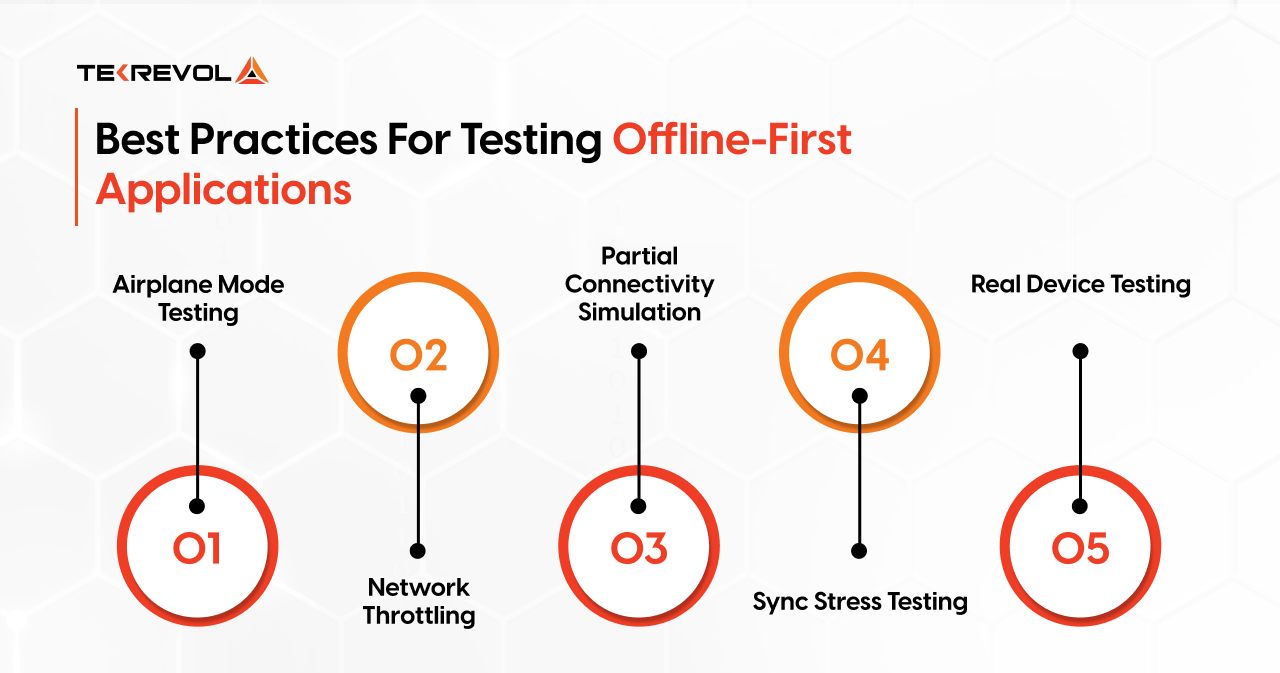
Airplane Mode Testing
Airplane mode testing is the obvious starting point. Turn off all connectivity and use the app. But don’t just test the happy path. Test edge cases: what happens when the user tries to submit a form offline? What if they navigate away mid-sync? What if they receive a push notification while offline?
Network Throttling
Network throttling simulates slow connections, 2G speeds, high packet loss, long latency. Chrome DevTools and Charles Proxy both let you do this without leaving your desk. Slow connections reveal bugs that full offline mode never will, because some requests succeed while others fail or time out.
Partial Connectivity Simulation
Partial connectivity simulation is the hardest to test but closest to real-world conditions. Sometimes the network is technically there but unreliable, requests succeed some of the time, fail others, time out unpredictably. Apple’s Network Link Conditioner is invaluable for this on iOS.
Sync Stress Testing
Sync stress testing means loading up the offline queue and testing what happens when it all syncs at once. Queue 500 operations, restore connectivity, verify that everything syncs correctly — in the right order, without duplicates, without data loss.
Real Device Testing
Real device testing is non-negotiable. Network behavior on a real phone in a real location is different from a simulator in a controlled environment. Background sync behavior, battery management, and OS-level network handling all differ in ways that simulators don’t capture.
Offline Mode in React Native: Practical Implementation
For React Native apps specifically, here’s how the pieces fit together in practice.
NetInfo is your connectivity detection layer. It watches network state and fires when the device goes online or offline, letting you trigger syncs or pause operations accordingly.
import NetInfo from “@react-native-community/netinfo”;
NetInfo.addEventListener(state => {
if (state.isConnected && state.isInternetReachable) {
syncQueuedOperations();
}
});
Note: state.isConnected only confirms network presence, not actual internet reachability. A device on WiFi with no internet will still return isConnected: true.
Always pair it with state.isInternetReachable in most cases, or for production apps where false positives would trigger a premature sync, configure a neutral reachability endpoint:
NetInfo.configure({
reachabilityUrl: ‘https://clients3.google.com/generate_204’
});
State Persistence
Redux Persist keeps your app state alive between sessions. When the user closes and reopens the app, their local data is restored from storage automatically, no server call needed.
javascript
import { persistStore, persistReducer } from ‘redux-persist’;
import AsyncStorage from ‘@react-native-async-storage/async-storage’;
const persistConfig = {
key: ‘root’,
storage: AsyncStorage,
whitelist: [‘tasks’, ‘userProfile’] // only persist what matters
};
Local Database
WatermelonDB handles your local database at scale. Its threading model fits React Native naturally, and its reactive query system means your components automatically re-render when relevant data changes. WatermelonDB handles the local layer — your backend needs matching push/pull endpoints to complete the sync cycle.
Sync Queue
Build a custom sync queue backed by SQLite. Avoid react-native-queue, it is largely unmaintained and should not be used in new projects. What matters most is persistence, the queue must survive app restarts, not just exist in memory.
Recommended Stack
WatermelonDB or SQLite for local storage, a custom SQLite-backed sync queue, Redux Persist for app state, NetInfo for connectivity detection, and delta sync with timestamp-based conflict resolution on the server side.
Common Mistakes Teams Make With Offline Mode
After building offline systems across healthcare, field service, education, and media apps, these are the mistakes we see most often, and most expensively.
Adding offline support after launch
This is the biggest and most common mistake. Offline mode retrofitted onto an architecture that was never designed for it is always messier, more expensive, and more fragile than building it in from the start. If you know your app needs offline capability, make that decision on day one, not in version 3.
Not testing on real devices with real networks
Simulators and dev environments lie. A real phone in a real location with real background processes and real battery management behaves differently in ways that matter for offline sync. Test on devices. Test in places with bad signal. Test in elevators.
Ignoring conflict resolution
Most teams implement last-write-wins and ship it. That works until two users edit the same record while both are offline, and someone’s work gets silently overwritten. Think through your conflict strategy before you ship, not after your first support ticket about missing data.
Storing too much locally
Local storage isn’t unlimited, and trying to cache everything creates performance problems and storage warnings. Be selective, store what users genuinely need to access offline, not a mirror of your entire database.
Not showing sync status to users
If data is being synced in the background, users should know. A simple “syncing…” indicator or “last synced 5 minutes ago” timestamp builds trust. Users who can see their sync status feel confident their data is safe. Users who can’t are anxious, and anxious users uninstall apps.
Treating offline mode as a single feature
It’s not. It’s a cross-cutting concern that touches your data model, your UI patterns, your sync architecture, your error handling, and your testing strategy. The teams that build it well are the ones that treat it as a first-class architectural concern from the beginning.
Why Choose TekRevol for Offline-First Mobile App Development?
TekRevol is a full-service mobile app development company, delivering offline-first mobile solutions built for reliability in the real world, not just ideal network conditions.
We have built offline-first apps across healthcare, field service, education, and logistics, from lightweight offline caching for consumer apps to fully synchronized multi-user systems with strict data integrity requirements. Here’s how we do it:
- Local-First Architecture: We design your data layer around local storage from day one, so your app works fully offline without retrofitting or rewrites later.
- Sync Strategy & Conflict Resolution: We implement the right sync pattern for your use case, delta sync, queue-based sync, or CRDT-backed resolution, so data reconciles cleanly every time connectivity returns.
- Storage Layer Selection: We choose and configure the right local database for your app’s data model, whether that’s SQLite, WatermelonDB, Realm, or MMKV, with migrations planned from the start.
- Testing Against Real Conditions: We test on real devices with real network conditions, throttled connections, partial connectivity, background sync behavior, not just simulators with clean environments.
When you work with TekRevol, you get an offline architecture that’s decided before the first screen is built, and a production-ready app your users can rely on whether they’re in a hospital basement, a warehouse, or a highway with no signal.
Building offline mode the right way saves months of expensive rewrites later.
Talk to TekRevol's engineers before you make the wrong architectural call.
Book Your Free Consultation, Worth $300


